6A-16A-1TX / TXH / TXB 180S - 400L (Rev. 4/23/07)TX / TXH / TXB 180S - 400L (Rev. 4/23/07)
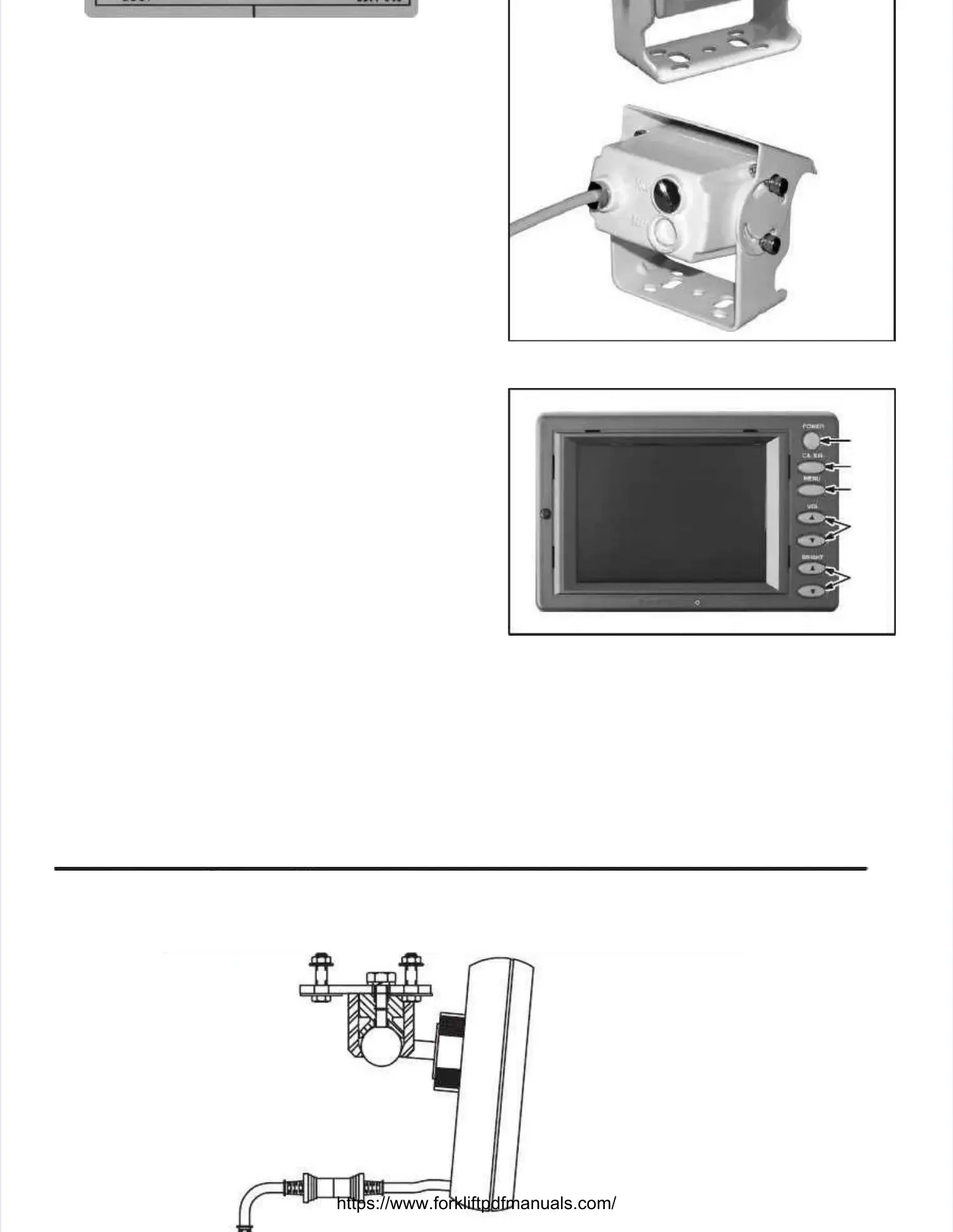
Monitor.Monitor. The orientation The orientation of the of the image being disimage being dis--
played by the monitor is controlled by a magneticplayed by the monitor is controlled by a magnetic
plug located in the rear of the camera (see Illustra-plug located in the rear of the camera (see Illustra-
tion 6A-1).tion 6A-1).
Monitor OperationMonitor Operation (Illustration 6A-2)(Illustration 6A-2).. The The follow-follow-
ing describes the monitor’s controls.ing describes the monitor’s controls.
1.1. Power Button.Power Button. Depress this button to turn theDepress this button to turn the
monitor on (button illuminated green).monitor on (button illuminated green).
Depress this button again to turn the monitorDepress this button again to turn the monitor
off.off. This button will be illuminated red whenThis button will be illuminated red when
the monitor is on and in Standby mode.the monitor is on and in Standby mode.
2.2. Camera Select Button.Camera Select Button. Depress this buttonDepress this button
to view the video from camera 1 (CA1).to view the video from camera 1 (CA1).
Depress this button to view the video fromDepress this button to view the video from
camera 2 (CA2).camera 2 (CA2).
3.3. Menu Button.Menu Button. Depress this button to displayDepress this button to display
the main menu of the monitthe main menu of the monitor. or. TTo navigateo navigate
through the main menu, depress the Bright-through the main menu, depress the Bright-
ness Buttons. ness Buttons. TTo change the co change the content of aontent of a
selected menu item, depress the Cameraselected menu item, depress the Camera
Select Button. Select Button. The main mThe main menu consists enu consists of theof the
following adjustable items:following adjustable items:
a.a. Color.Color. Depress the Depress the Camera Select Camera Select ButtonButton
to change the color depth of the displayedto change the color depth of the displayed
images.images.
b.b. Contrast.Contrast. Depress the Camera SelectDepress the Camera Select
Button to change the contrast level of theButton to change the contrast level of the
displayed images.displayed images.
c.c. Tint.Tint. Depress the Camera Select ButtonDepress the Camera Select Button
to change the color coordination of the dis-to change the color coordination of the dis-
played images.played images.
Illustration Illustration 6A-1. 6A-1. CameraCamera
11
22
33
44
55
Illustration Illustration 6A-2. 6A-2. MonitorMonitor


 To Next Page
 Loading...