TX / TXH / TXB 180S - 400L (Rev. 4/23/07)TX / TXH / TXB 180S - 400L (Rev. 4/23/07)
6-146-14
ENGINE COOLANTENGINE COOLANT
TEMPERATURETEMPERATURE
PARK BRAKEPARK BRAKE
SETSET
LOW BRAKELOW BRAKE
PRESSUREPRESSURE
STOPSTOP
SEAT BELTSEAT BELT
BACKBACK
MEASURE /MEASURE /
ADJUST GROUADJUST GROUPSPS
DOWNDOWN
ENGINE OILENGINE OIL
PRESSUREPRESSURE
BATTERYBATTERY
VOLTAGEVOLTAGE
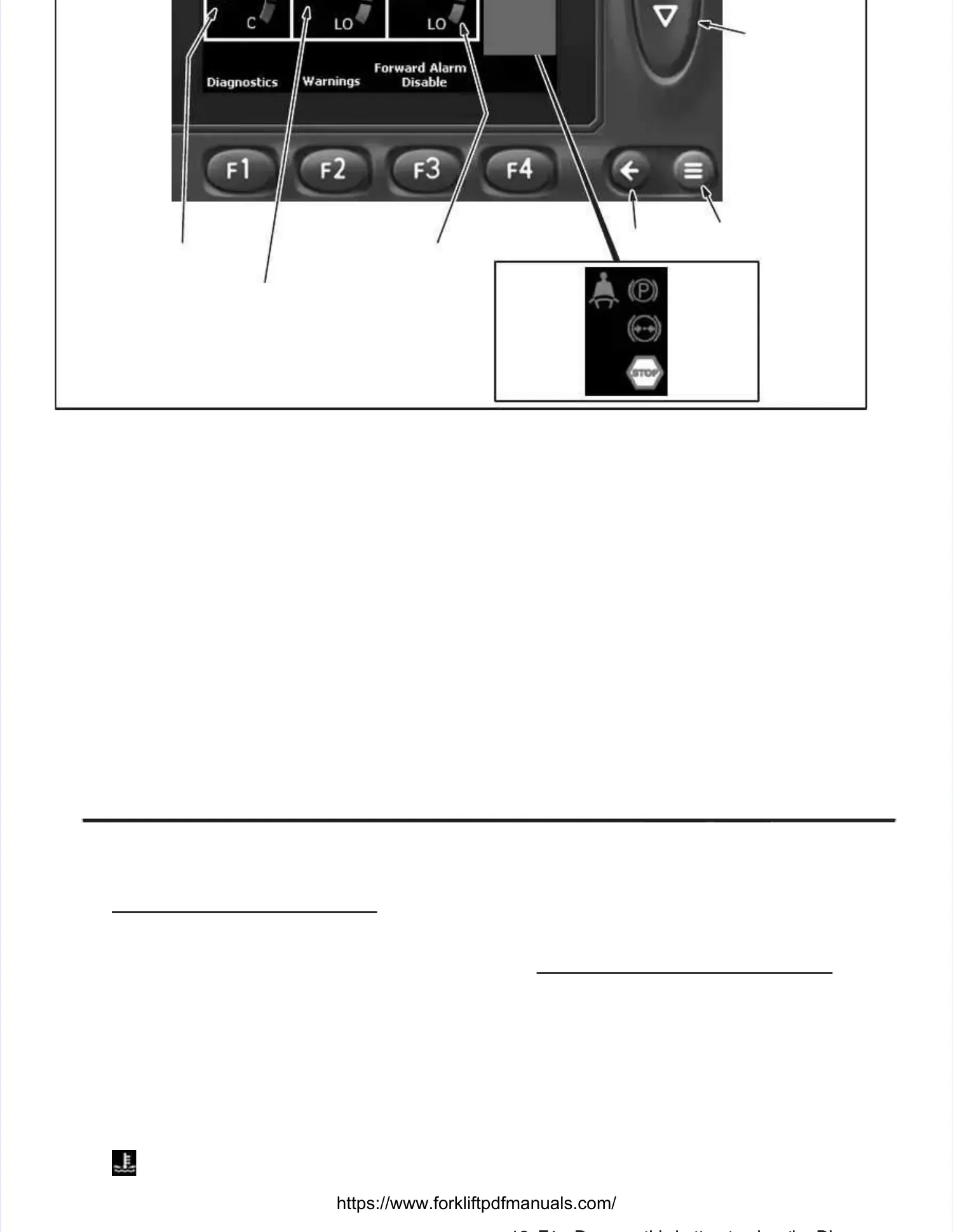
Taylor Integrated Control System (TICS) Display Module Main ScreenTaylor Integrated Control System (TICS) Display Module Main Screen
The TayloThe Taylor Integrated Control System r Integrated Control System (TICS)(TICS)
Display Module Main Screen.Display Module Main Screen. The The main main screenscreen
of the TICS Display Module displays the status ofof the TICS Display Module displays the status of
the engine and equipment operating informationthe engine and equipment operating information
of the of the truck. truck. The operating The operating information thatinformation that
appears on the main display screen is describedappears on the main display screen is described
as follows:as follows:
1.1. ShifteShifter Por Positiosition - n - This This indicaindicates tes the the electelectricric
shifter’s position.shifter’s position.
2.2. MPH - TMPH - This ihis indindicatcates vees vehichicle sple speed in meed in mileiless
per hour.per hour.
3.3. ACTACTIVE IVE MESMESSAGSAGES - MES - Messessage tage text ext thathatt
alerts the operator of the status of differentalerts the operator of the status of different
functions of the truck or to check warnings dis-functions of the truck or to check warnings dis-
played on theplayed on the Active WarningsActive Warningsscreen.screen.
NOTE:NOTE: The The Active Active WarninWarningsgs screen is dis-screen is dis-
played by depressing the F2 button.played by depressing the F2 button.
ACTIVE ACTIVE MESSAGES DISPLAYED:MESSAGES DISPLAYED:
Neutral Lock On - Indicates that the NeutralNeutral Lock On - Indicates that the Neutral
Lock safety feature is active.Lock safety feature is active.
Check Warnings - Indicates that the operatorCheck Warnings - Indicates that the operator
should read the Active Warnings.should read the Active Warnings.
Forward Alarm Off - Indicates that the forwardForward Alarm Off - Indicates that the forward
alarm is disabled while in the Operator Con-alarm is disabled while in the Operator Con-
trolled mode trolled mode of operation. of operation. This message This message willwill
only appear while the Forward Alarm is in theonly appear while the Forward Alarm is in the
Operator Controlled mode and disabled.Operator Controlled mode and disabled.
NOTE:NOTE: Depressing the Depressing the F3 button F3 button will enablewill enable
the forward the forward alarm. alarm. [Refer to [Refer to thethe ForwardForward
Alarm SystemAlarm Systemin the Operator’s Guidein the Operator’s Guide
(OG160) for detailed information.](OG160) for detailed information.]
4. 4. - - TThihis s icicon on wwilill cl chahangnge fe frorom m wwhihite te to to reredd
when the engine coolant temperature Is great-when the engine coolant temperature Is great-
er than 218er than 218F (103F (103C). C). If this If this icon changes icon changes toto
red, stop the engine immediately and notifyred, stop the engine immediately and notify
11.11. CORRECTIVE ACTCORRECTIVE ACTIONS - IONS - Message text Message text thatthat
alerts the operator to take action before thealerts the operator to take action before the
truck will allow continuation of truck operation.truck will allow continuation of truck operation.
CORRECTIVE ACTIONS CORRECTIVE ACTIONS DISPLADISPLAYED:YED:
Check Engine - Indicates there is an engineCheck Engine - Indicates there is an engine
related problem and that the engine needs torelated problem and that the engine needs to
be checked.be checked.
Please Sit Down - Indicates that the operatorPlease Sit Down - Indicates that the operator
needs to occupy the seat.needs to occupy the seat.
Shift thru Neutral - This message will onlyShift thru Neutral - This message will only
appear while the Forward Alarm is in the Oper-appear while the Forward Alarm is in the Oper-
ator Controlled mode and disabled.ator Controlled mode and disabled. NOTE:NOTE:
Depressing the F3 button will enable the for-Depressing the F3 button will enable the for-
ward alarm. ward alarm. [Refer [Refer to tto thehe Forward AlarmForward Alarm
SystemSystemin the Operator’s Guide (OG160) forin the Operator’s Guide (OG160) for
detailed information.]detailed information.]
Service Required - Indicates that truck mainte-Service Required - Indicates that truck mainte-
nance needs to be performed.nance needs to be performed.
1212 F1 D thiF1 D thi b tt t i tb tt t i th Dih Di


 To Next Page
 Loading...