Changing channel mixing and end-points
For detailed channel mixing, rates, and end-point settings, it is recommended to set up these on the flight
controller side (CleanFlight, BetaFlight, RaceFlight, APM, PX4, Pixhawk, etc.), for anything else than flying
wings.
Flying Wings
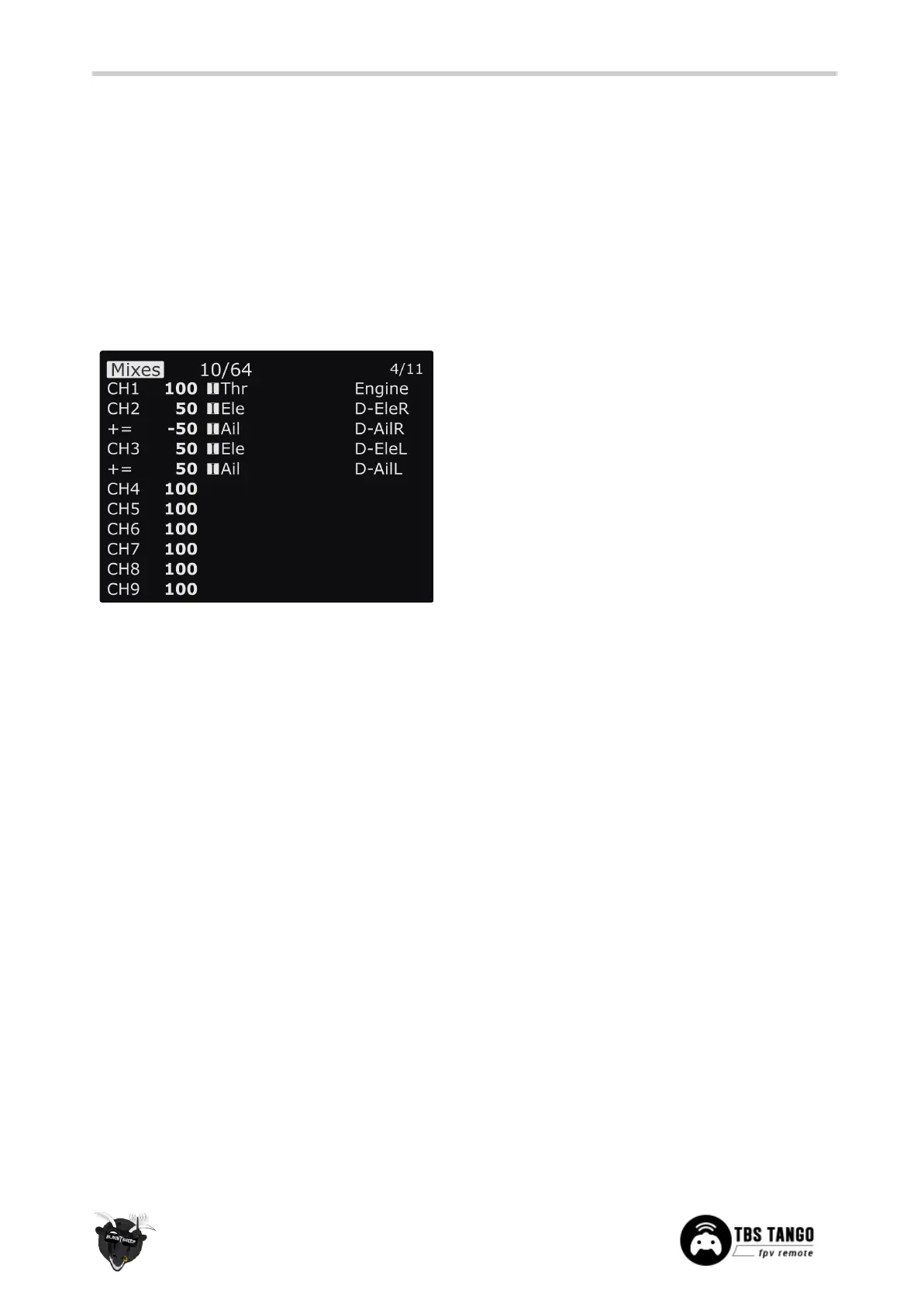
The TBS TANGO 2 supports channel mixing for flying wings . The mixing, end-point, and reverse settings
can be configured in channel settings, after you have set up a new flying wing model.
1. Quick-press the Menu-button to enter the
Model Setup
2. Change to the Mixer screen by pressing the
Page-button
3. Use the Rocker and Enter-switch to select a
channel
More information can be found in relevant online
tutorials explaining the operating and mixing
principles of OpenTX


 To Next Page