● Rename category - Give the selected category
a new name
● Delete category - deletes the category, only
possible when there is no model in it
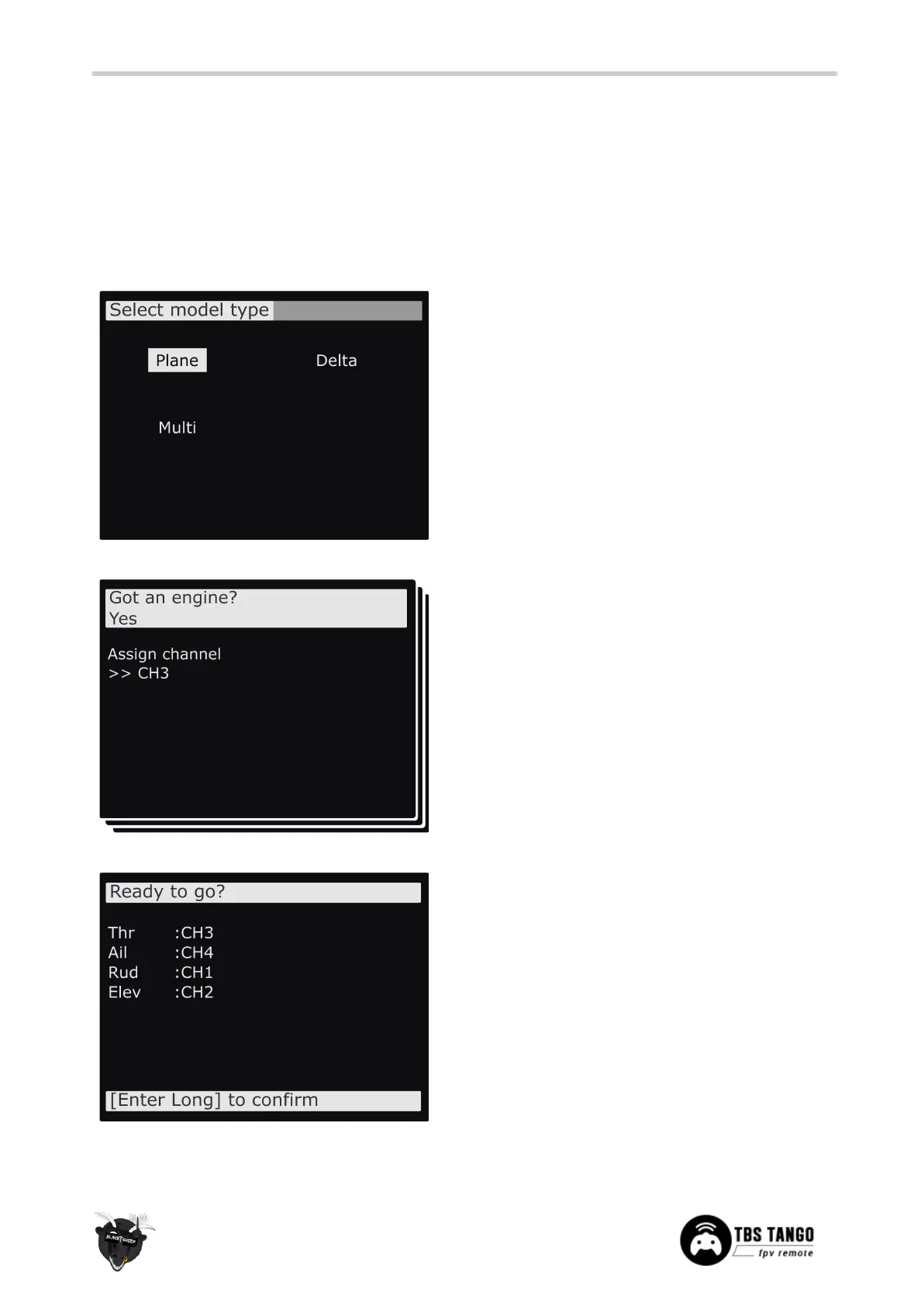
When creating a new model the wizard guides you
through step-by-step. This can be aborted any time by
pressing EXIT
Press the Page-button to go to the next screen
● Select model type - Pick the base for the new
model, the type of aircraft
Answer each step to generate the final model base
● Got an engine - Determines whether to assign
throttle - select which channel to use, here
CH3.
Summary of the selections made, can be changed
afterwards
● Control surface - Assigned to the designated
channel


 To Next Page