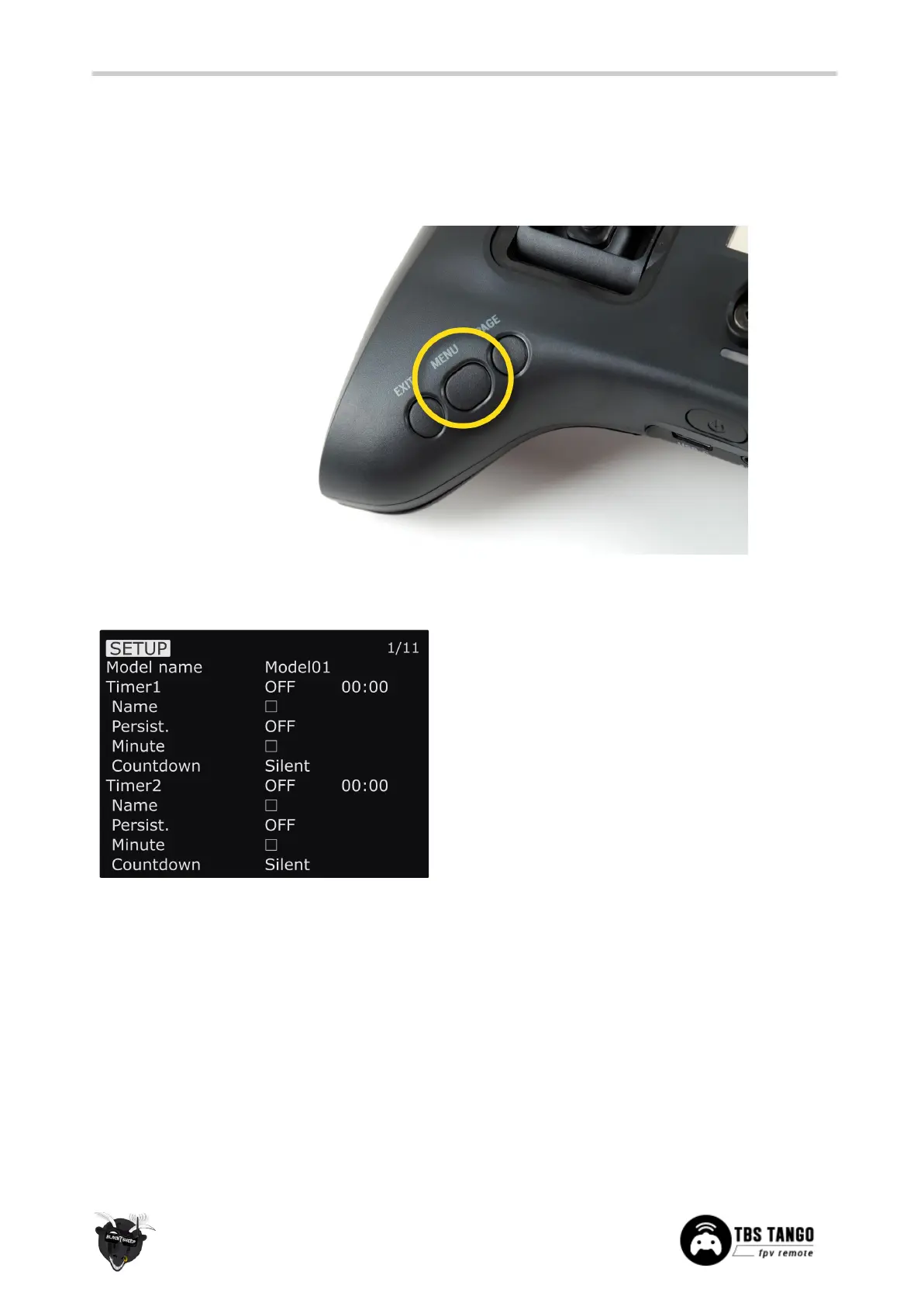
OpenTX configuration menu
Changing detailed OpenTX settings can be done in the main OpenTX configuration menu. Quick-pressing
the Menu-button to enter the configuration menu and switch screens with the Page-button.
OpenTX setup
Configures the general OpenTX features
● Model name - Specify profile name
● Timer1/Timer2/Timer3 - Countdown timers
○ Name - Specify timer name
○ Persistent - When the timer will be
set to 0
○ Minute - Notification every minute
passed
○ Countdown - notification style when
the time is over


 To Next Page