Stick trim
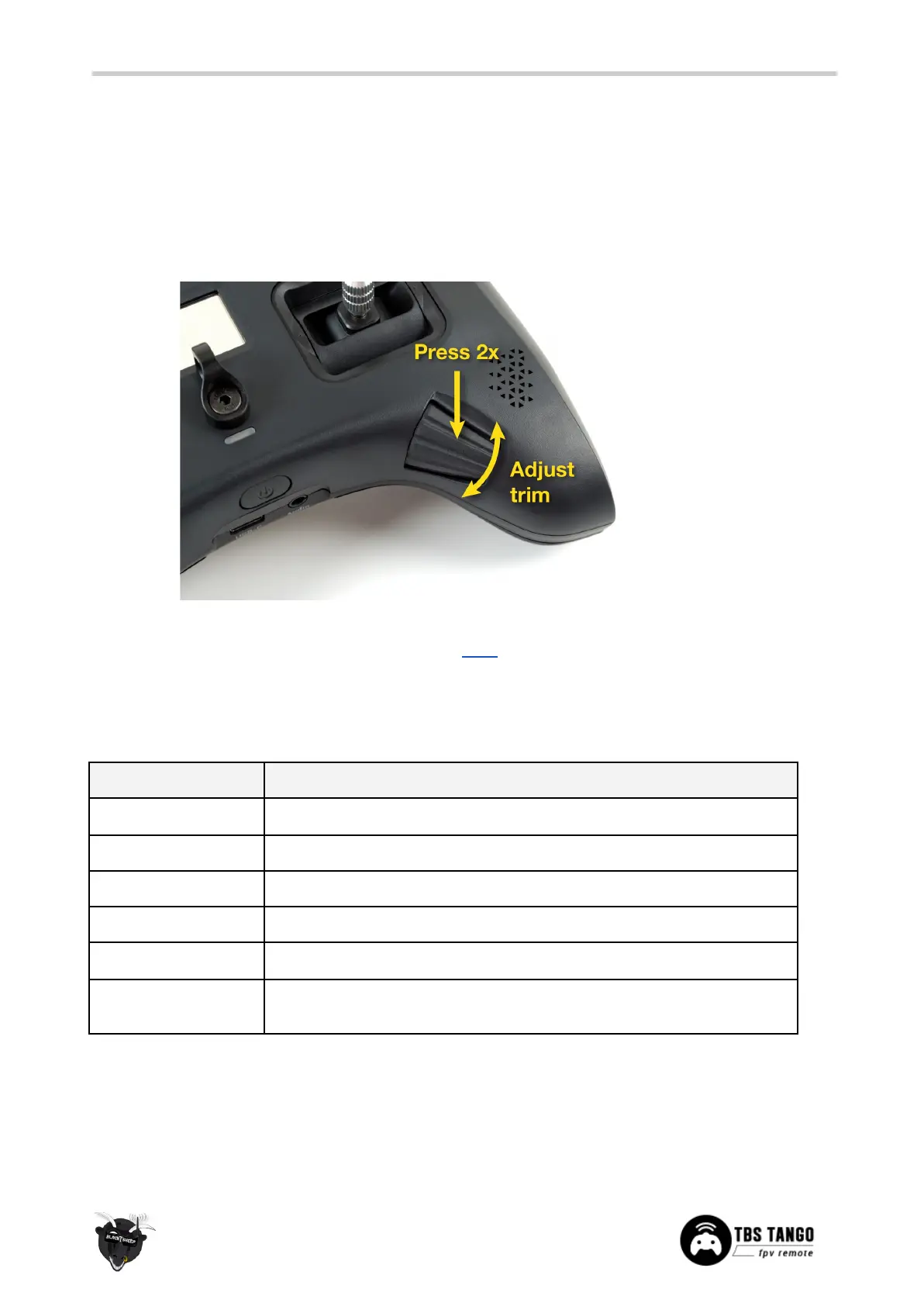
Adjusting the stick trim while in use is easy. Double-press the Rocker-switch/Enter-button, an audible
feedback will sound and the corresponding stick direction will highlight on the display. Just the
rocker-switch to adjust the trim. Double-press to change to a different stick direction. Press Exit when
finished.
If you got a new airplane or wing, you can set up a special function to write the actual stick position to the
trimms by the push of a button. Details can be found here.
Battery protection
The battery protection in the remote is based on nominal voltage, as follows:
Battery level 4, fully charged
Battery level 1, beep tone and battery icon flashing
Power on allowed, critical level, beep tone and battery icon flashing
Shutdown voltage, 20 seconds countdown prompt, recharge as soon as
possible
The TANGO II can be charged during the flight. In case your battery becomes empty while you are in the
air, simply connect a power bank with 2a power output.


 To Next Page