www.tbsiptv.com
2 / 19
Specification:
https://www.tbsdtv.com/products/tbs5930-dvb-s2x-or-s2-tv-tuner-usb-card.html
Steps to setup TBS5930
1. Hardware install
2. Driver install: Windows Driver, Linux driver
3. DVB software
4. Tune channel
5. Watch Tv program or do streaming
Hardware Installation
1. Connect TBS5930 to your PC/Laptop USB 2.0 port
2. Connect Power Adapter DC 12V/2A for TBS5930
3. Connect satellite signal to TBS5930
The setup of Windows Platform
Windows driver:
https://www.tbsiptv.com/download/tbs5930/tbs5930_release_v1005_20230105.zip
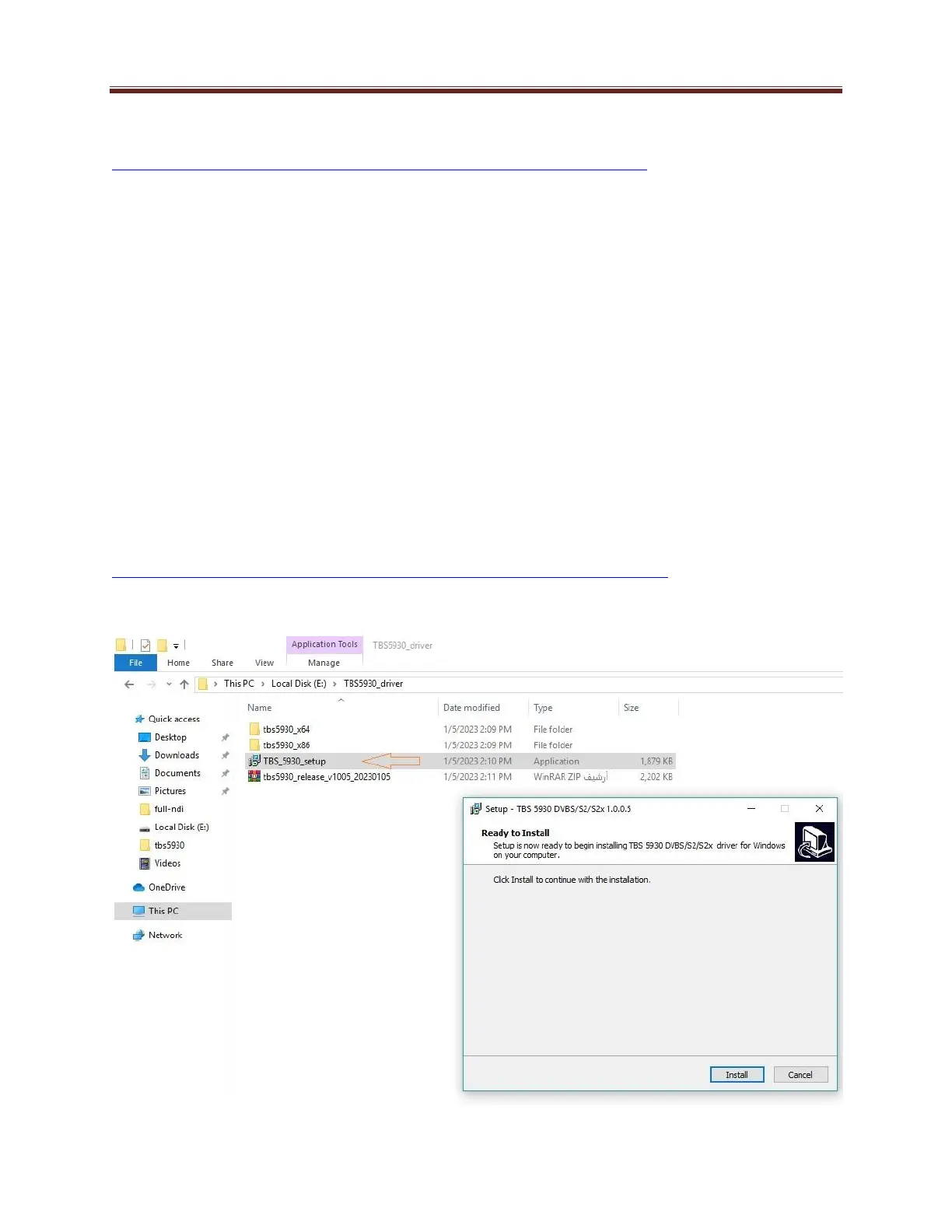
Unpack driver package and click Application “TBS_5930_setup” directly to install driver.



 To Next Page