TBS6902 Multi Standard Tuner Card User Guide
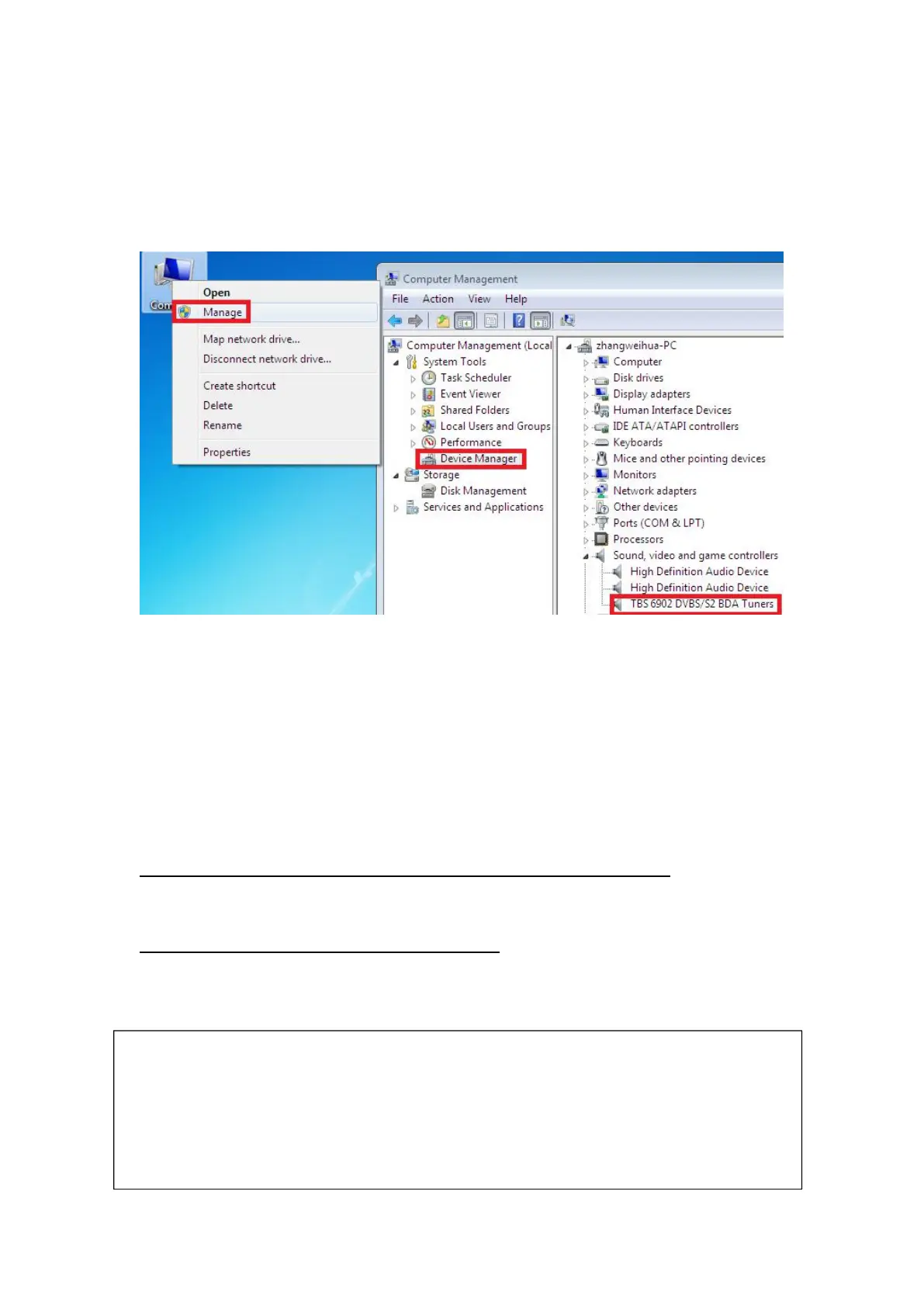
5)To verify if driver was correctly installed: Choose “My Computer”, right click and
choose “System Properties” to pop up “System Properties” windows, click
“Hardware” → “Device Manager”. Then click “+”in front of “Sound, video and game
controllers”. If you can see “TBS6902 Dual BDA Tuners” that means you do have
installed driver correctly. Just display as below:
3.Play Software Installation
To enjoy satellite TV on PC or record video, you still need to install player
software and right set the search parameters.The above series of TBS TV tuner Card
is compatible with a lot of software like TBSViewer, DVBDream, ProgDVB etc.
Here is a link is for downloading Player software. Fordetailed installation
instructions, see its Software Installation Instructions.
http://www.tbsiptv.com/index.php?route=product/download&path=6
Moreover, you can check some Video Guide on the following link:
https://www.youtube.com/user/buydvb/videos
4. Linux open source drive installation
ATTENTION:
①In some case, the card can not be detected by your PC, you can’t see the
device in Device manager, please try to change a PCIe slot and try again; or th
e golden finger is oxidized in the air, clear it by an eraser and try.
②Don’t insert or pull the card out directly when your computer is working, ot
herwise it will damage your tuner card.



 To Next Page