TBS6909 Multi Standard Tuner Card User Guide
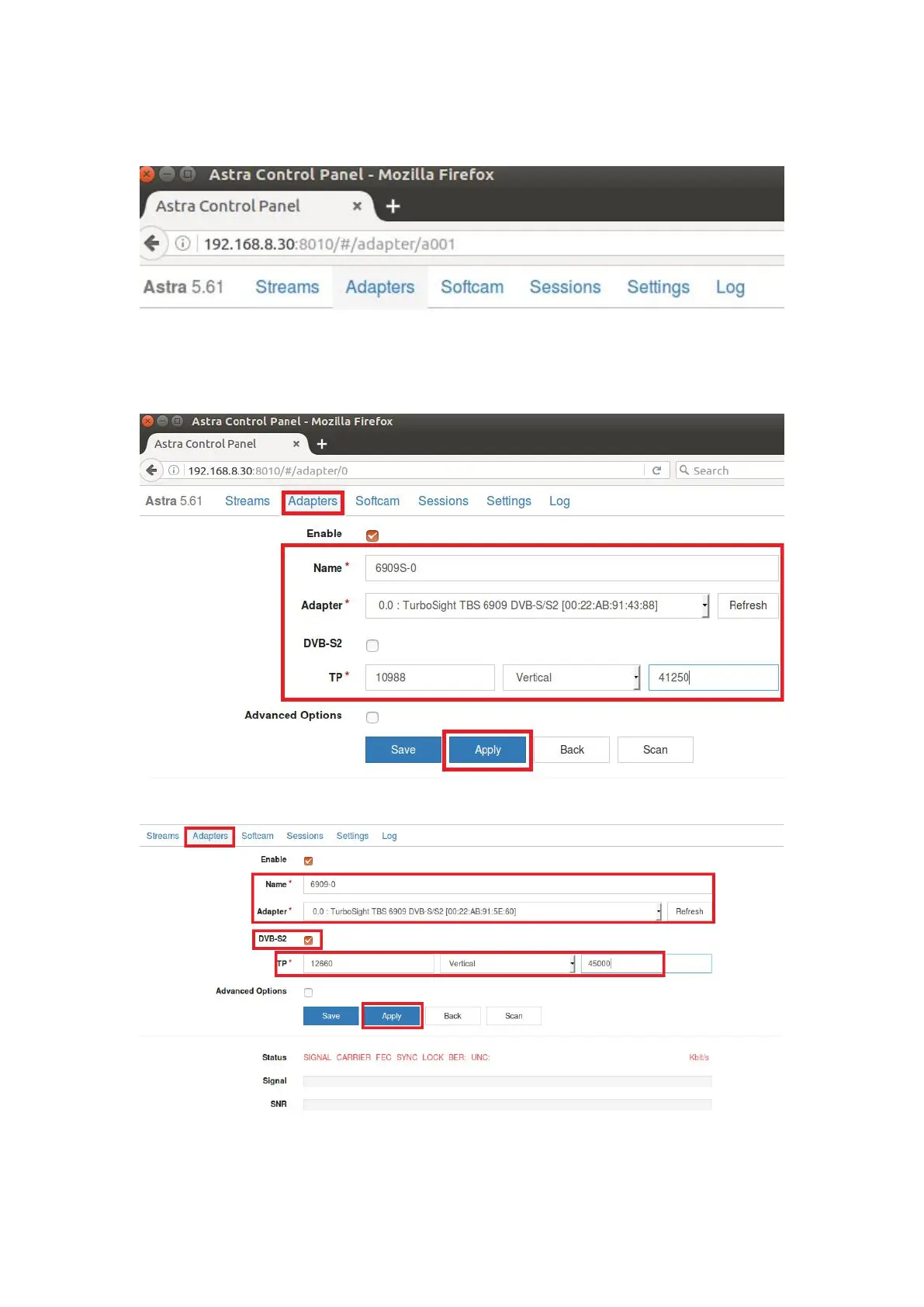
8.3 Open Firefox browser, input the IP address of your PC and port number 8010 as
below, then you can log in astra configuration webui. (See the following screenshot.)
8.4 Create a new “Adapters” and then set the right satellite TV signal and f
requency parameters via LNB, finally click “Apply”. (See screenshot below.).
8.5 Set the“Delivery System”to DVBS2 and Modulation(See screenshot below.)



 To Next Page