TBS6909 Multi Standard Tuner Card User Guide
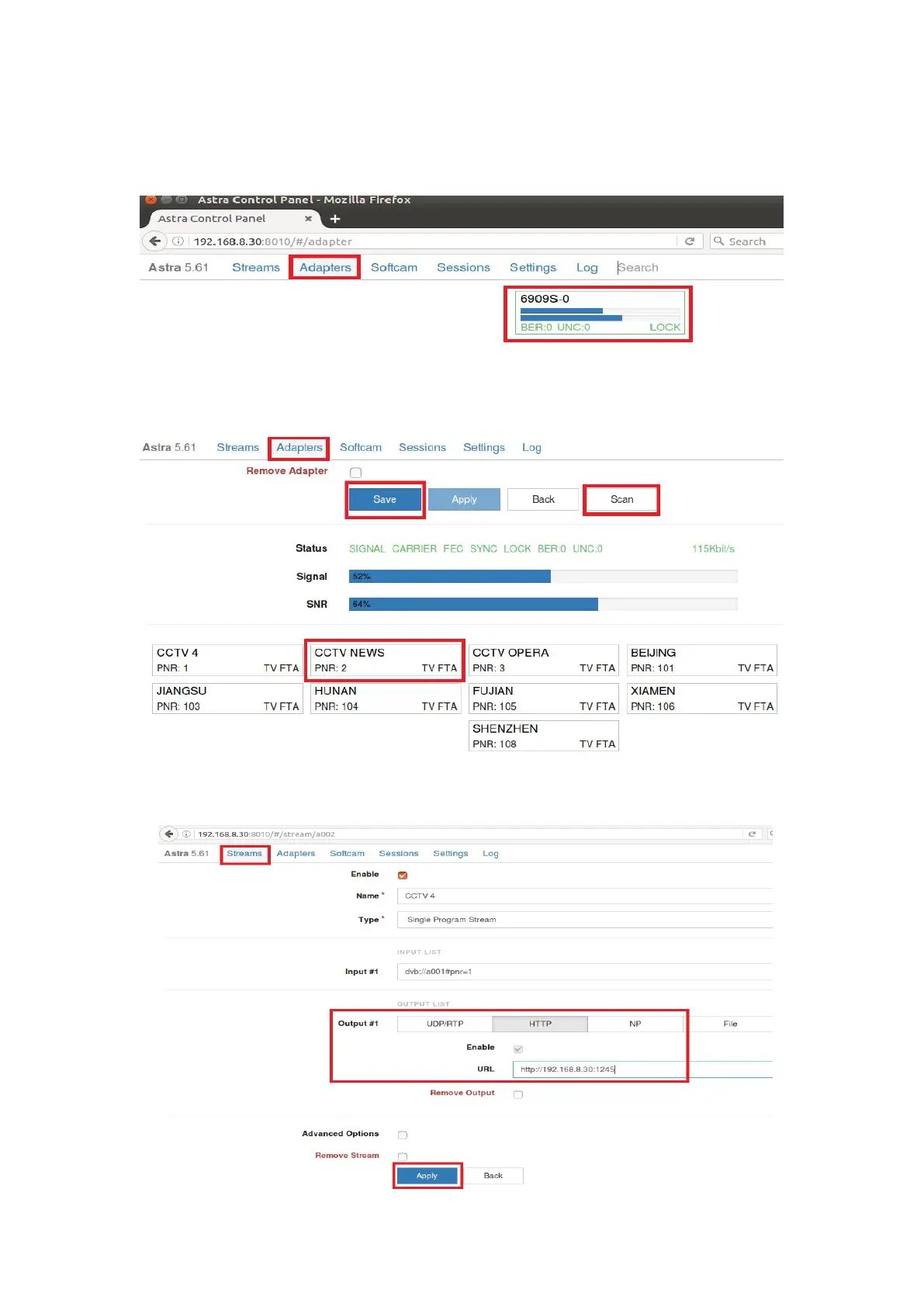
8.6 Log in “Adapters” again. If the LNB signal indication pops up in the window, you
have successfully completed the configuration. Click it and enter into the operation
interface. (See screenshot below.)
8.7 Log in “Adapters” to scan TV channels, and then select the programs that you
would like to watch. Finally click “Save” as below.
8.8 Save all the selected TV programs, you will find them in ”Streams”. Then please
set the output protocol according to your needs. Finally click “Apply” as below.



 To Next Page