TBS6909 Multi Standard Tuner Card User Guide
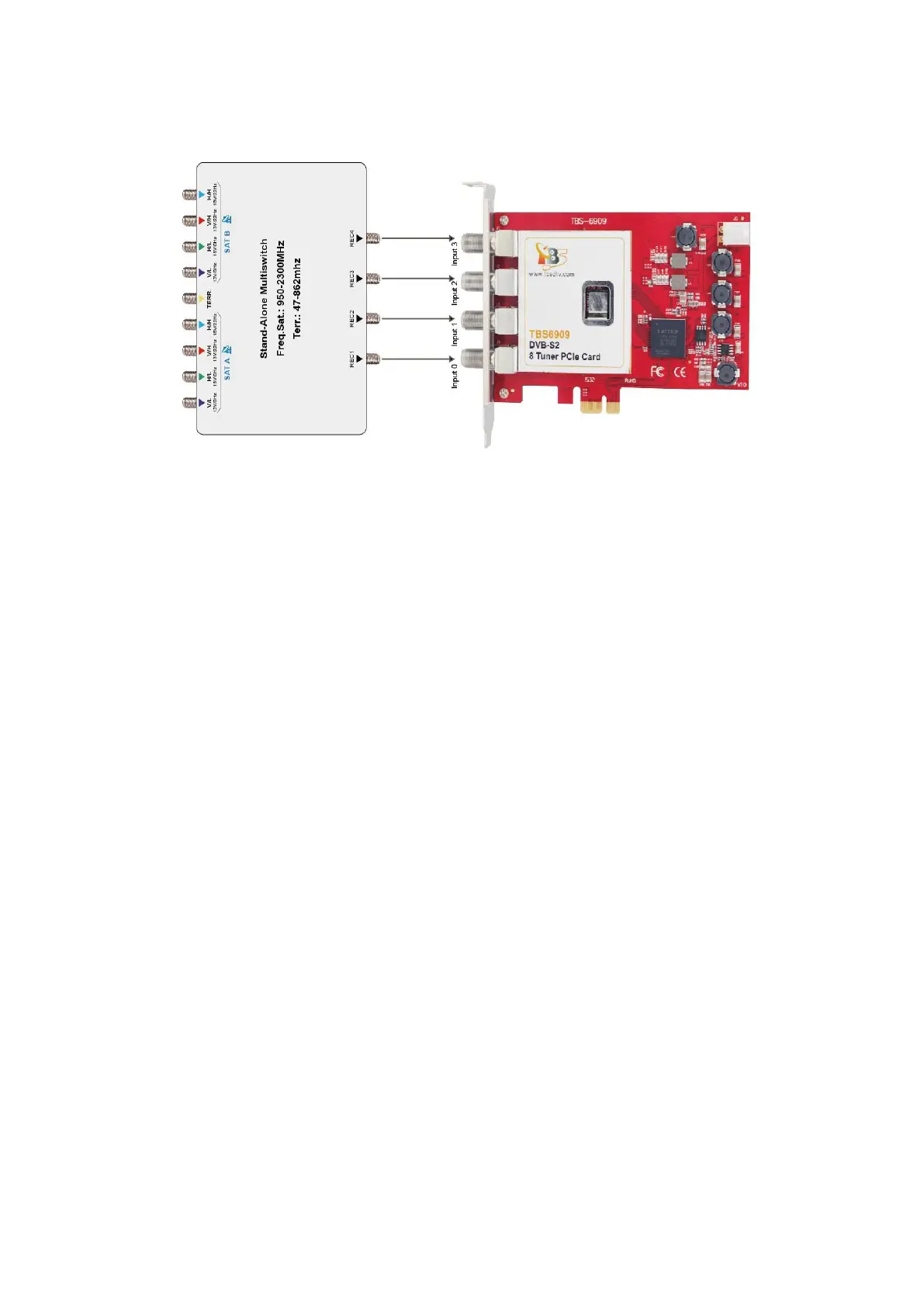
1.4 Multi satellite usage:
In some case multiswitch have more than one satellite input, need to choose the
satellite first, then you can use this mode . It will be selected satellite by sending
Diseqc command.
In this mode, if input 0 to input 3 has at least an active input then all tuners can get
lock, for example:
If we have a VH signal connected to input 1 come from satellite B, use dvblast to scan
the channel: Such as VH DVB-S you can do this, DVB-S do not need to use -m qpsk
dvblast -f 12538000 -s 41250000 -v 13 -a 0
it means that the VH port is choose satellite B, the other 7 tuners all can get the
satellite B VH signal.
If we have a HL signal connected to input 2 come from satellite A, use dvblast to scan
the channel: Such as VH DVB-S2 you can do this
dvblast -f 11080000 -s 43200000 -v 18 -m psk_8 -a 0
it means that the HL is choose satellite A, the other 7 tuners all can get the satellite A
HL signal.
If you have four kinds active signal connected to correct 4 inputs, then you can get all
VL, VH, HL, HH signal.



 To Next Page