11
How does looping work?
1 SelectLOOP.
2 Makesurethepedalisinbypassmode(LEDoff).Feelthegrooveandprepareforrecording.Then
presstheswitchtostartyourrecordingandplay.TheLEDflashesred.
3 Presstheswitchagaintostoprecording.Flashbackimmediatelystartsplayingtheloop.Inthis
playmodetheLEDisgreen.
4 Tooverdubyourrecordingpresstheswitchoncemore.TheLEDnowblinks.
5 Todeleteallrecordings,double-clicktheswitch.
Pleasenotethefollowing
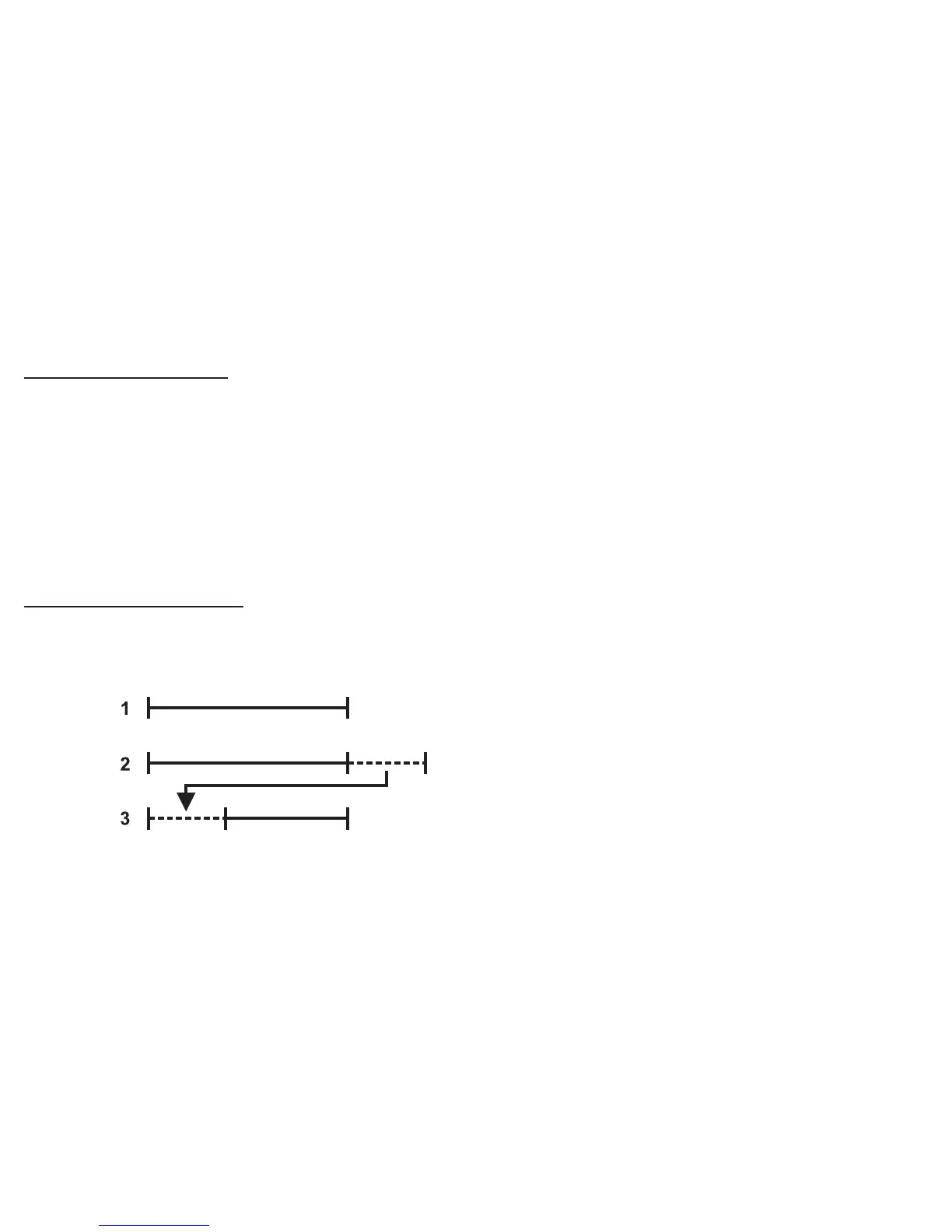
- Thefirstroundofrecordingalwayssetsthelengthoftheloop(1).Ifanoverdubexceedsthelength
oftheloop(2),athirdroundofrecordingbegins(3).Thisgivesaverynatural,logicandmusical
feel when recording loops.
-TheDELAYandFEEDBACKknobsareinactiveinLoopmode.





 To Next Page