
 Need help?
Do you have a question about the TC Electronic PolyTune 2 and is the answer not in the manual?
General safety guidelines for operating electronic equipment.
Critical warnings regarding fire and electric shock risks.
Cautionary note on modifications and authority to operate.
Specifies service must be performed by qualified personnel.
Explains compliance with digital device regulations for radio frequency energy.
Information on how to use the manual and where to download it.
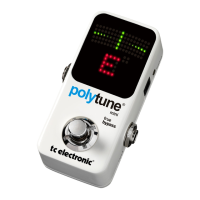
Discusses the PolyTune 2's improvements over the original polyphonic tuner.
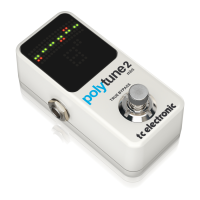
Highlights the bright LED display and ambient light sensor for optimal visibility.
Details the fast and precise strobe tuning mode with high pitch detection accuracy.
Explains how PolyTune 2 stores user preferences like tuning mode and reference pitch.
Lists the contents of the PolyTune 2 box and advises checking for transit damage.
Guides on connecting power supply, instrument, and amplifier for operation.
Encourages users to start tuning immediately and observe the display.
Details the power input requirements and the power output for daisy-chaining pedals.
Explains the function of the tuning mode and display mode selection buttons.
Describes the USB port's use for firmware updates.
Details how to connect instruments and other devices via audio jacks.
Explains the footswitch operation and the bright LED display for tuning feedback.
Describes the ambilight sensor that automatically adjusts display brightness.
Explains chromatic vs. polyphonic tuning, needle mode, and strobe mode operation.
Details the four available display modes for tuning visualization.
Explains that polyphonic tuning is automatic upon strumming the instrument.
Guides on using Drop D tuning and selecting alternate tunings/capo modes.
Instructions on how to change the reference pitch (e.g., A4=440 Hz).
Addresses common operational issues like no audio output and footswitch non-responsiveness.
Provides tips for obtaining the most accurate tuning results, especially with electric guitars.
 General
| Product type | Tuner |
|---|---|
| Product color | White |
| Built-in display | Yes |







 To Next Page