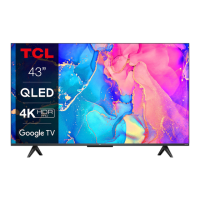
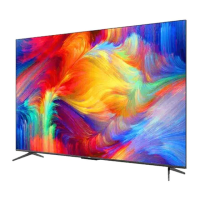
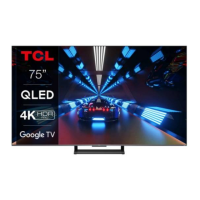
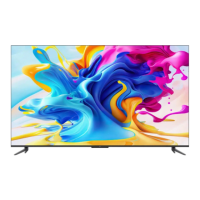
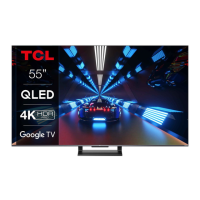
This document is an operation manual for a TCL Google TV, specifically the C645 Series. It provides comprehensive instructions for setting up, operating, and maintaining the television, covering various features from basic TV functions to advanced smart TV capabilities.
Function Description
The TCL Google TV is designed to offer a rich entertainment experience, integrating traditional television viewing with modern smart TV functionalities. At its core, it functions as a display device capable of receiving and displaying broadcast television signals, whether analog or digital. It supports various input sources, including HDMI for connecting Blu-ray players, game consoles, PCs, and satellite decoders, as well as AV IN for older equipment like VCRs and camcorders. The TV also features a LAN port for wired internet connection and built-in wireless capabilities for connecting to a home network.
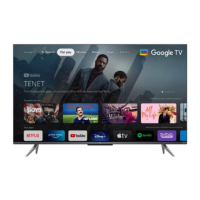
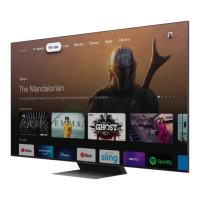
A key feature is the integration of Google TV, which serves as the primary interface for accessing a vast array of entertainment. Google TV brings together movies, shows, and content from various apps and subscriptions, organizing them for easy discovery. Users can access the Google TV homepage to browse content, launch applications like Netflix, Stan, Prime Video, Disney+, and YouTube, and utilize the Google Assistant for voice search and control. The TV also includes a dedicated TCL Channel for additional VOD (Video on Demand) content and featured applications.
For audio, the TV supports digital audio output (optical) for connecting to compatible digital audio receivers and a headphone socket for private listening. It is equipped with advanced audio technologies, including Dolby Vision and Dolby Atmos, to enhance the sound experience.
The TV incorporates several advanced viewing features. The Electronic Program Guide (EPG) allows users to view scheduled digital TV programs, navigate through channels, and set reminders or recordings. HbbTV (Hybrid broadcast broadband TV) is supported on certain digital TV channels, providing interactive television experiences over broadband internet, including digital teletext, games, and catch-up TV. For those who want to control their viewing experience, the Live TV Pause function allows pausing, fast-forwarding, and rewinding live TV, while the PVR (Personal Video Recorder) function enables recording favorite TV programs to a connected USB drive.
The TV also includes accessibility features such as Subtitles, which can be enabled for each TV channel, supporting both Teletext and DVB-T digital broadcasts, with options for preferred languages and hearing-impaired subtitles.
Usage Features
Operating the TCL Google TV is facilitated by a remote control and on-device buttons. The remote control provides access to most functions through on-screen menus. It features a circular D-Pad for navigation, dedicated buttons for volume and channel control, input source selection, quick settings, and direct access to popular streaming apps. A notable feature is the Google Assistant button, which, after pairing the remote with the TV, enables voice commands for content search and control. The TV also has a built-in MIC switch for hands-free TV voice control, allowing users to activate Google Assistant without the remote.
Initial setup is guided by a "Welcome wizard" that walks users through language selection, remote pairing, and network connection. It is recommended to complete the Google TV setup to unlock all features. The TV supports both wired and wireless network connections, with clear instructions provided for each.
Adjusting volume and muting sound can be done via the remote or the TV's physical buttons. Channels can be installed automatically, and users can organize them by hiding or moving. Accessing channels is straightforward, using Up/Down buttons, the OK button for a freeview bar, or P+/P- buttons. The virtual remote control keyboard can also be used for numeric channel selection.
The Settings menu is a central hub for customizing the TV experience, allowing adjustments for picture, sound, network, accounts, and apps. Within these menus, users can select options, toggle features on/off, or adjust settings using the navigation buttons.
For connected devices, the TV offers External Devices Control (CEC) via HDMI, enabling automatic power on and standby for compatible devices like soundbars. This simplifies the control of multiple devices with a single remote.
The TV also includes a Blue Light Filter feature, which can be toggled on or off to reduce blue light emission from the screen, aiming to reduce visual fatigue during prolonged viewing. A Quick Start function allows for faster TV power-on from standby, though it increases standby power consumption. Bluetooth functionality enables connection of audio devices, mice, or keyboards wirelessly.
Maintenance Features
The manual provides guidance on basic maintenance and troubleshooting. For physical care, it advises dusting the set with a soft, clean cloth and avoiding excessive force or harsh chemical cleaners on the screen. It also emphasizes not blocking ventilation openings and referring all servicing to qualified personnel.
Regarding power and plug, users are instructed to unplug the set if not in use for a long time, if the power cord is damaged, or if the set has been impacted. Protection of the power cord and signal cable from trampling or moisture is also highlighted.
Battery installation for the remote control includes clear instructions on polarity and cautions against mixing new and used batteries, using rechargeable batteries, or exposing batteries to excessive heat. Proper disposal of batteries is also emphasized.
The troubleshooting section addresses common issues such as network connection failures, video playback problems (smoothness, sound, format compatibility), external device recognition issues, and voice search malfunctions. It offers practical steps like checking network connections, rebooting the TV, consulting internet service providers, and verifying settings. For USB devices, it advises backing up data before connecting, using drives with sufficient free space and speed for PVR and Live TV Pause, and avoiding disconnection during data transfer.
The manual also covers software updating, advising against power cuts or remote control operations during the process. It explains that updates may not always result in visible interface changes but can improve performance or add new functions. In case of power-off during an update, it provides steps to resume the process.
Finally, a "Reset Shop" feature allows users to restore the TV to factory default settings, which can be useful for resolving persistent software issues or preparing the TV for a new user. This process involves entering a password and confirming the reset.



 To Next Page

 General
 Weight and Dimensions