Need help?
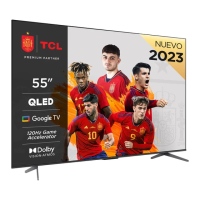
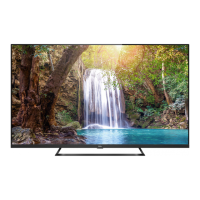
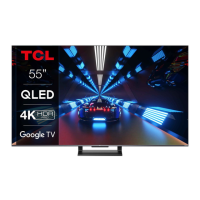
Do you have a question about the TCL 55EP680 and is the answer not in the manual?
This document provides comprehensive information regarding the operation, maintenance, and safety of your television set. It covers various aspects from initial setup and basic TV functions to advanced features and troubleshooting.
The television is a high-technology product designed to deliver finely detailed pictures. It supports both wired and wireless network connections, allowing access to a wide range of Internet Applications (Apps) and specially adapted Internet websites. The TV can be controlled via the supplied remote control, which offers various functions including channel navigation, volume adjustment, input source selection, and access to system settings.
Basic TV Operations:
Advanced TV Features:
The television is designed for domestic household use. It features a multi-function menu accessible via the button on the TV set, which allows for power off, channel change, volume control, and source selection. The remote control is the primary interface for navigating menus and configuring settings.
Remote Control Functions:
Initial Setup: Upon first power-on, a "Welcome" screen guides the user through initial setup, including language selection, network connection, and channel scanning. Skipping steps is possible, with options to configure later via the settings menu.
Proper maintenance ensures the longevity and optimal performance of the television.
Cleaning:
Safety and Environmental Considerations:
ESD Regulation: The apparatus meets ESD performance criteria. If the TV does not recover in Ethernet connection or USB playing mode due to electrostatic discharge, user intervention is required.
Bluetooth Interference: Bluetooth technology uses 2.4GHz frequency, which can be interfered with by Wi-Fi access points, routers, or microwave ovens. If audio reception is interrupted, restart the Bluetooth device or move closer to the TV/increase space from interference sources.
Wall Mounting: This operation requires two people. Ensure the wall can support the TV's weight and wall mount assembly. Follow mounting instructions, use appropriate screws for the wall material, and ensure cables do not pose a tripping hazard.
 General
| Screen Size | 55 inches |
|---|---|
| Display Type | OLED |
| Smart TV | Yes |
| Operating System | Android TV |
| Processor | Quad-Core |
| HDMI Ports | 3 |
| USB Ports | 2 |
| Bluetooth | Yes |
| Sound Technology | Dolby Audio |
| Audio Output | 20W |
| Refresh Rate | 60Hz |
| Wi-Fi | Yes |
| Resolution | 3840 x 2160 (4K UHD) |
| HDR Support | Yes (HDR10, Dolby Vision, HLG) |

 To Next Page