Need help?
Do you have a question about the TCL 65S421 and is the answer not in the manual?
General safety precautions for mains supply, heat, moisture, and power disconnection.
Warnings for domestic use, damaged cables, ventilation, and placement.
Safety notes and instructions for wall mounting the TV securely.
Steps to connect the power cord and antenna to the TV.
Guidance on connecting the TV to wired or wireless networks.
Instructions for connecting various external audio/video devices to the TV.
Explanation of buttons and their functions on the TV remote control.
Instructions on how to power the TV on, put it into standby, and turn it off.
Guide for the first-time setup process, including language and network selection.
Guide to accessing the Smart TV interface for apps and websites.
How to navigate and adjust various picture and sound settings.
Instructions for searching and storing TV channels automatically.
Instructions for connecting the TV to a network using an Ethernet cable.
Methods for updating the TV's software via network, channel, or USB.
How to reset the TV to its factory default settings.
Overview of connecting the TV to the internet via wired or wireless networks.
Detailed steps for connecting the TV to a Wi-Fi network.
Common issues and solutions for picture, sound, and remote control problems.
This document is a user manual for a TCL television, providing comprehensive information on its setup, operation, and maintenance. The TV is designed for domestic household use and offers a range of features for entertainment and connectivity.
The TCL television is a high-technology product capable of displaying finely detailed pictures. It supports various input sources, including antenna, cable, satellite, Blu-ray Disc players, HD game consoles, HD camcorders, and CI modules. The TV can access the internet via wired or wireless connections, enabling Smart TV features such as internet applications (Apps) and adapted websites. It also supports HbbTV (Hybrid broadcast broadband TV) for interactive television services, including digital teletext, electronic programme guides, games, and catch-up TV. The TV includes a media player function that allows viewing pictures, listening to music, and watching videos from USB storage devices. For audio, it features volume control and a mute function, and supports headphones. The TV also incorporates T-Link (CEC) functionality for one-touch play and system standby with connected HDMI devices.
Getting Started and Basic Operations: The TV features an intuitive initial setup process guided by an on-screen "Hello" screen, allowing users to select language, connect to a network, and scan channels. Channels can be accessed using numeric buttons, program up/down buttons, or through a channel list. Users can switch between connected devices (TV, Blu-ray, game console, etc.) via a source list. Volume adjustment and muting are controlled by dedicated buttons on the remote or the TV itself. The Smart TV homepage provides access to various applications and functions, navigable with the remote control. TV settings, including picture and sound adjustments, are accessible through a dedicated settings menu.
Channel Management: The TV supports automatic channel scanning for antenna, cable, or satellite signals. It can decode encrypted digital TV channels using a common interface module and a service operator card, providing access to various digital services like pay TV. An Electronic Programme Guide (EPG) is available to display scheduled digital TV programmes, allowing users to navigate, select, and view program information, including catch-up TV services via Freeview Play. Subtitles can be enabled for TV channels, with options to select preferred subtitle languages and types (e.g., Hearing impaired). The TV also supports Teletext, allowing users to turn it on/off and select decoding page languages.
Network and Connectivity: The TV can connect to a wireless network by scanning for available access points, manually entering SSID and password, or using WPS (Wi-Fi Protected Setup) via PIN or Push Button Configuration. For wired connections, the TV's LAN port can be connected to an external modem, an IP sharer, or a network wall outlet using a Cat 5 cable. The "Networked waking up" function allows the TV to be turned on from standby mode remotely via a smartphone app, provided the TV is connected to an effective home network and the app supports this function.
Advanced Features: The T-Link function enables communication between the TV and connected HDMI CEC devices, facilitating one-touch play (e.g., starting DVD playback and automatically switching TV source) and system standby (switching TV and connected HDMI devices to standby). HbbTV services, when available and enabled, provide interactive content accessible via on-screen indications (like a red button). The TV also includes an "Instant power on" feature, allowing it to turn on from standby mode in 5 seconds, though this may increase standby power consumption. An electronic user manual (E-manual) is integrated into the TV for easy access to product features and instructions.
Software Updates: The TV's software can be updated via network, broadcast channels, or a USB stick. Users are advised not to switch off or unplug the TV during the upgrade process to ensure successful completion.
Parental Control: A parental control feature is available, protected by a default password (1234), which can be changed. A super password (0423) is provided to override existing codes if forgotten.
Care and Cleaning: The TV screen should be cleaned with a glass-cleaning product and a soft cloth. The rest of the set can be cleaned with a soft cloth and mild detergent. Strong detergents, alcohol-based, and abrasive products should be avoided as they may damage the screen. The vents at the back and sides of the TV should be dusted regularly. Solvents, abrasive, or alcohol-based products can damage the TV set.
Safety Precautions: The TV should be installed in a location where the ambient temperature does not exceed 35° Celsius, with sufficient space around it for adequate ventilation. Vents should not be covered. The TV should be kept away from heat sources, strong magnetic or electric fields, and moisture (humidity not exceeding 75%). In case of condensation, the TV should be allowed to dry before switching on. If a burning smell or smoke is noticed, the TV should be unplugged immediately. Users should never open the TV set themselves due to the risk of electric shock.
Battery Handling: Batteries in the remote control should not be exposed to excessive heat. They should be removed if the remote control is not to be used for a long time to prevent damage from deterioration or corrosive leakage. Used batteries should be disposed of according to local recycling facilities. Only the recommended type of batteries should be used to avoid the risk of explosion.
Installation Safety: When hanging the TV on a wall, it is a two-person operation. The wall must support the TV's weight and the wall mount assembly. Mounting instructions provided with the wall mount should be followed, ensuring appropriate screws are used for the wall material. Cables should be placed to avoid tripping hazards.
Troubleshooting: The manual provides a troubleshooting guide for common issues such as no picture or sound, unclear picture, dark/light/tinted picture, and non-functional remote control. Users are advised to check power connections, source type, antenna connection, volume settings, and remote control batteries. If issues persist, users are directed to refer to the warranty card for service information.
Environmental Considerations: The TV and its battery should not be disposed of as general household waste. They should be handed over to applicable collection points for recycling in accordance with national legislation and EU directives (2012/19/EU, 2006/66/EC, and 2008/12/EC). This helps conserve natural resources and prevent negative environmental and health effects.
RF Exposure: To reduce the risk of RF exposure, the use distance of the apparatus should be at least 100cm.
TV Screen Durability: The TV screen is made of glass and can break if dropped or impacted by other objects. The manual also advises against using display modes with black bars on both sides for extended periods, as this may permanently damage the TV screen.
 General
| Smart TV | Yes |
|---|---|
| Refresh Rate | 60 Hz |
| HDMI Ports | 3 |
| USB Ports | 1 |
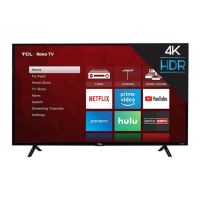
| Smart TV Platform | Roku TV |
| Ethernet | Yes |
| Bluetooth | No |
| Display Type | LCD |
| HDR | HDR10 |
| Wi-Fi | 802.11ac |
| Resolution | 4K UHD (2160p) |

 To Next Page