EasyManua.ls Logo

TCL 75C745 - User Manual

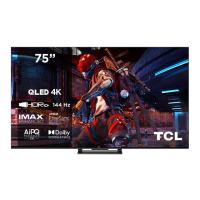
TCL 75C745
21 pages
Print Icon
To Next Page IconTo Next Page
Loading...
To enjoy all smart features and services on your TCL Google TV, a free Google account, a free
TCL account, and a reliable broadband internet connection, are required.
Figures and illustrations in this User Manual are provided for reference only and may differ from
actual product appearance. Product design and specifications may be changed without notice.
C745/C845 SERIES

Table of Contents

Question and Answer IconNeed help?

Do you have a question about the TCL 75C745 and is the answer not in the manual?

Summary

Safety Information

General Safety Precautions

Covers warnings, product handling, power, environment, and cleaning safety.

Child Safety and Furniture Anchoring

Specific warnings about child safety and securing furniture.

Network Connection

Wired and Wireless Setup

Instructions for connecting the TV to wired and wireless networks.

Remote Control Functions

Remote Control Layout and Usage

Overview of remote control buttons and how to use them.

Initial TV Setup

Switching On and Initial Setup Wizard

Steps for powering on the TV and completing the initial setup.

Basic TV Operations

Settings Menu Navigation

Guide to accessing and using the TV's settings menu.

Using More of Your TV

Google TV Homepage Navigation

How to access and navigate the Google TV interface.

TV Features and Settings

Blue Light Filter and Factory Reset

Using the Blue Light Filter and resetting the TV to factory defaults.

Google TV Functionality

Hands-free Voice Control

How to set up and use the TV's hands-free voice control.

Accessing Google Play Store

Steps to access and use the Google Play Store for apps.

Other Functions

Live TV Pause and PVR Recording

How to pause live TV and record programs using PVR.

Other Information and Troubleshooting

Common Network Issues

Solutions for problems linking the TV to the network.

Troubleshooting Common Issues

Picture and Sound Problems

Solutions for no picture, no sound, colour issues, and sound problems.

Overview

This document is an operation manual for TCL C745/C845 Series Google TVs, providing comprehensive instructions on setup, basic operations, advanced features, troubleshooting, and legal information.

Function Description

The TCL C745/C845 Series Google TV is a smart television designed to offer a rich entertainment experience. It integrates Google TV, providing access to a wide range of movies, shows, apps, and services from various streaming platforms and subscriptions, all organized for easy access. The TV supports both wired and wireless network connections, allowing seamless internet access for smart features. It includes multiple input sockets such as HDMI, AV IN, ANTENNA IN, LAN, DIGITAL AUDIO OUT (OPTICAL), and USB, enabling connection to various external devices like Blu-ray players, game consoles, PCs, sound systems, and USB storage devices. The TV also features a headphone socket for private listening.

Key functionalities include:

  • Google TV Homepage: A centralized hub for accessing movies, shows, apps, and personalized content recommendations.
  • TCL Channel: Provides access to Video on Demand (VOD) content and featured applications.
  • Channel Installation and Management: Automatic search and storage of digital and analog channels, with options to organize, hide, or move channels.
  • Volume Control: Standard volume adjustment and mute functions.
  • Settings Menu: Comprehensive menu for adjusting picture, sound, network, accounts, apps, and system preferences.
  • Subtitle Support: Enables subtitles for TV channels, including options for preferred languages and hearing-impaired subtitles.
  • Electronic Program Guide (EPG): An on-screen guide displaying scheduled digital TV programs, allowing users to navigate, select, and set reminders for programs.
  • Freeview: Provides access to a TV guide for current and upcoming programs, as well as on-demand content from various broadcasters.
  • HbbTV (Hybrid Broadcast Broadband TV): Delivers interactive television services over broadband Internet, including digital teletext, games, voting, and catch-up TV.
  • External Devices Control (CEC): Allows control of CEC-compatible devices connected via HDMI, enabling features like auto power-on and auto standby.
  • Quick Start Function: Enables faster TV power-on from standby mode.
  • Bluetooth Function: Allows connection of Bluetooth audio devices, mice, or keyboards.
  • Blue Light Filter: Reduces blue light emission from the screen to minimize visual fatigue.
  • Reset Shop: Resets the TV to factory default settings.
  • Multi Visual: Enables simultaneous viewing of different programs or content on one TV, often by casting from an Android phone.
  • Works with Alexa: Integrates with Amazon Alexa devices for voice control.
  • Apple AirPlay and HomeKit: Allows wireless sharing of content and control of the TV from Apple iOS/iPadOS devices.
  • Hands-free TV Voice Control: Enables voice commands using the built-in microphone, allowing users to control the TV and search for content without the remote.
  • Teletext: Provides text-based information services on digital TV channels, with options for decoding page language.
  • Variable Refresh Rate (VRR): Enhances gaming experience by dynamically changing the screen refresh rate to eliminate tearing and provide smoother visuals.
  • Live TV Pause: Allows users to pause, fast forward, and rewind live TV when a USB drive is connected and set up.
  • PVR (Personal Video Recorder): Enables recording of TV programs to a connected USB drive.
  • MagiConnect (formerly T-Cast): A smart device application that turns a smartphone into a sophisticated remote control, offering additional features and content sharing.

Usage Features

The TV is designed for user-friendly operation with both a remote control and on-device buttons.

  • Remote Control: The primary interface for navigation and settings. It features a circular D-Pad for directional control, an OK button for selection, and dedicated buttons for common functions like power, volume, channel, input source, Google Assistant, Google TV homepage, EPG, quick settings, virtual keyboard, Netflix, Stan, Prime Video, Disney+, YouTube, and TCL Channel. The Google Assistant button requires prior pairing of the remote with the TV.
  • TV Buttons: A multi-function button on the TV itself allows basic operations like power on/off, volume, channel, and input selection, serving as a backup if the remote is unavailable. A MIC switch is also present for enabling/disabling hands-free voice control.
  • Initial Setup Wizard: Guides users through the initial configuration process, including language selection, remote pairing, and network connection. It is recommended to complete the Google TV setup for full functionality.
  • Network Connection: Supports both wired (Ethernet) and wireless (Wi-Fi) connections. Users can configure network settings through the "Network & Internet" menu.
  • Content Access: The Google TV homepage and TCL Channel provide organized access to a vast library of streaming content and applications. The search function allows users to find specific apps or content.
  • External Device Integration: Multiple HDMI ports allow connection of various devices, with CEC functionality simplifying control across connected equipment. USB ports enable media playback and PVR/Live TV Pause functions.
  • Voice Control: The Google Assistant, accessible via the remote or hands-free, allows voice commands for content search and TV control, enhancing convenience.
  • Accessibility Features: Subtitle options cater to different viewing preferences, including support for hearing-impaired subtitles.
  • Gaming Enhancements: VRR support provides a smoother and more immersive gaming experience when connected to compatible consoles or PCs.
  • Multi-tasking: The Multi Visual feature allows viewing of different content simultaneously, useful for families or multi-screen scenarios.

Maintenance Features

The manual outlines several aspects related to the maintenance and care of the TV.

  • Cleaning: The screen and cabinet should be cleaned with a soft, clean cloth and a special liquid cleaner. Excessive force or water/chemical cleaners should be avoided on the screen to prevent damage.
  • Battery Replacement: Instructions are provided for replacing batteries in the remote control, emphasizing correct polarity and battery type. Precautions against excessive heat, fire, and improper disposal are also highlighted.
  • Power Management: The TV can be put into standby mode for low energy consumption or fully switched off by unplugging from the mains. The Quick Start function, while convenient, increases standby power consumption.
  • Software Updates: The TV supports software updates, which can improve performance and add new functions. Users are advised to avoid power cuts and remote control operations during updates.
  • Troubleshooting Guide: A dedicated section addresses common problems such as no picture/sound, remote control issues, video playback problems, and network connectivity failures, offering solutions and advice. This includes checking connections, rebooting, adjusting settings, and contacting customer service if necessary.
  • USB Device Care: When using USB drives for Live TV Pause or PVR, users are advised to back up data, use drives with sufficient free space and speed, and avoid disconnecting the drive during data transfer to prevent data loss or system damage.
  • Environmental Considerations: Attention is drawn to the environmental aspects of battery disposal.
  • Safety Information: The manual emphasizes safety precautions, including proper placement, ventilation, power cord handling, and avoiding exposure to moisture or excessive heat, to ensure safe operation and longevity of the device.
  • Product Design and Specifications: Notes indicate that figures and illustrations are for reference only, and product design and specifications may change without notice. This implies that users should refer to the actual product for precise details and that some features may not be available on all models.

TCL 75C745 Specifications

General IconGeneral
DVI portNo
Headphone outputs1
RF connector typeF, IEC
RF ports quantity2
HDMI ports quantity4
USB 2.0 ports quantityUSB 2.0 ports have a data transmission speed of 480 Mbps, and are backwards compatible with USB 1.1 ports. You can connect all kinds of peripheral devices to them.
Digital audio coaxial out0
Audio Return Channel (ARC)Yes
Consumer Electronics Control (CEC)T-link
Common interface Plus (CI+) version1.4
Video appsAmazon Prime Video, Apple TV, Disney+, Google TV, HBO, Netflix, Twitch, YouTube
Smart modesSports
Operating system version11.0
App distribution platformGoogle Play
Operating system installedGoogle TV
Hybrid Broadcast Broadband TV (HbbTV) version2.0.2
Audio decodersDTS, Dolby Atmos, Dolby Digital, DTS Virtual:X, DTS-HD, Dolby Digital AC4, Dolby TrueHD
RMS rated power30 W
Audio output channels2.0 channels
Equalizer bands quantity7
Pallet width1900 mm
Pallet net height1300 mm
Pallet net length800 mm
Pallet net weight178400 g
Quantity per truck168 pc(s)
Quantity per pallet4 pc(s)
Master (outer) case width1843 mm
Master (outer) case height1120 mm
Master (outer) case length187 mm
Master (outer) case weight39120 g
Number of layers per pallet1 pc(s)
Number of pallets per truck42 pc(s)
Master (outer) case GTIN (EAN/UPC)5901292519629
Maximum number of stacking cartons2 pc(s)
Wi-Fi standards802.11g, Wi-Fi 4 (802.11n), Wi-Fi 5 (802.11ac)
Bluetooth version5.0
Browser supported-
Bluetooth profilesA2DP, HID
Stand typeCenter stand
Product colorBlack
Heavy metals freeCd (cadmium)
Panel mounting interface400 x 300 mm
Tuner typeAnalog & digital
Number of tuners1 tuner(s)
Analog signal format systemNTSC, PAL BG, PAL DK, PAL I, PAL L, SECAM B/G, SECAM D/K, SECAM L
Digital signal format systemDVB-C, DVB-S2, DVB-T2
Control typeButtons, Wireless
Programming period8 day(s)
Number of OSD languages29
Firmware upgradeable viaNetwork, USB
On Screen Display (OSD) languagesALB, BUL, CRO, CZE, DAN, DEU, DUT, ENG, ESP, EST, FIN, FRE, GRE, HUN, ITA, LAT, LIT, MAC, NOR, POL, POR, RUM, SER, SLK, SLV, SWE, TUR, UKR
Remote control typeRC833
Game featuresGame Master, Gamebar 2.0
AMD FreeSync typeFreeSync Premium Pro
Audio formats supportedMP3, WMA
Image formats supportedBMP, HEIF, JPG
Video formats supportedAVI, H.264, H.265, MKV, MP4, MPG, TS, VP9, WEBM, WMV
Picture processing technologyTCL AiPQ 3.0 Processor
High Dynamic Range (HDR) technologyDolby Vision IQ, High Dynamic Range 10 (HDR10), High Dynamic Range 10+ (HDR10 Plus), Hybrid Log-Gamma (HLG)
AC input voltage220 - 240 V
AC input frequency50 Hz
Energy efficiency scaleA to G
Power consumption (standby)0.5 W
Power consumption (typical)- W
Color depth10 bit
Screen shapeFlat
Response time5.7 ms
Display diagonal75 \
Display brightness1000 cd/m²
Display technologyQLED
Native aspect ratio16:9
Native refresh rate144 Hz
Peak luminance ratio65 %
LED backlighting typeFull-Array
Display diagonal (metric)189 cm
Motion interpolation technologyPPI (Picture Performance Index) 3900
Dynamic contrast ratio marketing nameMega Contrast
Package weightWeight of the packaged product in gram.
Cord length1.5 m
User memory20.9 GB
Battery weight15 g
Power plug typeType C
Warranty period2 year(s)
Country of originPoland
Battery technologyAlkaline
Processor frequency1.4 GHz
Processor architectureARM Cortex-A73
ProcessorMT5889
Internal memory22400 MB
Repairability index7.7
Weight and Dimensions IconWeight and Dimensions
Stand depth331 mm
Stand width480 mm
Depth (with stand)335 mm
Weight (with stand)28600 g
Depth (without stand)99 mm
Width (without stand)1671 mm
Height (without stand)965 mm
Weight (without stand)27520 g

Related product manuals