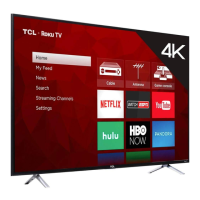
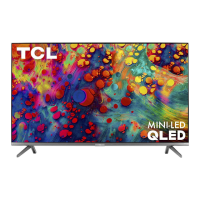
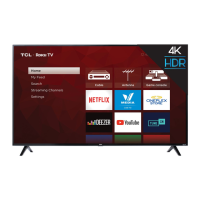
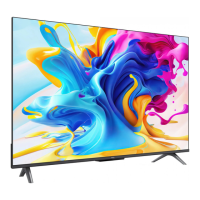
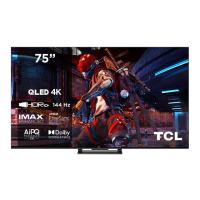
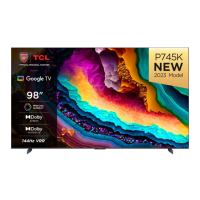
The TCL S-Series S470G is a Google TV designed to provide an intuitive and enjoyable viewing experience, featuring smart functionalities and a user-friendly interface. It's built for easy setup and offers various options for connectivity and content access.
Function Description:
The TCL S-Series S470G functions primarily as a smart television, integrating Google TV for a personalized and connected entertainment hub. It allows users to stream movies, TV shows, and other digital content, access a wide range of apps, and control the TV using voice commands through the Google Assistant. The TV is designed to be a central part of a home entertainment system, offering multiple input options for external devices like cable boxes, Blu-ray players, gaming consoles, and sound systems. Its core purpose is to deliver high-quality audio and video content with the convenience of smart TV features.
Usage Features:
The TV offers a straightforward setup process, beginning with physical installation and then guiding users through the software configuration. For physical setup, the TV can be placed on a stand using the provided screws, with specific instructions for different screen sizes to ensure stability. Alternatively, it can be wall-mounted, requiring a VESA-compatible wall mount (not included) and specific screw sizes depending on the TV model. The manual emphasizes careful handling during setup to prevent damage.
Once physically set up, the TV powers on, and the remote control needs to be prepared by inserting the included AAA batteries. The remote is designed for intuitive navigation, featuring dedicated buttons for common functions. The Google Assistant button allows for voice control, enabling users to search for content, control smart home devices, and get information by speaking into the remote's microphone. The remote also includes buttons for input selection, power, profile switching, settings, navigation (circular D-pad), OK button for confirmation, back, TCL Home, Live Guide, volume control, channel change, quick settings, mute, TV Plus for network Live Channel, virtual keyboard, and information display. The remote needs to be paired with the TV during the initial setup for full functionality, especially for voice control.
The Google TV interface is a key usage feature, offering a personalized home screen that organizes content from various streaming services. Users can quickly set up the TV using the Google Home app on an Android or iOS phone by scanning a QR code, or they can opt for manual setup directly on the TV screen. A Google account and a reliable broadband internet connection are required to access all smart features. The TV supports various input signals, including 480i, 480p, 720p, 1080i, 1080p, and 2160p, across Antenna/Cable, Composite Video, and HDMI connections, ensuring compatibility with a wide array of devices.
Connectivity options are extensive, including USB ports for accessing photos, music, and movies from external storage devices. Ethernet connectivity allows for a stable wired internet connection, while HDMI ports provide high-quality audio/video connections for multiple external devices. One of the HDMI ports supports eARC (audio return channel) for connecting soundbars or AV receivers. An AV In adapter is available for older devices that use analog audio/video outputs. A headphone out jack allows for private listening, and an optical (digital audio out) port enables connection to external digital audio systems.
Troubleshooting guidance is provided for common issues such as connecting to a wireless network, problems with cable or antenna connections, and programming universal or cable box remote controls. It also details how to access parental controls and how to turn Text-to-Speech (TTS) on or off, enhancing accessibility. Voice control through the remote is explained, requiring the remote to be within 3 feet of the TV during pairing and holding down the Google Assistant button to activate.
Maintenance Features:
The manual emphasizes several maintenance and safety guidelines to ensure the longevity and safe operation of the TV. It advises against placing the TV in unstable locations or on soft surfaces that could block ventilation slots, which could lead to overheating and reduced product lifespan. Adequate ventilation space (at least 2 inches from the top and sides, and 1 inch from other surfaces) is crucial. The TV should not be exposed to direct sunlight, excessive heat sources (like radiators or open flames), moisture, or extreme humidity.
Cleaning should be done with a dry cloth, and no objects filled with liquids should be placed on the apparatus. The power cord should be protected from being walked on or pinched and should be inspected for damage. If damaged, a replacement power cord specified by the manufacturer should be used. Batteries in the remote control should be replaced with new ones of the same type and brand, ensuring correct polarity. Mixing old and new batteries, or different types of batteries, is discouraged. Batteries should not be exposed to excessive heat, fire, or low air pressure, and should be recycled or disposed of according to local guidelines.
For product information and warranty, users are advised to keep their sales receipt and record the model and serial numbers, which are located on the product. The manual outlines a limited warranty for new TCL LCD/LED Television Products, covering defects in materials or workmanship for a specified period (three years for non-commercial use, six months for commercial use). To obtain warranty service, users must contact TCL Customer Support, and troubleshooting will occur before any service is dispatched. Improperly packed and damaged units during shipping are not covered by the warranty. The manual also lists what the warranty does not cover, such as damage from misuse, unauthorized repairs, or acts of nature, and clarifies how state law relates to the warranty. This comprehensive approach to maintenance and warranty ensures users are well-informed about caring for their device and addressing potential issues.


 To Next Page


 General