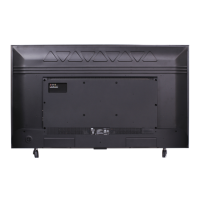
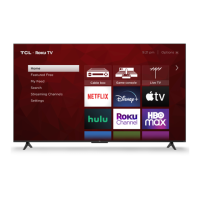
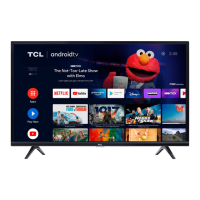
This document serves as a comprehensive guide for setting up, using, and maintaining a TCL Google TV, specifically covering models 43/50/55/65/75S551G. It also provides information on TCL Protection Plans and general safety guidelines.
Function Description:
The TCL Google TV is a smart television designed to provide an immersive entertainment experience. It integrates with the Google TV platform, offering a personalized home screen, access to a wide range of streaming applications, and smart hub functionalities. The TV supports various input sources, including HDMI, USB, Ethernet, and antenna/cable, allowing users to connect multiple external devices such as Blu-ray players, gaming consoles, sound bars, and home network routers. The Google TV platform enables voice control through the remote, providing a convenient way to search for content, control the TV, and access information. The device is designed for both stand-alone placement on a flat surface and wall mounting, offering flexibility in installation.
Usage Features:
The TCL Google TV offers a user-friendly interface and a variety of features to enhance the viewing experience.
- Initial Setup: The manual guides users through a step-by-step setup process, starting with unboxing and stand installation (or wall mounting instructions). It emphasizes safety precautions during unboxing due to the TV's weight and provides clear instructions for attaching the stands with screws. For wall mounting, it specifies VESA mount sizes and screw dimensions for different TV models, along with a warning that wall mount hardware is not included and professional installation is recommended.
- Power Up: Instructions are provided for connecting the power cable and inserting AAA batteries into the remote control, ensuring the TV is ready for operation.
- Remote Control Functionality: The remote control is designed for intuitive navigation and control. It includes dedicated buttons for input selection, Google Assistant (with microphone for voice commands), power on/off, profile selection, dashboard access (settings), circular D-pad for navigation, OK button for selection, back button, home button, live TV guide, volume control, channel change, quick settings, mute, TCL Home access, virtual keyboard, and information display. The Google Assistant button allows users to interact with the TV using voice commands, enhancing convenience.
- Google TV Platform: The TV leverages the Google TV operating system, which offers a personalized content discovery experience. Users can quickly set up the TV using the Google Home app on an Android or iOS phone by scanning a QR code, or by following on-screen instructions using the remote. A Google Account, TCL account, and a reliable broadband internet connection are required to access all smart features and services. The platform allows for personalization of the home screen and streaming app lineup.
- Connectivity: The TV provides extensive connectivity options:
- Power Port: For connecting the TV to a power source.
- USB Port: For accessing photos, music, and movies from a USB device.
- Ethernet Port: For a wired connection to a home network router or switch.
- HDMI Ports: Multiple HDMI ports (including HDMI ARC/eARC) for high-quality audio/video connections to cable boxes, Blu-ray players, gaming consoles, and sound bars/AV receivers.
- Antenna/Cable In: For connecting an outdoor VHF/UHF antenna or cable TV feed.
- AV In Adapter: For connecting older devices that use analog audio/video outputs (adapter not included).
- Headphone Out: For connecting headphones or external speakers.
- Optical (Digital Audio Out): For connecting an optical cable to an external digital audio system.
- TCL Home App: The manual promotes the TCL Home App as a "TCL Smart Hub" for downloading and managing smart features.
- TCL Protection Plans: Users are encouraged to register their product and consider purchasing a TCL Protection Plan within the first 30 days of ownership. These plans offer extended manufacturer coverage, priority service, product replacement, genuine TCL parts & service, no deductible, pixel repair and burn-in coverage, accidental damage protection, complimentary remove & reinstall (for 65" and larger TVs), and remote replacement.
Maintenance Features:
The manual provides essential information for maintaining the TV and ensuring its longevity, as well as troubleshooting common issues.
- General Safety: Emphasizes reading and following all safety instructions, including not blocking ventilation openings, avoiding heat sources, protecting the power cord, and using only manufacturer-specified attachments. It also warns against exposing the product to rain or moisture and advises against placing liquid-filled objects on the apparatus.
- Cleaning: Recommends cleaning the TV only with a dry cloth.
- Battery Care: Provides detailed battery caution and disposal information, advising the use of alkaline-type batteries, not mixing different battery types, replacing depleted batteries with new ones of the same brand, and proper disposal according to local guidelines. It warns against exposing batteries to excessive heat or low air pressure, which could lead to explosion or leakage.
- Troubleshooting: Offers solutions for common problems:
- Wireless Network Connection: Suggestions include verifying the network name and password, relocating the router, and rebooting the router.
- Cable Box/Antenna Connection: Recommends using HDMI for best performance, ensuring secure cable connections, selecting the correct input, and performing a channel scan.
- Remote Code: Directs users to a website for universal or cable box remote control codes.
- Parental Control Password: Instructions for updating the password and a master reset code (0423) if forgotten.
- Text-to-Speech (TTS): Steps to turn TTS on or off through the accessibility settings.
- Voice Control: Instructions for pairing the remote for voice control by pressing and holding the HOME and OK buttons simultaneously, and keeping the remote within 3 ft of the TV during pairing.
- Product Information: Advises keeping the sales receipt for warranty purposes and recording the model and serial numbers, which are located on the product.
- Warranty Information: Details the TCL North America Limited Warranty, covering defects in materials or workmanship for one year (non-commercial use) or six months (commercial use). It outlines what the warranty covers and does not cover, including damages from misuse, improper installation, acts of nature, and cosmetic damage. It also provides instructions on how to obtain warranty service, emphasizing the need for prior approval from TCL Customer Support and the potential requirement of pictures for replacement units.
- Recycling Information: Encourages consumers to recycle old TVs, sound bars, and packaging materials, directing them to the TCL website for drop-off locations and How2Recycle® labels on product boxes. It also warns about keeping plastic packaging away from children and pets to prevent suffocation.

 Need help?
 General

 To Next Page