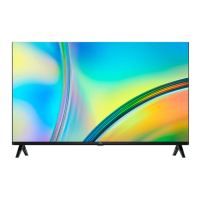
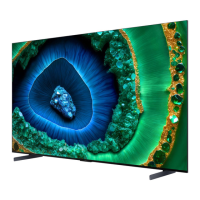
Need help?
Do you have a question about the TCL fire TV 65Q650F and is the answer not in the manual?
Detailed safety precautions and warnings for operating the TV.
Essential steps and precautions before starting the TV setup process.
Guidance on protecting the TV from electrical power surges.
Important notes on TV placement for safety and ventilation.
Tips for positioning cables to prevent audio interference.
Advice on TV placement to avoid direct sunlight or bright lighting.
Guidance on unboxing, identifying contents, and physical setup.
Lists the components included with the TCL TV.
Instructions and requirements for securely mounting the TV on a wall.
Steps and precautions for attaching and using the TV's stand.
Steps for connecting the TV to a wired or wireless internet connection.
Walkthrough of the on-screen setup wizard, including language, network, and account.
Choosing experience modes and signing into your Amazon account.
How to navigate and access the Inputs menu and TV homepage.
Guide to accessing and utilizing the TV's comprehensive settings menu.
Explanation of various general settings like Network, Display, and Apps.
Managing inputs and configuring notification settings for the TV.
Connecting to networks and managing Amazon account & profile settings.
Adjusting picture quality and audio output for an optimal viewing experience.
Managing installed apps and controlling connected external devices.
Features for live TV, managing channels, and connecting Bluetooth devices.
Using Alexa for voice commands, search, and smart home control.
Configuring parental controls, privacy, and setting the sleep timer.
Options for accessibility features and accessing user support.
Solutions for common problems like no picture/sound or remote issues.
Technical specifications for broadcasting systems and operating environment.
Guidelines for battery usage, disposal, and electronics recycling.
Legal disclaimers, terms of use, and limited warranty information.
This document is a user guide for a TCL Fire TV, designed for the United States market. It provides comprehensive instructions for setting up, operating, and maintaining the television, along with important safety information and warranty details.
The TCL Fire TV is a smart television that integrates the Fire TV experience, allowing users to access a wide range of content, applications, and smart features. It functions as a display for various video sources, including over-the-air TV channels, streaming services, and external devices connected via HDMI or other inputs. The TV supports both wired and wireless internet connectivity, enabling access to online content and services. A key feature is its integration with Alexa Voice Interaction, allowing users to control the TV and compatible smart home devices using voice commands through the included Voice Remote with Alexa. The television is designed to provide a customizable viewing experience with adjustable picture and sound settings.
The user guide details several usage features, starting with the initial setup process. Users are guided through choosing their language, selecting the TV mode (home or store use), pairing the remote control, and connecting to a network (wired or wireless). The TV offers two experience modes: Basic Experience, which provides live TV and a partial selection of popular content without requiring an Amazon account, and Full Experience, which enables Alexa interaction and full access to compatible content by registering an Amazon account.
Once set up, users can navigate the TV's homepage to access various applications, functions, and settings. The "Inputs" menu allows switching between different video sources, including external devices and the Media Player for USB content. The "Network" menu facilitates managing Wi-Fi connectivity and network configurations. "Display & Sounds" offers extensive options for adjusting picture settings (e.g., color, brightness, sharpness), sound settings (e.g., sound mode, surround sound), and display settings. It also includes "Power Controls" to adjust the TV's power-on behavior, "Audio Output" selection (TV speakers, HDMI, Optical), and "Enable Display Mirroring" for casting from mobile devices. "Navigation Sounds" can be toggled on or off, and "Screen Saver" settings can be personalized. "HDMI-CEC Device Control" allows the TV remote to control compatible HDMI-connected devices.
The "Applications" menu provides access to installed apps, including Amazon Photos, and allows users to manage app settings, such as automatic updates, in-app purchases, and external market links. Users can also manage installed applications by force stopping, uninstalling, clearing data, or clearing the cache.
"Equipment Control" enables the addition and control of compatible external devices like A/V receivers and soundbars. The "Live TV" menu is dedicated to managing over-the-air channels, including channel scanning, organizing favorite channels, and setting up parental controls. "Sync Sources" allows refreshing data for Live TV sources.
For enhanced control, the "Controllers & Bluetooth Devices" menu allows pairing and managing various Bluetooth devices, including additional Voice Remotes with Alexa, game controllers, speakers, headphones, keyboards, and mice.
The "Alexa" menu provides information about the Alexa App, examples of voice commands, and guidance on how to use Alexa for tasks such as watching live TV, searching for content, playing music, checking the weather, setting timers, and controlling smart home devices.
"Preferences" offers settings for parental controls, privacy, data usage monitoring, notification settings (including "Do Not Interrupt" and "App Notification" options), featured content management, recent content synchronization, location services (for weather customization), time zone settings, and system language selection. A "Sleep Timer" function allows users to set a countdown for the TV to automatically switch off.
The user guide includes several sections related to maintenance and troubleshooting. The "Important Safety Instructions" emphasize proper handling, ventilation, and power cord management to prevent damage and ensure safe operation. It advises against blocking ventilation openings, exposing the TV to excessive heat or moisture, and using the apparatus near water.
For physical maintenance, the guide recommends cleaning the TV only with a dry cloth. When mounting the TV on a wall or using a stand, specific instructions are provided to ensure stability and prevent accidental tipping or damage. It also warns against improper installation methods.
The "Troubleshooting" section offers solutions for common issues such, as no picture or sound, unclear picture, and remote control malfunction. It suggests checking power connections, source types, antenna connections, volume settings, and remote control batteries. For picture quality issues, it advises checking color, brightness, and sharpness adjustments, as well as considering signal reception and potential electrical interference.
"Battery CAUTION & Disposal Information" provides guidelines for battery use in the remote control, including recommendations for alkaline batteries, warnings against mixing different battery types or old and new batteries, and instructions for proper disposal to prevent fire or explosion.
"Device & Software" settings allow users to view device information, manage storage, check network connections, and perform system updates. It also includes options to restart the TV or "Reset to Factory Defaults" to remove personal data and downloaded content, which can be useful for resolving persistent software issues or preparing the TV for transfer.
"Accessibility" features, such as Closed Caption, Alexa Caption, VoiceView, Text Banner, Screen Magnifier, High Contrast Text, and Audio Description, are available to assist users with various needs.
Finally, the "Help" menu provides access to helpful videos, quick tips, and contact details for support, covering topics like troubleshooting, using Fire TV, Amazon Music, profiles, parental controls, subscriptions, video and music, accessibility, smart home, and communication with Alexa. This comprehensive help system aids users in maintaining and optimizing their TV experience.
 General
| Screen Size | 65 inches |
|---|---|
| Resolution | 4K UHD (3840 x 2160) |
| Display Technology | QLED |
| Smart TV Platform | Fire TV |
| Operating System | Fire OS |
| HDR Technology | HDR10, HLG |
| Refresh Rate | 60 Hz |
| HDMI Ports | 3 |
| USB Ports | 1 |
| Wi-Fi | Yes |
| Bluetooth | Yes |
| Audio Output | 20W |
| Sound | Dolby Audio |
| Ports | HDMI, USB, Ethernet, Optical Audio |
| Smart Features | Alexa Built-in |

 To Next Page