Need help?
Do you have a question about the TCL 32S5400AF and is the answer not in the manual?
General safety guidelines for operating the TV set.
Hazards related to TV falling and child safety.
Warnings about blocking vents, inserting objects, and opening the cabinet.
Instructions for unplugging the set and safe power cord usage.
Precautions for power and signal cables.
Guides through the welcome wizard for initial TV setup.
Details various input/output sockets on the TV.
Explains the functions of buttons on the remote control.
Specific instructions for using remote control features like Google Assistant.
Explains how to connect the TV to a wired or wireless network.
Instructions for powering on the TV and remote.
Instructions for switching the TV to standby or fully off.
Troubleshooting common issues with the TV.
Steps to troubleshoot voice search functionality.
Detailed troubleshooting steps for various TV problems.
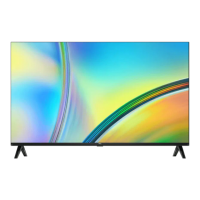
This document is an operation manual for a TCL S5400A Series Android TV, providing comprehensive instructions on its setup, basic operations, advanced features, troubleshooting, and legal information.
The TCL S5400A Series Android TV is a smart television designed to offer a rich entertainment experience through its integration with the Android TV platform. It functions as a display for various video sources, including broadcast channels, connected external devices, and a wide array of internet-based applications. The TV supports high-definition multimedia input, allowing connection to Blu-ray players, PCs, DVD players, and digital satellite decoders. It also features USB connectivity for media playback from external storage devices. As an Android TV, it provides access to Google Play, enabling users to download and enjoy a vast selection of apps, games, movies, music, and books. The TV also supports Google Cast for streaming content from mobile devices and includes HbbTV (Hybrid broadcast broadband TV) for interactive television services on digital channels. Bluetooth functionality allows for wireless connection to audio devices, mice, or keyboards. The TV is designed to be connected to a home network, either wired via an Ethernet port or wirelessly via an internal Wi-Fi adapter, to access internet-dependent features.
The TV offers a user-friendly interface with multiple ways to control and navigate its functions. The remote control is the primary interface, featuring dedicated buttons for common actions like power, volume, channel control, input source selection, and quick access to popular streaming services such as Netflix, Stan, Prime Video, Disney+, and YouTube. It also includes a Google Assistant button for voice commands, available in Google TV mode and with an active network connection. The remote's D-Pad allows for intuitive navigation through on-screen menus. For situations where the remote control batteries are low, a multi-function button on the TV's back case provides basic control, including power, channel, volume, and source selection.
Initial setup is guided by a "Welcome wizard" that assists users through language selection, remote pairing, and network connection. The TV supports automatic channel scanning for both digital and analog broadcasts, with options to organize and manage channels. Subtitle functionality is extensive, allowing users to turn subtitles on/off, select preferred languages for digital TV channels, and choose subtitle types like "Hearing Impaired." Teletext services are also available, with options to select decoding page languages and digital teletext languages.
Advanced system settings are accessible through the TV's homepage, providing control over network and internet settings, accounts, apps, and device preferences. A "Quick Start" function allows for faster TV startup from standby mode, though it increases standby power consumption. The TV settings menu enables adjustments to picture and sound quality, among other display and audio configurations.
The "TCL Channel" is a dedicated feature offering Video on Demand (VOD) content and featured applications. The Electronic Program Guide (EPG) provides a schedule of digital TV programs, allowing users to browse, select, and filter programs. Network Wake Up is a convenient feature that enables users to turn on the TV from standby via a network using a compatible app on a smartphone or tablet. Consumer Electronic Control (CEC) allows for integrated control with other CEC-compatible devices connected via HDMI, including auto power-on and auto standby functions.
The manual provides guidelines for the safe operation and maintenance of the TV. For cleaning, it recommends using a soft, clean cloth or a special liquid cleaner to wipe the screen and cabinet, cautioning against excessive force or the use of water or harsh chemical cleaners that could damage the screen surface.
Battery maintenance for the remote control is covered, advising users to use specified battery types, ensure correct polarity, avoid mixing new and used batteries, and remove batteries if the remote will not be used for an extended period. It also highlights environmental considerations for battery disposal.
Troubleshooting sections address common issues such as network connection failures, problems with video playback from USB or online sources, external device recognition issues, and voice search malfunctions. These sections offer practical solutions like checking network connections, rebooting the TV, consulting internet service providers, and verifying settings. For software updates, the manual emphasizes maintaining power during the process and avoiding remote control operations. It also explains that not all software updates result in visible interface changes.
The manual also touches on potential interferences that can affect picture quality, such as local electrical interference or weak antenna signals, and suggests adjusting antenna position or installing a special antenna to improve reception. These maintenance-related instructions aim to help users resolve minor issues independently and ensure the longevity and optimal performance of their TCL S5400A Series Android TV.
 General
| AC input voltage | 220-240 V |
|---|---|
| AC input frequency | 50/60 Hz |
| Energy efficiency scale | A to G |
| Power consumption (standby) | 0.5 W |
| Power consumption (typical) | - W |
| Screen shape | Flat |
| LED backlight | Yes |
| Response time | 6.5 ms |
| Display diagonal | 32 \ |
| Display brightness | 220 cd/m² |
| Display technology | LED |
| Native aspect ratio | 16:9 |
| Native refresh rate | 60 Hz |
| Peak luminance ratio | 70 % |
| LED backlighting type | Direct-LED |
| Contrast ratio (typical) | 3000:1 |
| Display diagonal (metric) | 80 cm |
| Motion interpolation technology | PPI (Picture Performance Index) 700 |
| USB recording | No |
| Processor cores | 4 |
| Audio formats supported | MP3, WMA |
| Image formats supported | BMP, JPG, PNG |
| Video formats supported | AVI, H.264, H.265, MKV, MP4, MPG, OGM, TS, VP9, WMV |
| Picture processing technology | TCL IPQ 2.0 Engine |
| High Dynamic Range (HDR) technology | High Dynamic Range 10 (HDR10) |
| Music apps | Spotify |
| Video apps | Amazon Prime Video, Google TV, HBO, Hulu+, Netflix, Rakuten TV, Twitch, YouTube |
| Smart modes | Sports |
| Sports apps | Red Bull TV |
| Operating system version | 11.0 |
| App distribution platform | Google Play |
| Operating system installed | Android |
| Hybrid Broadcast Broadband TV (HbbTV) version | 2.0.2 |
| Audio decoders | Dolby Digital, Dolby Digital Plus |
| RMS rated power | 10 W |
| Number of speakers | 2 |
| Audio output channels | 2.0 channels |
| Control type | Buttons, Wireless |
| Programming period | 8 day(s) |
| Number of OSD languages | 29 |
| Firmware upgradeable via | Network, USB |
| On Screen Display (OSD) languages | ALB, BUL, CRO, CZE, DAN, DEU, DUT, ENG, ESP, EST, FIN, FRE, GRE, HUN, ITA, LAT, LIT, MAC, NOR, POL, POR, RUM, RUS, SER, SLK, SLV, SWE, TUR, UKR |
| Processor | MT5867 / 4x CA55 |
| Internal memory | 2800 MB |
| Cord length | 1.5 m |
| User memory | 2100 GB |
| Warranty period | 2 year(s) |
| Processor frequency | 1.5 GHz |
| Color name | Dark silver |
| Stand type | Legs stand |
| Product color | Silver |
| Heavy metals free | Cd (cadmium) |
| Panel mounting interface | 100 x 100 mm |
| Wi-Fi standards | 802.11b, 802.11g, Wi-Fi 4 (802.11n) |
| Bluetooth version | 5.0 |
| Bluetooth profiles | A2DP, HID, SBC |
| Cables included | AC |
| Remote control type | RC902V |
| Tuner type | Analog & digital |
| Analog signal format system | NTSC, PAL, SECAM |
| Digital signal format system | DVB-S2, DVB-T2, ISDB-C |
| HDCP version | 2.2 |
| HDMI version | 1.4 |
| RF connector type | F, IEC |
| USB 2.0 ports quantity | 1 |
| Consumer Electronics Control (CEC) | T-link |
| Common interface Plus (CI+) version | 1.3 |
| USB 3.2 Gen 1 (3.1 Gen 1) Type-A ports quantity | 0 |
| Package depth | 125 mm |
| Package width | 800 mm |
| Package height | 506 mm |
| Package weight | 5000 g |
| Pallet width | 1200 mm |
| Pallet height | 1152 mm |
| Quantity per truck | 1188 pc(s) |
| Quantity per pallet | 18 pc(s) |
| Number of pallets per truck | 66 pc(s) |
 Weight and Dimensions
| Depth (with stand) | 180 mm |
|---|---|
| Width (with stand) | 716 mm |
| Height (with stand) | 467 mm |
| Weight (with stand) | 3400 g |
| Depth (without stand) | 77 mm |
| Height (without stand) | 424 mm |
| Weight (without stand) | 3300 g |

 To Next Page