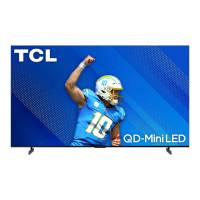
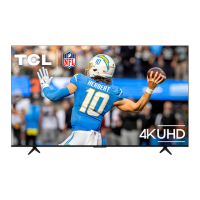
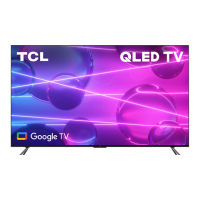
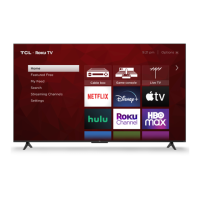
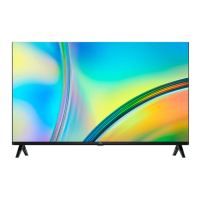
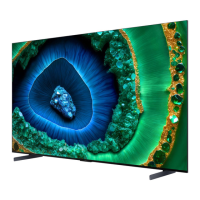
This document is a user manual for a TCL 85Q651G Google TV, providing instructions for setup, usage, troubleshooting, and warranty information.
Function Description:
The TCL 85Q651G is a Google TV designed for home entertainment, offering smart TV features and high-quality audio/video connections. It integrates with Google TV for a personalized home screen, streaming apps, and voice control capabilities through the remote and hands-free microphone. The TV can be set up using the Google Home app on a smartphone or by following on-screen instructions. It supports various external devices via multiple HDMI ports, USB, Ethernet, and traditional AV inputs. The TV also features a power button and options button for menu navigation, and a hands-free voice control mic switch.
Important Technical Specifications:
- Model Number: 85Q651G
- Display: 85-inch QLED (implied by model number, though not explicitly stated as QLED in the technical specs section, it's a common feature for Q-series TCL TVs).
- Operating System: Google TV
- Broadcasting System: US System NTSC-M, ATSC standard (8VSB), QAM
- Receiving Channels: VHF2-13, UHF14-69, CATV (14-36 (A)-(W), 37-59 (AA)-(WW), 60-85 (AAA)-(ZZZ), 86-94 (86)-(94)95-99 (A-5)-(A-1), 100-135 (100)-(135), 01 (4A))
- Tuner Type: Frequency synthesized
- HDMI Ports:
- HDMI 1: Supports up to 4K/144Hz
- HDMI 2: Supports up to 4K/120Hz
- HDMI 3 & 4: Supports up to 4K/60Hz
- HDMI 4 also supports ARC/eARC (Audio Return Channel)
- USB Ports: USB 3.0 (5V-0.9A) and USB 2.0 (5V-0.5A) for media playback and optional webcam connection.
- Other Inputs/Outputs: Ethernet, AV IN (adapter required for analog audio/video), Headphone Out, Optical (Digital Audio Out).
- Wireless Connectivity: Wi-Fi (implied by Google TV features, though not explicitly detailed in specs table).
- Power: Connects to standard wall outlet via included power cable.
- VESA Wall Mount Compatibility: 600x400 (requires 4 M8x20mm screws).
- Operating Temperature: 5°C to 35°C (41°F to 95°F)
- Operating Humidity: 20% to 80%, non-condensing
- Storage Temperature: -15°C to 45°C (5°F to 113°F)
- Storage Humidity: 10% to 90%, non-condensing
- Remote Control: Includes a remote with Google Assistant button for voice control, navigation D-pad, input selection, power, profile selector, settings, back, home, live guide, volume, channel, quick settings, mute, TCL Home, virtual keyboard, and information buttons.
- Audio Technologies: Dolby Vision, Dolby Atmos, DTS:X, Virtual:X (implied by sound bar advertisement, indicating compatibility or integrated features).
Usage Features:
- Easy Setup: Guided setup process, including an option to use the Google Home app for quick configuration.
- Smart TV Functionality: Access to streaming apps, personalized home screen, and Google Assistant for voice commands.
- Voice Control:
- Remote Microphone: Activate Google Assistant by pressing the dedicated button on the remote.
- Hands-Free Voice Control: Integrated microphone on the TV allows for voice commands without the remote (requires mic switch to be on and internet connection). Can be enabled for standby mode ("Screenless Service").
- Multiple Connectivity Options: Supports a wide range of devices including cable boxes, Blu-ray players, gaming consoles, and sound bars.
- Parental Controls: Allows users to set up and change a personal password for content restrictions.
- Accessibility: Includes Text-to-Speech (TTS) functionality (TalkBack) that can be enabled or disabled.
- Remote Control Pairing: On-screen guide for pairing the remote control with the TV.
- Stand or Wall Mount Installation: Can be placed on a stand (included) or mounted on a wall (VESA mount hardware not included).
- Cable Management: Integrated cable clip on the back of the TV for organizing cables.
Maintenance Features:
- Product Registration: Users are encouraged to register their product online or via text message to protect their purchase and access TCL Protection Plans.
- TCL Protection Plans: Optional plans offer extended manufacturer coverage, priority service, product replacement, genuine TCL parts & service, no deductible, pixel repair and burn-in coverage, accidental damage protection, complimentary remove & reinstall (for TVs 65" and larger), and lost remote replacement.
- Troubleshooting Guide: Provides solutions for common issues such as inability to connect to Wi-Fi, problems with cable/antenna connections, remote codes, parental control password updates, and Text-to-Speech settings.
- Customer Support: Contact information (phone and website) for TCL support is provided for assistance with setup and troubleshooting.
- Battery Care: Instructions for proper battery usage in the remote, including using alkaline-type batteries, not mixing battery types, replacing depleted batteries with new ones of the same brand, and warnings against exposure to excessive heat or low air pressure.
- Cleaning: Clean the TV only with a dry cloth.
- Ventilation: Maintain specific clearance around the TV for adequate ventilation (at least 1 inch from top and sides, 2 inches from rear).
- Product Information Record: Space provided to record model number, serial number, purchase date, and dealer information for warranty and service purposes.
- Recycling Information: Guidance on electronics and packaging recycling, directing users to the TCL website for drop-off locations and How2Recycle® labels.
- Warranty: TCL North America Limited Warranty covers defects in materials or workmanship for new products (1 year for non-commercial use, 6 months for commercial use). Details on how to obtain service are provided, including troubleshooting steps and requirements for proof of purchase.

 Need help?

 To Next Page
 General