Need help?
Do you have a question about the TCL S5400A Series and is the answer not in the manual?
General safety guidelines and critical warnings for TV operation.
Safety measures for the TV unit, power cord, plug, and environment.
Safe handling of cables and proper cleaning procedures for the TV.
Using physical TV buttons and the initial setup wizard for first-time use.
Description of TV input/output ports and connecting external devices.
Detailed explanation of remote control buttons and their functions.
Guide to connecting the TV to wired or wireless networks.
Procedures for switching the TV on and putting it into standby mode.
Managing channels, input sources, and audio volume.
Navigating the Smart TV homepage and accessing the Google Play Store.
Installing channels and managing subtitle display and languages.
Using Teletext, enabling network wake-up, and controlling connected CEC devices.
Accessing HbbTV, casting content via Google Cast, and using the EPG.
Connecting Bluetooth, using Freeview, HDR playback, and parental settings.
Troubleshooting common issues like network, video, and sound playback problems.
Detailed troubleshooting for picture, sound, remote, interference, and signal issues.
Legal statements, terms, conditions, and technology licensing details.
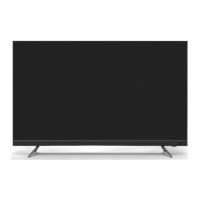
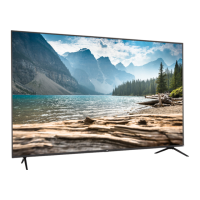
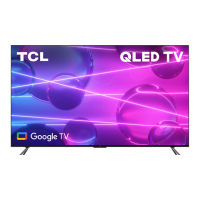
This document is an operation manual for a TCL S5400A Series Android TV, providing comprehensive instructions on its setup, basic operations, advanced features, troubleshooting, and legal information.
The TCL S5400A Series Android TV is a smart television designed to offer a rich entertainment experience through its integration with the Android TV platform. It functions as a display for various video sources, including broadcast channels, connected external devices, and a wide array of internet-based applications. The TV supports high-definition multimedia input, allowing connection to Blu-ray players, PCs, DVD players, and digital satellite decoders. It also features USB connectivity for media playback from external storage devices. As an Android TV, it provides access to Google Play, enabling users to download and enjoy a vast selection of apps, games, movies, music, and books. The TV also supports Google Cast for streaming content from mobile devices and includes HbbTV (Hybrid broadcast broadband TV) for interactive television services on digital channels. Bluetooth functionality allows for wireless connection to audio devices, mice, or keyboards. The TV is designed to be connected to a home network, either wired via an Ethernet port or wirelessly via an internal Wi-Fi adapter, to access internet-dependent features.
The TV offers a user-friendly interface with multiple ways to control and navigate its functions. The remote control is the primary interface, featuring dedicated buttons for common actions like power, volume, channel control, input source selection, and quick access to popular streaming services such as Netflix, Stan, Prime Video, Disney+, and YouTube. It also includes a Google Assistant button for voice commands, available in Google TV mode and with an active network connection. The remote's D-Pad allows for intuitive navigation through on-screen menus. For situations where the remote control batteries are low, a multi-function button on the TV's back case provides basic control, including power, channel, volume, and source selection.
Initial setup is guided by a "Welcome wizard" that assists users through language selection, remote pairing, and network connection. The TV supports automatic channel scanning for both digital and analog broadcasts, with options to organize and manage channels. Subtitle functionality is extensive, allowing users to turn subtitles on/off, select preferred languages for digital TV channels, and choose subtitle types like "Hearing Impaired." Teletext services are also available, with options to select decoding page languages and digital teletext languages.
Advanced system settings are accessible through the TV's homepage, providing control over network and internet settings, accounts, apps, and device preferences. A "Quick Start" function allows for faster TV startup from standby mode, though it increases standby power consumption. The TV settings menu enables adjustments to picture and sound quality, among other display and audio configurations.
The "TCL Channel" is a dedicated feature offering Video on Demand (VOD) content and featured applications. The Electronic Program Guide (EPG) provides a schedule of digital TV programs, allowing users to browse, select, and filter programs. Network Wake Up is a convenient feature that enables users to turn on the TV from standby via a network using a compatible app on a smartphone or tablet. Consumer Electronic Control (CEC) allows for integrated control with other CEC-compatible devices connected via HDMI, including auto power-on and auto standby functions.
The manual provides guidelines for the safe operation and maintenance of the TV. For cleaning, it recommends using a soft, clean cloth or a special liquid cleaner to wipe the screen and cabinet, cautioning against excessive force or the use of water or harsh chemical cleaners that could damage the screen surface.
Battery maintenance for the remote control is covered, advising users to use specified battery types, ensure correct polarity, avoid mixing new and used batteries, and remove batteries if the remote will not be used for an extended period. It also highlights environmental considerations for battery disposal.
Troubleshooting sections address common issues such as network connection failures, problems with video playback from USB or online sources, external device recognition issues, and voice search malfunctions. These sections offer practical solutions like checking network connections, rebooting the TV, consulting internet service providers, and verifying settings. For software updates, the manual emphasizes maintaining power during the process and avoiding remote control operations. It also explains that not all software updates result in visible interface changes.
The manual also touches on potential interferences that can affect picture quality, such as local electrical interference or weak antenna signals, and suggests adjusting antenna position or installing a special antenna to improve reception. These maintenance-related instructions aim to help users resolve minor issues independently and ensure the longevity and optimal performance of their TCL S5400A Series Android TV.
 General
| Display Technology | LED |
|---|---|
| Operating System | Android TV |
| Refresh Rate | 60 Hz |
| Processor | Quad-core |
| Bluetooth | Yes |
| HDMI Ports | 3 |
| USB Ports | 2 |
| Voice Control | Google Assistant |
| Screen Size | 43" |
| HDR Support | HDR10 |
| Wi-Fi | Wi-Fi 802.11 b/g/n |
| Resolution | 4K UHD (3840 x 2160) |

 To Next Page