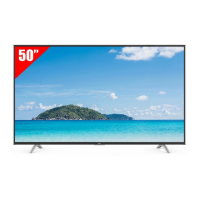
This document is a user manual for a TCL Roku TV, specifically model 43S45, providing instructions for setup, usage, and important safety information.
Function Description
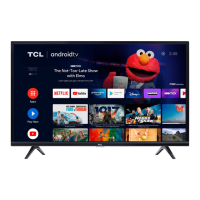
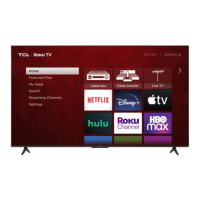
The TCL Roku TV is a smart television designed for home entertainment, offering a range of features for viewing content and connecting to various devices. It integrates the Roku TV platform, providing access to thousands of streaming channels, movies, TV shows, and live news and sports. The TV supports 4K HDR content, allowing for high-quality picture viewing. It also includes upscaling technology to enhance 1080p HD content to near 4K Ultra HD quality. The TV can be controlled using its included remote, a mobile app, or compatible voice assistant-enabled devices like Apple HomeKit (Siri), Amazon Alexa, and Google Assistant. It features multiple input ports for connecting external devices such as cable boxes, Blu-ray players, gaming consoles, and antennas.
Usage Features
- Initial Setup: The manual guides users through the initial setup process, including removing the TV from its box, attaching the stand or mounting it on a wall, connecting the power cable, and inserting batteries into the remote.
- Remote Control: The TV comes with an intuitive remote control with dedicated buttons for power, back, home, volume, instant replay, options, rewind scan, and fast forward scan. The remote is designed for easy navigation of on-screen menus and streaming content.
- Smart TV Capabilities: The integrated Roku TV platform allows users to connect to wireless networks, activate a Roku account, and access a vast library of streaming channels. The Roku 4K Spotlight channel helps users find 4K titles in various categories.
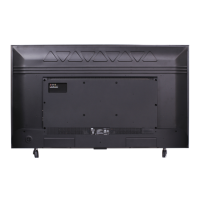
- External Device Connectivity: The TV offers multiple ports for connecting external devices:
- USB Port: For accessing photos, music, and movies from a USB device.
- Ethernet Port: For connecting to a home internet router or switch via an Ethernet cable.
- HDMI Ports: For high-quality audio/video connections to devices like cable boxes, Blu-ray players, and gaming consoles. One HDMI port supports eARC for connecting audio devices like soundbars or AV receivers.
- Antenna/Cable In: For connecting an outdoor VHF/UHF antenna or a Cable TV feed.
- AV In Adapter: For connecting older devices that use analog audio/video outputs (adapter not included).
- Headphone Out: For connecting headphones or other external speakers.
- Optical (Digital Audio Out): For connecting an optical cable to an external digital audio system.
- Voice Control: The TV supports voice control through the Roku mobile app or compatible third-party voice assistants (Apple HomeKit, Amazon Alexa, Google Assistant). This allows users to find movie titles, launch or change channels, switch inputs, and control playback using voice commands.
- Picture and Sound Settings: Users can adjust picture size and other display options using the remote. The TV is also compatible with TCL Alto Sound Bars for an enhanced home theater audio experience, featuring Dolby Atmos surround sound and RAY-DANZ technology.
- Troubleshooting: The manual provides solutions for common issues such as 4K picture quality, connecting to a wireless network, connecting cable/satellite boxes or antennas, and adjusting picture size. It also includes remote codes for programming universal or cable/satellite box remote controls.
- Accessibility: The TV offers a Text-to-Speech (TTS) audio guide feature, which can be turned on or off via the remote or through the settings menu.
Maintenance Features
- Battery Replacement: The manual advises users to replace depleted batteries with two new batteries of the same brand and type, and to avoid using damaged batteries. It also provides caution regarding battery disposal and warns against mixing old and new batteries or different types.
- Cleaning: The TV should be cleaned only with a dry cloth.
- Ventilation: Important safety instructions emphasize maintaining adequate ventilation space around the TV (at least 2 inches from the top and sides, and 1 inch from other surfaces) to prevent overheating and ensure product longevity. Ventilation openings should not be blocked.
- Power Cord Care: Users are instructed to protect the power cord from being walked on or pinched, especially at plugs and where it exits the apparatus. When not in use, the power cord should be tied up and kept away from sharp edges. If damaged, a replacement power cord specified by the manufacturer should be used.
- Product Registration: Users are encouraged to register their product online or via text message to protect their purchase and access special offers on TCL Protection Plans. Registration helps in obtaining warranty parts and service.
- Warranty Information: The manual details the limited product warranty, covering defects in materials or workmanship for a specified period (12 months for non-commercial use, 6 months for commercial use). It outlines conditions under which the warranty applies and what it does not cover, such as damage from accidents, misuse, improper installation, or unauthorized repairs.
- Recycling Information: The manual directs users to the TCL website for information on recycling old TVs, sound bars, and packaging, promoting environmentally responsible disposal. It also warns against using plastic packaging bags in cribs, beds, carriages, or playpens to avoid suffocation hazards.
- Service and Support: For assistance, users are directed to contact TCL support via phone or website, rather than returning the product to the store. This ensures proper troubleshooting and repair by qualified service personnel.


 To Next Page
 General