Need help?
Do you have a question about the TCL 43P1US and is the answer not in the manual?
Covers essential safety guidelines for operating the TV set and handling potential hazards.
Illustrates proper antenna grounding procedures according to electrical codes for safety.
Details precautions for product handling, environment, power, cleaning, wall mounting, and general safety.
Explains the function and usage of physical buttons located directly on the TV set.
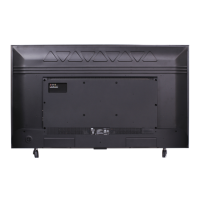
Describes various input/output sockets on the TV for connecting external devices.
Details the functions of buttons on the remote control for operating the TV.
Provides step-by-step instructions for powering the TV on and off, including standby mode.
Guides on connecting the TV to various signal sources and home networks (wired/wireless).
Details how to configure wired and wireless network settings for internet access and services.
Walks through the initial setup steps for language, location, network, and channel scanning.
Explores the APPS section of the homepage, including app store, screen mirroring, and phone control.
Details the TV section of the homepage, covering TV window, sources, EPG, media, and settings.
Describes the GOLIVE section for international video entertainment platform access.
Explains how to access and navigate the TV's system settings menu.
Covers adjustment options for picture quality, including brightness, contrast, color, and screen modes.
Details settings for adjusting audio output, sound effects, balance, and volume levels.
Explains how to scan for channels, manage favorites, and edit channel lists.
Guides on configuring network connections and Netflix settings on the TV.
Covers system-wide settings like menu language, location selection, and closed captioning.
Details settings for sleep timers, program blocking, password changes, and TV channel locking.
Explains the T-Link feature for synchronizing CEC devices like DVD players with the TV.
Covers features like Ginga, Football Mode, software updates, and factory reset options.
Guides on playing media files (photos, music, videos) from USB devices via the Media menu.
Explains how to use the PVR function to record TV programs onto a USB drive.
Details how to use the EPG for program information, scheduling recordings, and setting reminders.
Provides solutions for common TV problems such as no picture/sound, color issues, remote control failures, and video playback errors.
Contains legal disclaimers regarding third-party services, content, and TCL's liabilities.
 General
| Screen Size | 43 inches |
|---|---|
| Resolution | 3840 x 2160 (4K UHD) |
| Panel Type | LED |
| Smart TV | Yes |
| Smart TV Platform | Android TV |
| HDMI Ports | 3 |
| USB Ports | 2 |
| Wi-Fi | Yes |
| Bluetooth | Yes |
| Refresh Rate | 60Hz |
| Ethernet | Yes |
| HDR Support | HDR10 |
| Weight | 8.5 kg |

 To Next Page