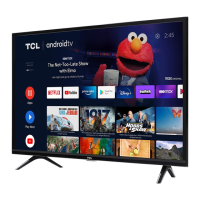
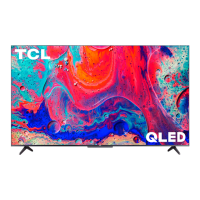
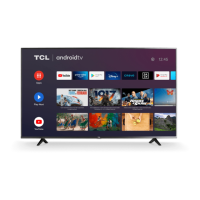
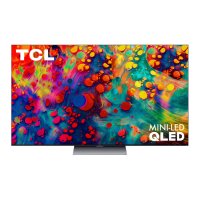
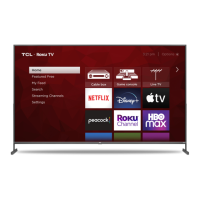
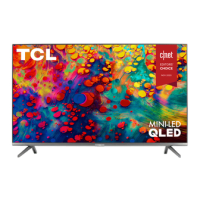
This document serves as a comprehensive guide for setting up, using, and maintaining a TCL Roku TV, specifically the 6-Series R635 model, and also provides information on an optional TCL Sound Bar.
Function Description:
The TCL Roku TV is a smart television designed to provide a rich entertainment experience. It integrates the Roku operating system, offering access to thousands of streaming channels, movies, TV shows, and live content. The TV supports 4K HDR resolution, providing high-quality visuals, and features 4K HDR upscaling for 1080p HD content. It is equipped with multiple input ports, including HDMI, USB, Ethernet, and antenna/cable inputs, allowing for connection to various external devices such as cable boxes, Blu-ray players, gaming consoles, and audio systems. The TV comes with a voice-enhanced remote control that simplifies navigation and content search. An optional TCL Sound Bar, featuring Dolby Atmos surround sound and RAY·DANZ technology, can be integrated to enhance the audio experience, offering a complete home theater solution with easy setup and compatibility with the Roku TV remote.
Usage Features:
- Easy Setup: The manual guides users through a straightforward setup process, starting with unboxing, attaching the TV stands, or preparing for wall mounting. It emphasizes careful handling due to the TV's weight.
- Stand or Wall Mount Options: Users can choose to place the TV on its included stands or mount it on a wall. Detailed instructions are provided for both, including screw specifications for stand attachment and VESA mount sizes for wall mounting. Safety warnings are included regarding stable placement to prevent accidents.
- Powering On and Remote Control: The TV is powered on by connecting the power cable to an outlet. The remote control requires two AAA batteries, and instructions are given for correct insertion. The manual highlights the remote's intuitive design and its voice search capability, allowing users to search for content by actor, title, or director.
- Remote Control Functions: Key buttons on the remote are described, including Power, Back, Home, Volume, Instant Replay, Options, Rewind Scan, Fast Forward Scan, and Voice Search. The "Options" button is noted for providing quick access to picture settings and display options.
- Connectivity: The TV offers a variety of ports for connecting external devices:
- IR Receiver: For receiving signals from the TV remote.
- Status Light: Indicates TV status (standby, busy, button press).
- Power and Options Button: A physical button on the TV for basic control.
- Power Port: For connecting the power cable.
- Ethernet: For a wired internet connection.
- Reset Button: For restarting the TV or performing a factory reset.
- HDMI Ports: For high-quality audio/video connections to devices like cable boxes, Blu-ray players, and gaming consoles. One port supports HDMI ARC/eARC for audio return channel functionality with soundbars or AV receivers.
- Antenna/Cable In: For connecting outdoor antennas or cable TV feeds.
- USB Port: For accessing photos, music, and movies from a USB device.
- AV In Adapter: For connecting older devices with analog audio/video outputs using an RCA cable adapter.
- Headphone Out: For connecting headphones or external speakers.
- Optical (Digital Audio Out): For connecting to an external digital audio system.
- Guided Setup and Activation: The TV automatically detects wireless networks. Users are guided to connect to their home network and activate their TCL Roku TV by linking it to a Roku account. The manual clarifies that Roku accounts are free, and while a credit card is not required for account creation, it facilitates renting, purchasing, and subscribing to content. It also warns against activation support scams.
- Streaming Content: Once connected and activated, the TV provides immediate access to streaming services. The Roku 4K UHD Spotlight channel highlights 4K content, and the TV upscales 1080p HD content to near 4K quality. Users can access a vast library of movies, TV episodes, live news, sports, and specialized channels through various streaming services, with options for free, rental, and subscription-based content.
- Troubleshooting: A dedicated section addresses common issues such as 4K picture quality, inability to connect to WiFi, picture size problems, remote control mobile app installation, and turning the Text-to-Speech audio guide on/off. It also provides remote codes for programming universal or cable/satellite box remote controls.
- Sound Bar Integration: For enhanced audio, the TCL Alto Sound Bars are designed for seamless integration with TCL Roku TVs, offering simple setup, easy access to sound settings, and compatibility with the Roku TV remote.
Maintenance Features:
- Product Registration: Users are encouraged to register their TCL TV online at www.tcl.com. While not required for warranty coverage, registration simplifies contact if service is ever needed.
- Warranty Information: The manual details the TCL North America Limited Warranty, covering defects in materials or workmanship for new LCD/LED Televisions. It specifies warranty periods for non-commercial and commercial use (one year and six months, respectively, for parts and labor).
- Obtaining Service: Instructions are provided on how to obtain service, including contacting customer support, having proof of purchase and product information ready, and the process for troubleshooting, repair, or replacement. Pre-authorization is required before sending products for service or obtaining in-home repair.
- What the Warranty Does Not Cover: The warranty explicitly excludes customer instruction, installation issues, damage from non-approved methods, signal reception problems not caused by the unit, misuse, abuse, neglect, normal wear and tear, cosmetic damage, faulty installation, power line surges, markings or images from viewing fixed images, modifications, units purchased or serviced outside the USA, units sold "As-Is" or "Refurbished," and acts of nature.
- Battery Care and Disposal: Recommendations for batteries include using alkaline types, installing new batteries of the same type with correct polarity, and avoiding mixing old and new or different battery types. It also advises against disposing of batteries in fire and encourages recycling according to local guidelines.
- Electronics Recycling: TCL promotes responsible disposal of electronics and provides information on how consumers can find recycling or reuse alternatives for televisions and other electronics, including state-specific programs and the TCL USA website.
- General Safety Instructions: The manual includes important safety instructions such as reading and keeping instructions, heeding warnings, following all instructions, avoiding water, cleaning with dry cloth, ensuring proper ventilation, avoiding heat sources, protecting the power cord, and unplugging during lightning storms or long periods of disuse. It also emphasizes using manufacturer-specified attachments and caution when moving the TV on a cart.
- Power Cord Management: Users are advised to take care of the power cord, tying it up when not in use and ensuring it is free from sharp edges to prevent abrasion. If damaged, the cord should be replaced by a service person with an original or equivalent part.
- Ventilation: Critical ventilation requirements are outlined, including maintaining specific clearances around the TV to prevent overheating and ensuring that ventilation openings are not blocked by objects.
- Product Information Record: A section is provided to record the Model No., Purchase Date, Serial No., and Dealer/Address/Phone, along with a reminder to attach the sales receipt for warranty and proof of purchase.


 To Next Page
 General
 Weight and Dimensions