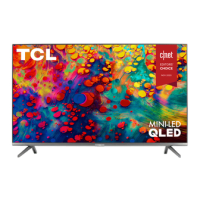
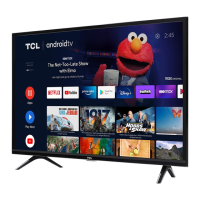
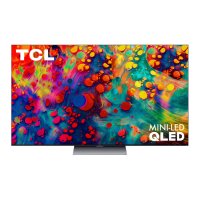
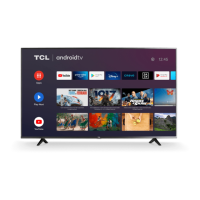
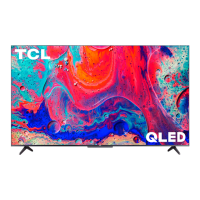
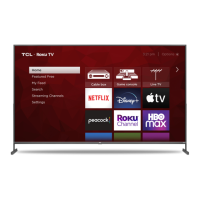
This document serves as a comprehensive guide for the setup, usage, and maintenance of a TCL Roku TV, specifically the 5-Series models S551, S553, and S555. It emphasizes a user-friendly approach to getting started with the television and highlights its various features and capabilities.
Function Description
The TCL Roku TV is a smart television designed to provide a rich entertainment experience. Its primary function is to display high-quality video content, including 4K Ultra HD and HDR, and to offer access to a vast array of streaming channels through the integrated Roku TV platform. The television is equipped with multiple input ports, allowing users to connect various external devices such as cable boxes, Blu-ray players, gaming consoles, and external audio systems. It supports next-gen 4K HDR devices and upscales 1080p HD content to near 4K Ultra HD quality using TCL Creative Pro upscaling. The integrated Roku TV system provides a centralized hub for managing streaming services, live TV, and connected devices, making it a versatile entertainment center for the home.
Usage Features
The TCL Roku TV is designed for intuitive and convenient use, offering several features to enhance the viewing experience:
- Easy Setup: The manual guides users through a simple, step-by-step process for initial setup, including connecting the power cable, inserting batteries into the remote, and connecting external devices.
- Roku TV Platform: The integrated Roku TV platform allows users to access thousands of streaming channels, including popular services like Netflix, Disney+, Hulu, and HBO Max. The "4K Spotlight Channel" helps users discover 4K content easily.
- Intuitive Remote Control: The included remote control is designed to be user-friendly, with dedicated buttons for power, back, home, volume, instant replay, options, rewind scan, and fast forward scan. A special button provides quick access to picture settings and display options.
- Connectivity Options: The TV offers a variety of ports for connecting external devices:
- Ethernet: For a stable wired internet connection.
- HDMI Ports (including eARC): For high-quality audio/video connections with devices like cable boxes, Blu-ray players, and sound bars. The eARC port supports audio return channel functionality for simplified audio setups.
- Antenna/Cable In: For connecting outdoor VHF/UHF antennas or cable TV feeds.
- USB Port: For accessing photos, music, and movies from a USB device.
- AV In Adapter: For connecting older devices that use analog audio/video outputs.
- Headphone Out: For connecting headphones or external speakers.
- Optical (Digital Audio Out): For connecting to external digital audio systems.
- Wireless Network Connectivity: The TV automatically detects wireless networks, allowing for easy connection to home internet for streaming.
- Voice Control: The TV supports easy voice control through the Roku mobile app (iOS or Android™) and compatible third-party voice assistant-enabled devices (Apple HomeKit/Siri, Amazon Alexa, Google Assistant). This allows users to find movie titles, launch or change channels, switch inputs, and control various TV functions using voice commands.
- Mobile App Integration: The free Roku mobile app transforms a smartphone or tablet into a full-functioning remote control with voice search and a keypad, offering an alternative control method.
- Picture Quality Settings: Users can adjust picture settings, including picture size, to optimize their viewing experience for different content types.
- Sound Bar Integration: The manual promotes TCL Alto Sound Bars, which offer immersive home theater sound, simple setup, and compatibility with the TCL Roku TV remote, enhancing the overall audio experience.
- Accessibility Features: The TV includes a Text-to-Speech (TTS) Screen Reader, which can be turned on or off for users with visual impairments.
Maintenance Features
The manual provides important information regarding the care and protection of the TCL Roku TV to ensure its longevity and optimal performance:
- Product Registration: Users are encouraged to register their product online or via text message to protect their purchase and access special offers on TCL Protection Plans. Registration helps in obtaining warranty parts and service.
- TCL Protection Plans: These plans offer extended manufacturer coverage, priority service, product replacement, genuine TCL parts & service, no deductible, pixel repair and burn-in coverage, accidental damage protection, complimentary remove & reinstall for larger TVs, and remote replacement.
- Safety Instructions: A detailed list of safety instructions is provided, covering aspects like proper ventilation, avoiding exposure to moisture or heat sources, protecting the power cord, and safe handling during installation.
- Battery Care: Specific instructions are given for battery usage in the remote, including using alkaline batteries, ensuring correct polarity, not mixing old and new batteries, and proper disposal.
- Cleaning: The TV should be cleaned only with a dry cloth, avoiding liquids that could cause damage.
- Troubleshooting Guide: A dedicated section addresses common issues such as 4K picture quality, wireless network connectivity problems, picture size adjustments, and connecting cable/satellite boxes or antennas, offering solutions and support contacts.
- Warranty Information: The document outlines the limited product warranty for both non-commercial and commercial use, detailing coverage periods for labor and parts, and explaining how to obtain service. It also lists circumstances not covered by the warranty, such as damage from accidents, improper installation, or unauthorized repairs.
- Recycling Information: TCL encourages consumers to recycle old TVs and packaging, providing resources like the "Electronics Recycling" area on the TCL website and How2Recycle® labels on product boxes for guidance.
- Support Contacts: Contact information for TCL Support (phone number and website) is prominently displayed for assistance with setup, troubleshooting, or any other questions.
By following these guidelines, users can maximize their enjoyment of the TCL Roku TV while ensuring its proper functioning and extending its lifespan.



 To Next Page
 General