EasyManua.ls Logo

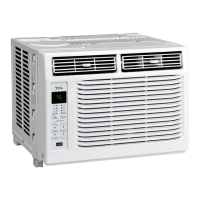
TCL H8W35W - User Manual

TCL H8W35W
49 pages
Print Icon
To Next Page IconTo Next Page
Loading...
1
Hi! Lets Get Started.
5K-14K UM Window AC
English / Spanish / French

Questions and Answers

  • A
    Adam PerryAug 14, 2025
    What to do if my TCL H8W35W Air Conditioner will not start?
    • M
      michellepittsAug 14, 2025
      If your TCL Air Conditioner won't start, there are several potential causes: * **Unplugged:** Ensure the air conditioner's plug is fully inserted into the outlet. * **Blown fuse/tripped breaker:** Check your house's fuse or circuit breaker box and replace the fuse or reset the breaker. * **Power Failure:** The unit will restart automatically when power is restored, but there's a 3-minute protective delay for the compressor, so cooling may not start immediately. * **Tripped current interrupter:** Press the RESET button on the power cord plug. If it won't stay engaged, stop using the air conditioner and contact a qualified technician.
  • B
    Brian ElliottAug 17, 2025
    Why is my TCL H8W35W Air Conditioner not cooling as it should?
    • M
      Matthew WilliamsAug 17, 2025
      If your TCL Air Conditioner isn't cooling properly, consider these possibilities: * **Restricted Airflow:** Make sure curtains, blinds, or furniture aren't blocking the front of the unit. * **Incorrect Temperature Setting:** Lower the thermostat temperature. * **Dirty Air Filter:** Clean the filter. * **Room Too Warm:** Allow time for the room to cool down after turning on the air conditioner. * **Escaping Cold Air:** Check for open furnace registers and cold air returns. * **Frozen Cooling Coils:** See 'Air Conditioner Freezing Up'.
  • B
    Bailey ForbesAug 20, 2025
    What to do if TCL H8W35W remote control is not working?
    • R
      Renee SavageAug 20, 2025
      If your TCL Air Conditioner remote control isn't working, check these: * **Incorrect Battery Placement:** Verify the batteries are inserted correctly. * **Dead Batteries:** Replace the batteries.
  • V
    vjonesAug 23, 2025
    What to do if water is dripping inside the room from my TCL H8W35W Air Conditioner?
    • C
      Craig GoodwinAug 25, 2025
      If water is dripping inside the room from your TCL air conditioner, it may not be correctly tilted outside. Ensure the unit is slightly tilted downward from the front to the rear for proper water drainage.
  • J
    jennifer05Aug 27, 2025
    What to do if TCL Air Conditioner is freezing up?
    • J
      jgeorgeAug 27, 2025
      If your TCL air conditioner is freezing up, it means ice is blocking the airflow, preventing the unit from cooling the room. To resolve this, set the Mode to High Fan or High Cool and set the thermostat to a higher temperature.
  • L
    Lisa MendozaAug 30, 2025
    Why is water dripping outside from my TCL H8W35W?
    • J
      James JacobsonAug 30, 2025
      If water is dripping outside your TCL Air Conditioner, it's likely due to hot and humid weather, which is normal.
  • J
    Jared MooreSep 3, 2025
    Why does water collect in the base pan of my TCL H8W35W?
    • H
      Heather HughesSep 3, 2025
      If water collects in the base pan of your TCL air conditioner, it's because moisture removed from the air is draining there. This is normal for a short period in areas with low humidity and normal for a longer period in areas with high humidity.
  • K
    Kevin AllenSep 6, 2025
    Why does the buzzer respond abnormally on my TCL Air Conditioner?
    • B
      brian95Sep 6, 2025
      If the buzzer responds abnormally on your TCL Air Conditioner, it's likely because energy management systems are controlling devices through networks. Try disconnecting the device from the network.
  • A
    Alyssa BryantSep 9, 2025
    What to do when appear on the display of TCL Air Conditioner and remote control, APP and panel buttons can not control the device?
    • J
      Jose WilliamsSep 9, 2025
      When appears on the display of your TCL Air Conditioner and the remote control, APP, and panel buttons cannot control the device, it means the device is responding to the Demand Response (DR) signal of the energy management system. During this time, you can only control the device startup and light. The setting temperature may rise, and the compressor may stop running. Wait for the Response time to close, or press for three seconds to exit the Demand Response (DR) signal.

Summary

Register and Protect Your Purchase

Register Easily with Your Smartphone

Register your product using your smartphone by scanning a QR code or texting.

Register Online

Register your product online via the TCL website for warranty and support services.

Add a TCL Protection Plan

Option to purchase an extended warranty plan during product registration for added coverage.

Protection Plan Benefits

Details the specific advantages and coverage provided by TCL Protection Plans.

Important Safety Instructions

Electrical Requirements

Specifies the voltage, amperage, and circuit breaker/fuse ratings for safe operation.

Battery Warning Statement

Advises against mixing battery types or old and new batteries in devices.

Grounding and Electrical Safety

Emphasizes the necessity of proper grounding and safe plug usage to prevent shock.

FCC Compliance Information

Details the device's compliance with FCC regulations regarding radio frequency interference.

Installation Considerations

Refrigerant Warnings

Important notes on refrigerant R32 safety, flammability, and handling precautions.

Installation Requirements

Details professional installation needs, leak tests, and safety inspections for flammable refrigerants.

Maximum Charge and Floor Area

Provides formulas and context for calculating refrigerant charge and minimum room area.

Installation Safety Principles

Site Safety

Ensures the installation location is free from open flames and electrical hazards.

Operation Safety

Advises on using protective clothing, anti-static measures, and avoiding mobile phones during operation.

Installation Safety Measures

Recommends using a refrigerant leak detector and choosing an appropriate installation location.

Whats in the Box

Included Parts List

Lists all components included with the 5K-14K UM Window AC unit, with appearances and quantities.

Unboxing Tip

Provides advice on how to efficiently open the carton and locate all parts.

Getting Started with Your AC

Initial Unit Testing

Instructions for testing the AC's cooling function and power before installation.

Installation Preparation

Notes on window compatibility and preparing for the installation process.

Attaching Top Rail and Panels

Steps for fastening the top mounting rail and attaching window panel expanders.

Window Mounting and Securing

Placing and Tilting the AC Unit

Guidance on carefully positioning the AC in the window and tilting for drainage.

Fastening to Window Frame

Instructions for securing the AC and panel extenders to the window frame using screws.

Securing the Window Sash

Details how to attach the sash lock to secure the sliding window closed.

Sealing the Window Top

Instructions for inserting the foam gasket to prevent outside air entry.

How to Control Your AC

Basic Controls and Power

Explains how to turn the AC on/off and use temperature/timer adjustment buttons.

Operation Modes

Details the functions of Auto, Cool, Eco, and Fan modes for optimal comfort.

Fan Speed and Dry Mode

How to adjust fan speed and utilize Dry mode for humidity reduction.

Advanced AC Functions and Maintenance

Timer, Sleep, and Filter Settings

Instructions for setting timers, using sleep mode, and managing the filter indicator.

Filter Cleaning Procedures

Step-by-step guide for cleaning filters for both 5-6K BTU and 8-14K BTU AC models.

Normal Operating Sounds Explained

Information on common sounds like pinging and thermostat clicks during operation.

Troubleshooting Common Issues

AC Unit Not Starting

Possible causes and solutions for the air conditioner failing to power on.

Cooling Performance Problems

Addresses issues like poor cooling, freezing coils, and temperature control difficulties.

Water Dripping and Collection

Solutions for water dripping outside, inside the room, and collecting in the base pan.

Remote Control and Display Errors

Troubleshooting for remote control malfunctions and digital display error codes like "E1", "E2".

WiFi App Installation and Account Creation

Download and Install TCL Home App

Guide to download and install the TCL Home mobile application using QR code or URL.

Create a TCL Home Account

Steps to create a user account within the app, including email verification.

Adding Your Device via WiFi App

Add Device to TCL Home App

Instructions on how to find and add the air conditioner to the TCL Home app.

Troubleshooting WiFi App Connectivity

App Connectivity Issues

Solutions for the TCL Home App losing connectivity or not finding the AC unit.

Network and Password Errors

Addresses network errors, incorrect WiFi passwords, and firewall blocking.

Location Permissions

Guidance on granting location permissions to the TCL Home App for proper function.

TCL North America Limited Warranty

Warranty Coverage and Exclusions

Details what the TCL warranty covers, what it excludes, and plan limitations.

How to Obtain Warranty Service

Provides instructions and requirements for requesting warranty service from TCL.

TCL H8W35W Specifications

General IconGeneral
BrandTCL
ModelH8W35W
CategoryAir Conditioner
LanguageEnglish

Related product manuals