EN-3
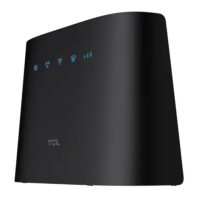
3. Wi-Fi/WPS indicator
•Blinkingblue:WPSconnectionisavailable.
•Solidblue:Wi-Fiisenabled.
•Off:Wi-Fiisdisabled.
4. LAN/WAN indicator
•On:theWANorLANportisconnected.
•Off:theWANorLANportisnotconnected.
5. Signal indicator
•1bar:weaksignalstrength.
•2bars:goodsignalstrength.
•3bars:excellentsignalstrength.
•Off:nosignal.
6. Reset button
Useapapercliptopressthebuttonfor3seconds
toresetthedevice.
7. Nano SIM card slot
InsertaNanoSIMcardintheslot.
8. WPS button
Pressthebuttonfor3secondstoenabletheWPS
function.TheWPSfunctionwillbeautomatically
disabledifaWPSconnectionisnotestablished
within2minutes.
9. Power button
•Pressfor3secondstopoweroffyourdevice.
•Pressfor1secondtopoweronyourdevice.
10. Telephone port
(Optional)
Connecttoatelephonetomakeoranswercalls.
11. LAN/WAN port
Usedtoconnecttoaninternetsourceorwired
devicessuchascomputersorswitches.
12. LAN port
Usedtoconnecttowireddevicessuchas
computersorswitches.
13. Power connector
Usedtoconnecttothepoweradapter.


 To Next Page