2
NOTES
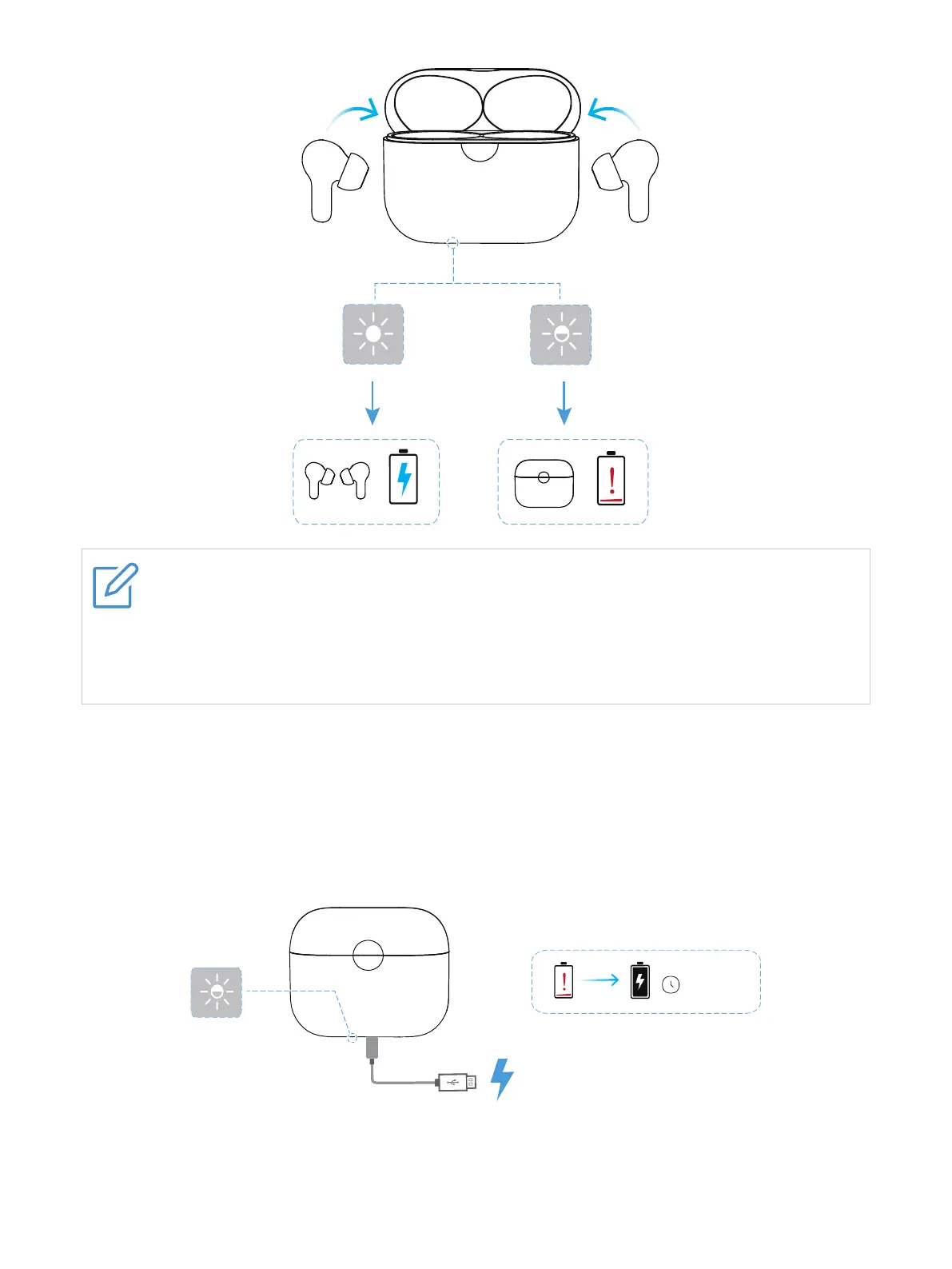
•For best results, do not insert your earbuds in the charging case if they are wet or
dirty.
•The low battery prompt tone is heard via the earbuds when the battery level for the
earbuds is less than 10%.
Charging case
To charge the charging case, connect the case to a computer or a compatible USB adapter with
the supplied USB Type-C cable.
The case LED indicator flashes in blinking white when charging starts, and flashes in solid white
when charging is complete.
1.5HR


 To Next Page