Need help?
Do you have a question about the TCL P715 Series and is the answer not in the manual?
Covers warnings, product safety, and general operating precautions for the TV.
Guidelines for safe power connection, plugs, and cables to prevent hazards.
Guides the user through the initial configuration steps upon first use.
Explains the purpose and connection of various input and output ports on the TV.
Covers remote operation, button functions, and battery installation.
Instructions for connecting the TV to a network (wired or wireless).
Procedures for turning the TV on, off, or placing it in standby mode.
How to access and tune into TV channels using the remote control.
Adjusting audio levels and muting sound via remote or TV buttons.
Navigating and adjusting TV system preferences and configurations.
Process for searching and storing TV channels automatically.
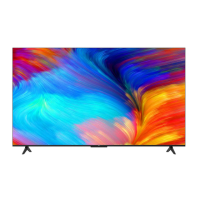
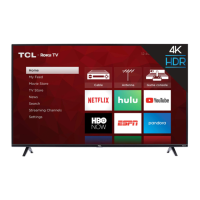
This document is an operation manual for a TCL Android TV, specifically the P715/C715 series. It provides comprehensive instructions on how to set up, operate, and maintain the television, covering various features and troubleshooting tips.
The TCL Android TV is a smart television designed to offer a wide range of entertainment and connectivity options. Its core function is to display television broadcasts and content from connected devices. Beyond traditional TV viewing, it integrates the Android TV platform, allowing users to access internet applications (apps), stream online videos, and utilize smart features like Google Play, Netflix, and other recommended apps. The TV supports both wired and wireless network connections, enabling seamless access to online content. It also includes advanced features such as PVR (Personal Video Recorder) for recording TV programs, Time Shift for pausing and rewinding live TV, and HbbTV (Hybrid broadcast broadband TV) for interactive television services. For enhanced control, the TV supports hands-free voice control (on some models) and can integrate with smart home devices like Amazon Echo or Echo Dot via "Works with Alexa" functionality.
The TV offers a user-friendly interface accessible via a remote control, with some models featuring an exclusive remote control with Google Assistant integration.
Upon first power-on, a "Welcome wizard" guides users through essential setup steps, including language selection and network connection. This process can be skipped and configured later via the settings menu.
The TV itself has a power button, which can also function as a multi-function controller for basic operations like power on/off, channel change, volume adjustment, and source selection. Some models also include a MIC switch for hands-free voice control.
The remote control is the primary interface for navigating the TV's menus and features.
The TV supports automatic channel search and storage. Users can select their country/region, channel type (Digital, Analogue, or Digital&Analogue), and then scan for available channels. Channels can be organized, hidden, or moved.
Users can switch between TV and other input sources (e.g., Blu-ray player, game console) via the source list or the "Inputs" area on the homepage.
On supported models, users can activate voice control by turning on the built-in MIC switch and enabling "Ok Google" detection in settings. A quiet environment and close proximity (within 2 meters) are recommended for optimal performance.
Allows resetting the TV to factory default settings, which can be useful for troubleshooting or preparing the TV for a new user. This process requires entering a password (default 1234 or a user-defined one) and confirms erasing all data.
The manual includes a "Problems & Solutions" section to help users diagnose and resolve common issues, such as network connectivity problems, video playback issues, remote control malfunctions, and picture/sound disturbances. This section guides users through checks like network connection, cable integrity, battery replacement, and antenna adjustments.
 General
| Display Type | LED |
|---|---|
| Resolution | 4K UHD (3840 x 2160) |
| Smart TV | Yes |
| Operating System | Android TV |
| HDR | HDR10 |
| Voice Control | Yes |
| Google Assistant | Yes |
| Chromecast | Built-in |
| Connectivity | Wi-Fi, Ethernet |
| HDMI Ports | 3 |
| USB Ports | 2 |
| Refresh Rate | 60 Hz |
| Display Size | 50", 55", 65" |

 To Next Page