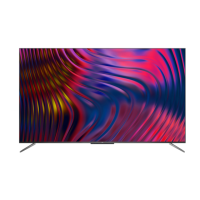
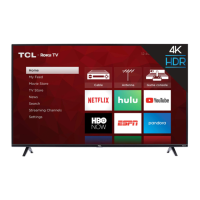
This document is an operation manual for a TCL Android TV, specifically for the P8M/P715/P615 series. It provides comprehensive instructions on how to set up, operate, and maintain the television, covering various features and functionalities.
Function Description
The TCL Android TV is a smart television designed to offer a wide range of entertainment and connectivity options. It integrates the Android TV platform, providing access to numerous internet applications (Apps), streaming services, and system settings. The TV supports both wired and wireless network connections, allowing users to browse the internet, stream content, and interact with various online services.
Key functions include:
- Channel Installation and Management: The TV can automatically search for and store digital and analogue TV channels. It allows users to organize, hide, and move channels according to their preferences.
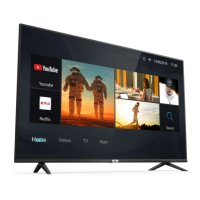
- Smart TV Homepage: A central hub for accessing Internet Applications (Apps), specially adapted Internet websites, and performing system settings.
- Google Play Integration: Provides access to Google Play, offering a vast library of music, movies, TV shows, books, magazines, apps, and games.
- T-Channel: Allows users to enjoy additional Internet Applications (Apps).
- TV Settings Menu: Enables adjustment of various TV settings, including picture, sound, and system preferences.
- Subtitle Support: Users can enable subtitles for TV channels, with options to select preferred subtitle languages for digital TV broadcasts.
- Teletext Functionality: Supports Teletext, including the selection of decoding page language and digital Teletext language for channels that offer this service.
- Network Wake Up: Allows the TV to be turned on from standby mode via a network using a compatible controller and app.
- T-Link (CEC) Function: Facilitates communication and control between the TV and connected HDMI CEC devices, enabling features like auto power on and auto standby.
- T-Cast: A feature that allows users to enjoy videos, applications, and share content on the large screen, and also enables a smart device to act as a sophisticated remote control for the TV.
- EPG (Electronic Programme Guide): An on-screen guide displaying scheduled digital TV programmes, allowing users to navigate, select, and view programme information.
- Bluetooth Function: Enables connection to Bluetooth audio devices, mice, or keyboards for enhanced interaction.
- Time Shift: Allows users to pause, fast forward, and rewind live TV when a USB drive is connected, ensuring no part of a favourite programme is missed.
- PVR (Personal Video Recorder): Enables recording of TV programmes to a connected USB drive.
- Freeview Plus: An aggregated TV service offering a 7+ day EPG, access to Catch Up TV content, reminders, and content search by genre (available in Australia).
- HbbTV (Hybrid broadcast broadband TV): Provides interactive television services over broadband Internet, including digital teletext, electronic programme guides, games, and catch-up TV (country-dependent).
- Works with Alexa: Allows control of the TV using an Amazon Alexa device (sold separately) through voice commands.
- Netflix Access: Direct access to the Netflix application for on-demand movies and TV shows.
- Reset Shop: Resets the TV to factory default settings.
- Parental Control: Allows setting a password to restrict access to certain content.
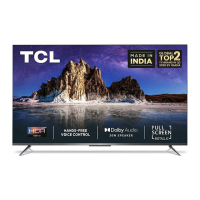
- Hands-free TV Voice Control: Enables voice control of the TV using built-in microphones (available on some models), requiring network connection and activation through settings.
Usage Features
The TCL Android TV is designed for user-friendly operation with both a standard remote control and, for some models, an exclusive remote control with additional features like a Google Assistant button.
- Remote Control Navigation: Most TV functions are accessible via on-screen menus navigated using the remote control's direction buttons, OK button, and dedicated function buttons (e.g., Power, Volume, Channel, Home, Settings, Input Source, Netflix, T-Channel).
- Multi-function Button on TV: In cases where the remote control batteries are low, a single button on the TV set can serve as a Power on/Standby button or a multi-function controller to access a basic on-screen menu for power, channel, volume, and source selection.
- Initial Setup Wizard: Guides users through the initial setup process, including language selection, network connection, and other essential configurations.
- On-screen Guides: The TV provides on-screen instructions and guides for various operations, making it easier for users to navigate and utilize features.
- Voice Control: For models with hands-free voice control, users can activate the feature by turning on the MIC switch and saying "OK Google" to issue commands. The Google Assistant button on the exclusive remote also enables voice commands after pairing and activation.
- USB Connectivity: USB 2.0 sockets allow connection of USB devices for media playback, Time Shift, and PVR functionalities.
- HDMI Connectivity: HDMI sockets enable connection to various external devices such as Blu-ray players, PCs, DVD players, and digital satellite decoders.
- Network Connectivity: Supports both wired (RJ45 LAN) and wireless network connections for internet access and smart TV features.
- Instant Power On: A feature that allows the TV to turn on faster from standby mode, though it may increase standby power consumption.
- Customizable Settings: Users can adjust picture, sound, and system settings to personalize their viewing experience. This includes options for brightness, contrast, colour saturation, sound effects, and more.
- HbbTV Interaction: When HbbTV is enabled and available, on-screen indications (often a red button) prompt users to access interactive pages, which can be navigated using remote control buttons.
Maintenance Features
The manual also provides guidance on basic maintenance and troubleshooting to ensure the longevity and optimal performance of the TV.
- Cleaning: The screen and cabinet should be cleaned with a soft, clean cloth or a special liquid cleaner. Excessive force or the use of water/chemical cleaners on the screen should be avoided to prevent damage.
- Battery Management: Instructions for installing and replacing AAA batteries in the remote control are provided, along with precautions such as using specified battery types, correct polarity, and avoiding mixing old and new batteries. Batteries should be removed if the remote is not used for a long period.
- Power Cord and Signal Cable Care: Users are advised to protect power cords and signal cables from being trampled, overloaded, or exposed to moisture.
- Environmental Considerations: The TV should be placed in a well-ventilated area, away from damp, cold, or dusty environments, and excessive heat sources like direct sunlight or open flames.
- Troubleshooting Guide: A dedicated section addresses common problems and solutions, covering issues like network connectivity failures, video playback problems, remote control malfunction, picture/sound issues, and external device recognition.
- Software Updates: The manual advises on precautions during software updates, such as ensuring no power cuts and avoiding remote control operations during the process. It also explains what to do if an update is interrupted.
- USB Device Handling: When using USB drives for Time Shift or PVR, users are cautioned to back up data, use drives with sufficient free space and speed, and avoid disconnecting the drive while the system is reading or transmitting data.
- Antenna Adjustment: For issues like snowy dots or ripples on the picture, users are advised to adjust the position and orientation of the antenna, check connections, and fine-tune channels.
- Reset to Factory Settings: The "Reset Shop" function allows users to restore the TV to its factory default settings, which can be useful for resolving persistent issues or preparing the TV for a new user.

 Need help?
 General

 To Next Page