37
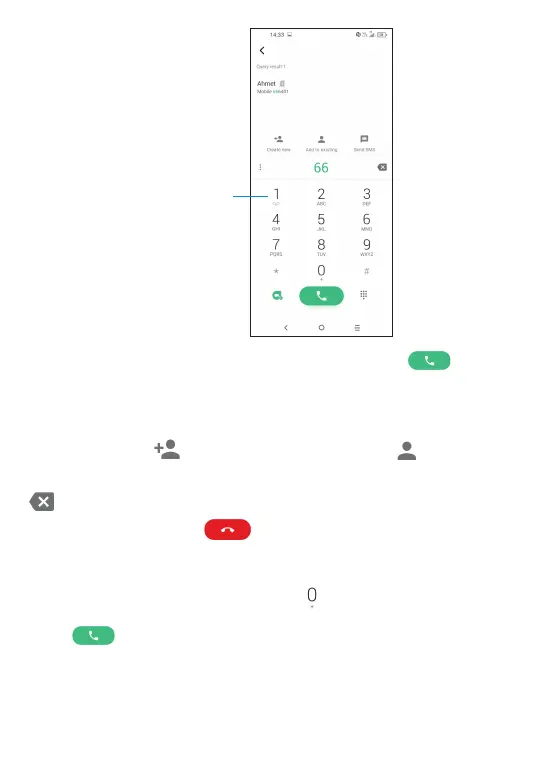
Long press to access voicemail
Enter the desired number from the dial pad and touch to place
the call or select a contact from Contacts or Call logs by sliding or
touching tabs, then make the call.
The number you entered can be saved to Contacts by touching the
Create new icon
, or the Add to existing icon .
If you make a mistake, you can delete the incorrect digits by touching
.
To hang up a call, touch
.
International call
To dial an international call, long press
to enter “+”, then enter the
international country prefix followed by the full phone number and
touch .



 To Next Page