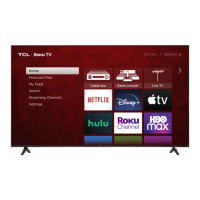
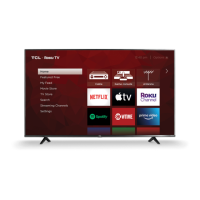
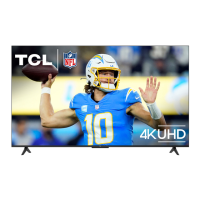
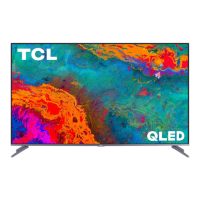
This document describes the TCL 5-Series S535 Roku TV, a 4K HDR television designed for home entertainment.
Function Description:
The TCL 5-Series S535 is a Smart TV that integrates the Roku TV platform, offering access to thousands of streaming channels, movies, and TV episodes. It supports 4K Ultra HD resolution and High Dynamic Range (HDR) content, providing enhanced picture quality. The TV can be connected to various external devices via HDMI, USB, and other inputs, allowing users to enjoy content from cable boxes, Blu-ray players, gaming consoles, and more. It also features upscaling technology to enhance 1080p HD content to near 4K Ultra HD quality. The TV can be controlled using the included remote or a mobile app, and it offers voice search capabilities through the app.
Important Technical Specifications:
- Model: 5-Series S535
- Display Technology: LCD/LED with 4K HDR
- Operating System: TCL Roku TV
- Video Inputs:
- Antenna/Cable: 480i, 480p, 720p, 1080i (NTSC, ATSC, and QAM formats)
- Composite Video: 480i
- HDMI: 480i, 480p, 720p/60Hz, 1080i/60Hz, 1080p/60Hz, 2160p/24/30/60Hz
- Audio Outputs: Headphone Out, Optical (Digital Audio Out)
- Other Ports: Ethernet, USB Port
- Wireless Connectivity: Supports wireless networks for streaming.
- VESA Mounting Standards:
- 50" Models: VESA 200x200, 4 M6x15mm screws
- 55" Models: VESA 300x200, 4 M6x20mm screws
- 65" Models: VESA 400x200, 4 M6x15mm screws
- 75" Models: VESA 400x200, 4 M6x25mm screws
- Broadcasting System: US System NTSC-M, ATSC standard (8VSB), QAM
- Receiving Channels: VHF2-13, UHF14-69, CATV (various ranges)
- Tuner Type: Frequency synthesized
- Operating Temperature: 5°C to 35°C (41°F to 95°F)
- Operating Humidity: 20% to 80%, non-condensing
- Storage Temperature: -15°C to 45°C (5°F to 113°F)
- Storage Humidity: 10% to 90%, non-condensing
- Power: Connects to a standard wall outlet.
Usage Features:
- Easy Setup: The TV guides users through a step-by-step setup process, including connecting to wireless networks and activating a Roku account.
- Roku TV Platform: Provides a user-friendly interface for accessing streaming services, live TV (with antenna/cable), and various apps.
- Remote Control: An intuitive remote with dedicated buttons for power, back, home, volume, instant replay, options, rewind, and fast forward. The remote uses 2 AAA batteries.
- Mobile App Control: A free Roku app is available for smartphones and tablets, offering full remote control functionality, voice search, and a keypad.
- 4K UHD Spotlight Channel: Features movies and TV shows available in 4K UHD resolution from popular streaming services.
- HDR Support: Compatible with next-gen game systems and Ultra HD Blu-ray players for high dynamic range content.
- Upscaling: Enhances 1080p HD content to near 4K Ultra HD quality.
- Connectivity: Multiple HDMI ports (including HDMI ARC/eARC for audio return), a USB port for media playback, Ethernet for wired internet, and an AV IN adapter for older devices.
- Audio Output Options: Headphone jack and optical digital audio out for connecting external audio systems.
- Wall Mount Option: The TV can be mounted on a wall using a VESA-compatible wall mount (not included). Specific VESA screw sizes and patterns are provided for different TV sizes.
- Parental Controls: Not explicitly detailed but typically available within the Roku TV platform.
- Accessibility: Includes a Text-to-Speech (TTS) audio guide that can be toggled on/off.
Maintenance Features:
- Registration: Users are encouraged to register their TV online at www.register.tcl.com or by texting a photo of the camera icon to 71403. Registration helps protect the purchase and provides access to special offers on TCL Protection Plans.
- TCL Protection Plans: Optional plans offer extended manufacturer coverage (up to 4 years), priority service, product replacement, genuine TCL parts & service, no deductible, pixel repair and burn-in coverage, accidental damage protection, complimentary TV removal & reinstallation (for 65" and larger TVs), and remote replacement.
- Troubleshooting Guide: The manual includes a section for common issues like 4K picture quality, wireless network connection problems, picture size adjustments, and remote control programming codes.
- Customer Support: TCL provides support via phone (1-877-300-8837) and online (support.tcl.com/us).
- Cleaning: The TV should be cleaned only with a dry cloth.
- Battery Care: Use alkaline batteries, install new batteries of the same type and correct polarity, do not mix old and new batteries, do not use rechargeable batteries, and do not dispose of batteries in fire. Batteries should be recycled according to local guidelines.
- Ventilation: Maintain at least 2 inches of ventilation space between the rear cover and the wall, and 1 inch from other surfaces. Do not block ventilation openings.
- Power Cord Care: Protect the power cord from being walked on or pinched. Ensure the power cord is not damaged and replace it if necessary.
- Safety Instructions: Important safety guidelines are provided, including warnings about electric shock, fire, and proper installation to prevent tipping.
- Software Updates: The TV automatically updates with the latest software when connected to a wireless network.
- Factory Reset: A reset button is available to restart the TV or perform a factory reset (which will erase all settings).


 To Next Page
 General