This document serves as a comprehensive guide for setting up, using, and maintaining your TCL Roku TV, specifically the 4-Series models (S4/S42/S421/S423/S425). It emphasizes a user-friendly approach, starting with a "Hi! Let's get started" message and providing clear, step-by-step instructions for a smooth setup experience.
Function Description
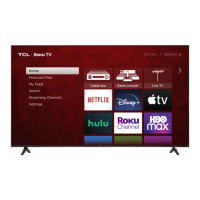
The TCL Roku TV is a smart television designed to provide a rich entertainment experience with integrated Roku functionality. It supports 4K HDR content, offering high-quality visuals. The TV functions as a central hub for various media, allowing users to stream movies, TV shows, and access a wide array of channels through its Roku operating system. It also supports traditional broadcast TV via antenna or cable connections and can connect to external devices like Blu-ray players, gaming consoles, and sound systems. The integrated Roku platform provides a personalized home screen, access to streaming services, and regular software updates to enhance the user experience over time. The TV is designed to be intuitive, with a remote control that simplifies navigation and access to features.
Usage Features
The setup process is guided, ensuring users can quickly get their TV operational.
- Initial Setup: The manual begins by instructing users to power up the TV remote by inserting the included AAA batteries. It then guides them to connect the power cable to the TV and a wall outlet. For additional devices, it advises referencing port labels and descriptions.
- Remote Control: The remote is designed for intuitive use. Key buttons include:
- POWER: Turns the TV on and off.
- BACK: Returns to the previous screen.
- HOME: Returns to the Roku Home screen.
- VOLUME: Adjusts the sound level.
- INSTANT REPLAY: Replays the last few seconds of streaming video.
- OPTIONS: Views more options.
- RWD SCAN: Rewinds streaming video and scrolls left one page at a time.
- FWD SCAN: Fast forwards streaming video and scrolls right one page at a time.
- The asterisk (*) button provides easy access to picture settings and display options.
- Connectivity: The TV offers various ports for connecting external devices:
- ETHERNET: For wired internet connection to a home router or switch.
- HDMI® PORT: High-quality audio/video connection for cable boxes, Blu-ray players, gaming consoles, and other devices.
- HDMI ARC PORT: For audio devices like sound bars or AV receivers that support Audio Return Channel.
- ANTENNA/CABLE IN: For outdoor VHF/UHF antennas or Cable TV feeds.
- AV IN adapter: For older devices using analog audio/video outputs, connecting via a supplied adapter (yellow for video, white and red for audio).
- HEADPHONE OUT: For headphones or external speakers.
- OPTICAL (DIGITAL AUDIO OUT): For connecting to an external digital audio system.
- USB PORT: For accessing photos, music, and movies from a USB device.
- Smart TV Features (Roku):
- Wireless Network Connection: The TV automatically detects wireless networks. Users need their network name and password to connect.
- Roku Account: A free Roku account is required for guided setup and accessing streaming features. Users can create or sign into an account online at roku.com/link. A credit card is recommended but not required, allowing for seamless movie rentals and app downloads. A PIN can be set to prevent unauthorized purchases.
- Automatic Software Updates: The TV receives regular software updates in the background when connected to the internet, ensuring an improved experience over time.
- Streaming Channels: Access to thousands of streaming channels, including major services like Netflix, Hulu, GooglePlay, VUDU, HBO NOW, Showtime, PBS Kids, and ESPN. Many free channels and free trials are available.
- 4K Ultra HD Content: The Roku 4K UHD Spotlight channel features movies and TV shows in 4K UHD resolution. HDMI inputs support the latest HDMI standards for connecting next-gen game systems and Ultra HD Blu-ray players. The TV also upscales 1080p HD content to near 4K Ultra HD quality using TCL Creative Pro upscaling.
- Mobile App: A free Roku app is available for mobile devices, functioning as a full remote control with voice search and keypad.
- Accessibility: The Text-to-Speech (TTS) audio guide can be turned on or off by pressing the asterisk (*) key four times on the remote or through the "Settings" menu.
- Picture Quality: For optimal 4K picture quality, ensure the source content is 4K and a broadband speed of 25Mbps is available for streaming. "High-Speed HDMI cables" are recommended for cable, satellite, gaming consoles, and Blu-Ray players.
- Picture Size Adjustment: If the picture appears too small with black bars, users can press the asterisk (*) button and select "Picture Size" to adjust it.
Maintenance Features
The manual provides important safety and care instructions to ensure the longevity and safe operation of the TV.
- General Safety:
- Read and keep all instructions and heed all warnings.
- Do not use the apparatus near water.
- Clean only with a dry cloth.
- Do not block ventilation openings; install according to manufacturer's instructions.
- Do not install near heat sources.
- Protect the power cord from being walked on or pinched.
- The mains plug is used as a disconnect device and should remain readily operable.
- Take care of the power cordset during movement and ensure it is not damaged.
- No naked flame sources (e.g., lighted candles) should be placed on the apparatus.
- Unplug the apparatus during lightning storms or when unused for long periods.
- Use only manufacturer-specified attachments/accessories.
- Use only with the specified cart, stand, tripod, bracket, or table.
- Refer all servicing to qualified service personnel.
- Maintain at least 2 inches of ventilation space between the rear cover and wall, and 1 inch from other surfaces. Do not block ventilation openings.
- Do not expose the apparatus to external heat sources, high humidity, or moisture.
- Keep the apparatus at least 8 inches away from the human body.
- Battery Care:
- Use alkaline type batteries for best results.
- Install only new batteries of the same type and ensure correct polarity.
- Do not mix old and new batteries or different types (Rechargeable, Alkaline, Standard).
- Do not dispose of batteries in fire; recycle or dispose of them as per state and local guidelines.
- If the remote gets warm/hot during use, discontinue use and contact customer support.
- TV Stability: The TV is unstable if not properly attached to the base or mounted to the wall. Follow base or wall mounting instructions to ensure safety.
- Product Registration: Registering the TV online at www.tclusa.com is recommended for easier contact if necessary, though it's not required for warranty coverage.
- Warranty Information: The manual details the limited warranty for TCL LCD/LED models, covering defects in materials or workmanship for the original owner. It specifies warranty periods for non-commercial (one year for parts and labor) and commercial use (six months for parts and labor). It also outlines what the warranty covers (repair or replacement at TCL North America's discretion) and what it does not cover (customer instruction, installation damage, misuse, cosmetic damage, acts of nature, etc.).
- Troubleshooting: The manual includes a troubleshooting section for common issues like inability to connect to a wireless network, problems connecting cable/satellite boxes or antennas, and adjusting picture size. It also provides remote codes for programming universal or cable/satellite box remote controls.
- TV Removal: A warning is included to "TAKE CARE WHEN REMOVING THE TV."
- Disposal Information: TCL encourages customers to recycle end-of-life electronic devices and provides information on electronics recycling programs in all 50 states via their website.


 To Next Page
 General