Need help?
Do you have a question about the TCL S446 and is the answer not in the manual?
This document serves as a user guide for a TCL Google TV, providing comprehensive instructions for setup, operation, and maintenance. It covers essential information to ensure safe and optimal use of the television.
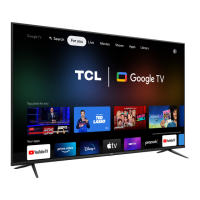
The TCL Google TV is a smart television designed to provide a rich entertainment experience, integrating live TV channels with a wide array of internet applications and services. It allows users to access various content, stream media, and personalize their viewing experience through a user-friendly interface powered by Google TV. The TV supports both wired and wireless internet connections, enabling access to online features. It also includes standard television functionalities such as channel scanning, input selection for external devices, and audio/video adjustments.
Initial Setup: Upon first power-on, the TV guides users through an initial setup process, including language selection, network connection, and other essential configurations. This ensures the TV is ready for use with personalized settings.
Power Management: The TV can be turned on from standby mode using either the power button on the TV itself or the remote control. To put the TV into standby mode, the remote control's power button is used, which maintains low energy consumption. For a complete power-off, the power cord must be disconnected from the wall outlet.
Connections: Users are advised to connect all components before plugging power cords into the wall outlet or power strip. The TV supports various inputs, and proper grounding of antennas and cables is emphasized for safety.
Internet Connectivity: The TV can connect to the internet via both wired (Ethernet) and wireless (Wi-Fi) connections. Network settings can be configured through the TV's settings menu, allowing users to select their preferred connection method and set up their network. A free Google account, a free TCL account, and a reliable broadband internet connection are required to enjoy all smart features and services.
Channel Access and Management: Live antenna TV channels can be accessed from the TV homepage. The TV offers automatic and manual channel scanning, and channels are arranged according to the selected country or region. A Channel Organizer feature allows users to edit the channel list, and a "Clear Channel List" option is available to reset all channel lists. The Electronic Program Guide (EPG) provides access to program information, and "Live TV Pause" allows pausing live television broadcasts.
Watching Connected Devices: The TV allows users to select various input sources (e.g., HDMI, AV) to watch content from connected external devices. The input list can be customized to display only relevant inputs.
Audio and Video Adjustments: The TV offers extensive options for adjusting display and sound settings. Picture modes can be selected to optimize viewing conditions, and users can fine-tune brightness, color saturation, contrast, sharpness, and other advanced picture settings. Audio settings include various sound modes, balance control, auto volume control, and digital audio output options. An "Audio only mode" allows users to switch off the TV display and listen only to the sound, conserving energy.
Smart TV Features (Google TV): The Google TV interface provides access to a wide range of internet applications, streaming services, and personalized recommendations. Users can sign in with their Google account to unlock full smart features, including Google Assistant. The interface allows navigation through apps, functions, and settings.
System Settings: The TV's system settings menu provides comprehensive control over various aspects of the television. This includes:
Remote Control: The remote control is the primary interface for navigating the TV's menus and controlling functions. It includes dedicated buttons for power, volume, channel, input selection, and accessing the TV homepage and settings.
Safety Information: The guide provides crucial safety instructions, including warnings against electric shock, fire hazards, and improper installation. It emphasizes adequate ventilation to prevent overheating and prolong product lifespan. Users are advised to protect the power cord from damage and to unplug the apparatus during lightning storms or when unused for long periods.
Cable Management: Instructions are provided for proper cable positioning to avoid audio interference and ensure a tidy setup. Cable clips are included with some models to help manage cables on the TV stands.
Troubleshooting: A dedicated troubleshooting section helps users diagnose common issues such as no picture/sound, unclear picture, or remote control malfunction. It offers solutions like checking power cords, antenna connections, volume settings, and remote control batteries.
Product Registration: Users are encouraged to register their TCL TV purchase online at www.tcl.com/us for easier contact in case of necessity, although registration is not required for warranty coverage.
Battery Caution & Disposal: Specific guidelines are provided for battery usage, including recommendations for alkaline batteries, correct polarity, and warnings against mixing old and new batteries or different battery types. Instructions for proper disposal of used batteries according to local regulations are also included.
Electronics & Packaging Recycling: Information on recycling old TVs, sound bars, and packaging materials is provided, directing users to www.tcl.com for drop-off locations and recycling instructions. The guide encourages consumers to look for How2Recycle® labels on product boxes.
Warranty Information: The document details the TCL North America Limited Warranty, outlining what is covered (defects in materials or workmanship) and for how long (one year for non-commercial use, six months for commercial use). It also specifies what is not covered, such as physical damage, installation issues, signal reception problems, and damage from misuse or acts of nature. Instructions on how to obtain service, including contact information and requirements for proof of purchase, are clearly laid out.
 General
| Model | S446 |
|---|---|
| Category | TV |
| Smart TV Platform | Google TV |
| Refresh Rate | 60Hz |
| HDMI Ports | 3 |
| USB Ports | 1 |
| Display Technology | LED |
| Bluetooth | Yes |
| Resolution | 4K UHD (3840 x 2160) |
| HDR Support | HDR10, HLG |
| Wi-Fi | Wi-Fi 802.11ac |
| Screen Size | 43 inches, 50 inches, 55 inches, 65 inches, 75 inches |

 To Next Page