EasyManua.ls Logo

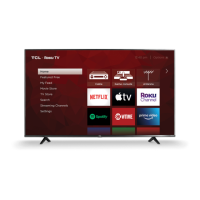
TCL S434 - User Manual

TCL S434
17 pages
Print Icon
To Next Page IconTo Next Page
Loading...
Hi! Let’s get started.
4-Series
S430/S434
REGISTER NOW
See inside for details &
protect your purchase

Other manuals for TCL S434

Questions and Answers

  • M
    Matthew SmithAug 11, 2025
    What to do if my TCL TV cannot connect to wireless network (Wi-Fi)?
    • S
      Samantha DennisAug 12, 2025
      If your TCL TV is unable to connect to your wireless network, ensure you've selected the correct network name and have accurately entered the password, paying attention to case sensitivity. Also, try moving your router away from devices that might cause interference, such as cordless phones or baby monitors. Rebooting your router by unplugging it for at least 2 minutes and then plugging it back in can also resolve the issue.
  • D
    Darryl LopezAug 22, 2025
    What to do if my TCL TV picture is too small with black bars?
    • A
      Alexander BakerAug 22, 2025
      If your TCL TV picture appears too small with black bars on the sides, press the asterisk (*) button while playing your movie or video. For optimal performance, use an HDMI connection. Also, ensure that all cable connections to both your TV and the connected device are securely fastened.
  • J
    justinbennettAug 31, 2025
    What to do if picture is too small on TCL Smart TV?
    • P
      Patrick AllenAug 31, 2025
      If you are experiencing a picture that is too small with black bars on the side while using your TCL Smart TV, try pressing the asterisk (*) button while your movie or video is playing. Also, ensure that the cable connections to both your TV and the connected device are securely fastened. For the best possible performance, it is recommended to use an HDMI connection.

TCL S434 Specifications

General IconGeneral
BrandTCL
ModelS434
CategoryTV
LanguageEnglish

Related product manuals