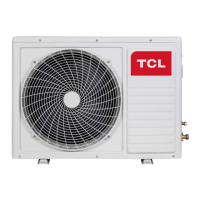
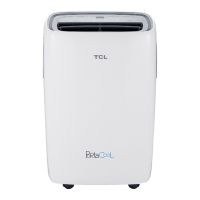
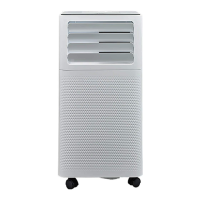
This document provides operating instructions for TCL Windows Type Air Conditioners, specifically models TWAC-15CRA1/K8U(ES) and TWAC-24CRA2/J3U(ES). It covers important safety information, electrical requirements, installation, operation, maintenance, and troubleshooting.
Function Description
The TCL Windows Type Air Conditioner is designed to cool and dehumidify a room, providing a comfortable indoor environment. It features various operating modes including Cool, Dry, Fan, and Auto, allowing users to select the most suitable setting for their needs. The unit can be controlled via an electronic control panel on the unit itself or through a remote control. Additionally, models with Wi-Fi functionality can be controlled remotely using a smartphone application.
Important Safety Instructions
Before installation and use, it is crucial to read and understand all safety messages. The air conditioner must be plugged into a grounded 3-prong outlet, and the ground prong should not be removed. Extension cords or plug adapters should not be used. For servicing, the unit must be unplugged. Moving and installing the air conditioner requires two or more people due to its size and weight.
The manual highlights a "DANGER" warning indicating that failure to follow instructions can cause serious injury or death, and a "WARNING" alert for potential hazards.
Electrical Requirements
The electrical ratings are located on the front left side of the unit. Specific requirements vary by model:
- 15K models: Use a power supply cord with a specific plug type.
- 18K/22K/24K models: Use a different power supply cord plug type.
The air conditioner must be grounded using a 3-prong power supply cord. If a 3-prong outlet is not available, a qualified electrician must install one. The unit is equipped with an LCDI (Leakage Current Detection and Interruption) power cord, which senses leakage current and disconnects power if detected. The LCDI plug has TEST and RESET buttons to verify proper functioning. The RESET button must be engaged for proper use. The power supply cord is a protection device and should not be used as an ON/OFF switch. A damaged power supply cord must be replaced with a new one.
Packing List
The unit comes with various hardware components in a plastic bag, including:
- Safety Lock (1)
- 5/16" Long Hex-head Screw (10)
- 5/8" Long Hex-head Screw (4)
- 1/2" Long Hex-head Screw (2)
- 5/8" Long Flat Head Bolt and Locknut (2ea)
- Sill Angle Bracket (2)
- 1/2" Long Flat Head Bolt and Locknut (4ea)
- Gasket (2)
Non-hardware items include:
- Window Air Conditioner (1)
- AAA Batteries (2)
- Top Mounting Rail (1)
- Foam Top Mounting Rail Seal Strip (1)
- Accordion Panels (2)
- Side Retainer (2)
- Window Sash Seal (1)
- Foam Seal for Bottom Rail (1)
- Owner's Manual (1)
- Large Flathead Screwdriver
- Tape Measurer
- Adjustable Wrench or Pliers
- Pencil
- Level
- Socket Wrenches
- Phillips Head Screwdriver
Installation & Assembly Instructions
Window Preparation:
Two people are recommended for installation. Before installing, check window dimensions to ensure the unit fits. The unit is designed for standard double-hung windows.
- 15K/18K models: Unit Height: 17.91 inches, Unit Width: 23.625 inches, Min. Window Opening: 19.00 inches, Min. Window Width: 28.00 inches, Max Window Width: 41.00 inches.
- 22K/24K models: Unit Height: 18.625 inches, Unit Width: 26.50 inches, Min. Window Opening: 19.50 inches, Min. Window Width: 30.00 inches, Max Window Width: 41.00 inches.
Storm Window Requirements:
If a storm window frame prevents proper tilt for drainage, attach a board or wood piece to the sill, at least 1 1/2" deep and approximately 1/2" higher than the storm window frame.
Prior to Installing:
- Check for airflow obstructions outside (shrubs, trees, awnings) and inside (curtains, drapes, blinds).
- Verify the electrical outlet matches the unit's serial nameplate and is close enough for the power cord.
- Unpack the unit carefully, protecting the floor. Two people should move the unit.
- CAUTION: Be careful to avoid cuts from sharp metal edges and aluminum fins.
Remove Chassis (for window mounting):
- Pull down the front panel and remove the filter.
- Lift the front panel upwards to remove.
- Remove four faceplate screws.
- Gently pull the faceplate away from the cabinet.
- Remove one control panel screw from the front panel.
- Remove screws from the right side of the cabinet.
- Hold the cabinet and pull the base handle to remove the unit. Do not pull or lift near the top of the unit to avoid damage.
Top Angle Rail and Side Bracket Installation:
- Place the air conditioner on a hard, flat surface.
- Attach the foam gasket to the top angle rail.
- Install the top angle side to the cabinet.
Placing the Cabinet Inside the Window:
- Open the window and place the cabinet in the middle of the window sill.
- Ensure the bottom rail is seated over the window sill. Bring the window down temporarily behind the top angle rail.
- Maintain a downward oblique angle (within 3 degrees) for proper drainage.
- Fasten the cabinet to the window sill using two 7/8" Round-Head screws (pre-drill if needed). Add the bottom rail seal over the screws.
- Slide the "I" section of the window panel into the side bracket of the cabinet for both sides.
- Insert top and bottom legs of the window filler panel frame into the channel of the top angle and bottom rail for both sides. Install side retainers to the cabinet.
Install Support Brackets:
- Hold each support bracket flush against the outside of the window sill. Tighten to the bottom of the cabinet. Mark the brackets at the top level of the window sill and remove.
- Assemble sill angle brackets to the support brackets at the marked position. Hand tighten initially.
- Install the support brackets (with sill angle brackets attached) to the bottom of the cabinet.
- Tighten all 6 bolts securely.
Extend the Accordion Panels:
- Raise the window to expose the accordion panel and frame. Loosen locking screws to slide panels easily.
- Extend each panel to fill the window width. Tighten locking screws.
Install the Window Lock and Sash Seal:
- Trim the sash seal to fit the window width. Insert it between the upper and lower sashes.
- Attach the right angle safety lock.
Installing the Chassis into the Cabinet:
- Team lift (two people) the chassis and carefully slide it into the cabinet. Let the front hang out approximately 6".
- CAUTION: Do not push on controls or finned coils.
- Ensure the chassis is firmly seated in the back of the cabinet.
- Insert all removed screws and reattach the front face plate, front panel, and air filter.
Thru-The-Wall Installation:
- NOTE: Consult local building codes and a qualified carpenter.
- Select Wall Location: The air conditioner has a slide-out chassis and can be installed through an outside wall (MAX WALL THICKNESS: 8"). Side louvers must not be blocked.
- The wall surface should not support major structural loads, have plumbing or wiring inside, be near existing electrical outlets, and allow unblocked airflow.
- Prepare the Wall:
- Prepare the wall frame construction. Find the wall stud nearest the center of the installation area.
- Cut a hole on each side of the center stud.
- Measure between the inside edges of every other stud.
- Build a wooden frame with inside dimensions matching the model's specifications. The frame depth should equal the wall thickness. Fill extra space with wood spacers and nail them flush with the drywall.
- If wall thickness is 8-1/2" or more, add aluminum flashing over the bottom of the frame opening.
- Prepare and Install the Cabinet:
- Slide the chassis from the cabinet.
- Place the cabinet into the opening with the bottom rail resting firmly on the bottom board of the wood frame.
- Position the cabinet to tilt properly for water removal.
- Secure the bottom rail to the wood frame with two 1" (2.5 cm) long wood screws.
- Screw or nail the cabinet to the wooden frame (using shims if oversized) to eliminate noise and maintain proper slope.
- Masonry Construction:
- Cut or build a wall opening similar to frame construction.
- Secure the cabinet using masonry nails or anchor screws, or build a frame.
- Ensure masonry above the cabinet is supported. Fasten the cabinet using existing or drilled holes, ensuring side louvers are clear.
- Install exterior cabinet support brackets. Caulk or flash with aluminum if needed for a tight seal.
- Apply wood trim molding around the cabinet sides for aesthetics, without obstructing side louvers.
- Install Chassis: Follow window mounting instructions.
- OPTIONAL: Caulk openings around the cabinet and wood sleeve.
Operating Your Air Conditioner
Electronic Control Panel & Remote Control:
The display shows room temperature in Fan Mode, or set temperature/timer when active.
Normal Operating Sounds:
- Pinging noise from water hitting the condenser (rainy/humid days) for moisture removal and efficiency.
- Thermostat click when compressor cycles.
- Water collection in the base pan during rain/high humidity, which may overflow outside.
- Fan may run even when the compressor is off.
Controls:
- Digital Display: Shows operation mode (Cooling, Dry, Fan, Auto) and set temperature. Displays time under timer setting.
- ∧ and ∨ Buttons: Increase/decrease Set Temperature or Timer. Temperature range: 61°F~88°F (16℃~31°C).
- Power Button: Turns the air conditioner ON/OFF.
- Mode Button: Cycles through Cool, Dry, Fan, and Auto modes.
- Cool Mode: Cools and reduces humidity. Adjust temperature and fan speed.
- Dry Mode: Reduces humidity with alternating cooling cycles and air fan.
- Fan Mode: Ventilation only. Fan speed (Hi, Med, Lo) can be adjusted. In AUTO mode, the unit automatically selects fan speed and operation mode (COOL, DRY, or FAN).
- Timer Button: Sets the Timer.
- Timer Off: Programmed stop. Set rest time using ∧/∨ buttons, then press TIMER again.
- Timer On: Programmed start. When off, press TIMER, set temperature with ∧/∨, press TIMER again, set rest time with ∧/∨, press TIMER a third time to confirm.
- Note: Timer can be set for 0.5-24 hours (0.5-hour increments below 10 hours, 1-hour increments above 10 hours). SET light turns on during setting. Press TIMER again to cancel.
- Eco Button: Unit turns off when room reaches set temperature and fan stops. Turns back on when room temperature rises above set temperature.
- Sleep Button: Sleep Light turns on after 10s, other lights off. Automatically adjusts temperature and fan speed for comfort. Set temperature raises by 1°C every 30-60 minutes, up to 28°C.
- Fan Speed Button: Selects fan speed (Hi, Med, Lo, Auto in COOL mode; Hi, Med, Lo in FAN mode).
- Filter Button: Turns off Filter Check light when pressed (when light is on). Light turns on after 500 compressor hours to remind user to clean filter.
- Directional Louvers: Horizontal wheel controls horizontal direction, air deflector controls vertical direction.
- WIFI Remote Function: Refer to the APP user manual.
Remote Control:
The remote control duplicates most functions of the electronic control panel.
- Power: Turn ON/OFF.
- Cool: Set COOL mode.
- ∧ and ∨: Increase/decrease temperature or timer.
- Sleep: Activates Sleep mode.
- Auto: Activates Auto mode.
- Timer: Sets Timer ON/OFF.
- Fan Speed: Selects fan speed.
- Display: Turns ON/OFF all LED lights.
- Eco: Activates ECO mode.
- Fan Only: Activates Fan Only mode.
- Battery Size: AAA. Do not mix old and new batteries or different types.
Care and Cleaning
Regular cleaning keeps the air conditioner looking new and minimizes dust buildup.
Air Filter Cleaning:
Check the air filter monthly. Trapped particles and dust can decrease airflow and cause frost on cooling coils.
- Remove the filter by pulling down on the indents of the filter door.
- Wash with liquid dish soap and warm water. Rinse thoroughly.
- Gently shake to remove excess water.
- Let the filter dry completely before reinserting.
- Alternatively, vacuum the filter to remove dust.
Cabinet Cleaning:
- Unplug the air conditioner to prevent shock or fire.
- Dust the cabinet and front panel with an oil-free cloth, or wash with a cloth dampened in warm water and mild liquid soap.
- Rinse thoroughly with a damp cloth and wipe dry.
- Never use harsh cleaners, wax, or polish.
- Wring excess water from the cloth before wiping around controls to prevent damage.
Winter Storage:
For extended storage, remove the unit from the window according to installation instructions and cover it with plastic or place it in its original box.
Wear and Tear:
To minimize wear and tear, always wait at least 3 minutes before changing modes. This prevents compressor overheating and circuit breaker tripping.
Troubleshooting
Problem: The Air Conditioner will not start
- Possible Causes:
- Air conditioner unplugged.
- Blown fuse/tripped circuit breaker.
- Power Failure.
- Current interrupter device tripped.
- Solutions:
- Ensure plug is fully inserted.
- Check house fuse/circuit breaker box and replace fuse or reset breaker.
- Unit will automatically restart when power is restored (with a 3-minute protective time delay).
- Press RESET button on power cord plug. If RESET button won't stay engaged, discontinue use and contact a qualified service technician.
Problem: The Air Conditioner does not cool as it should
- Possible Causes:
- Airflow restricted.
- Temperature control not set correctly.
- Air filter dirty.
- Room too warm.
- Cold air escaping.
- Cooling Coils frozen.
- Solutions:
- Ensure no curtains, blinds, or furniture block the front of the air conditioner.
- Lower the set thermostat temperature.
- Clean the filter.
- Allow time for the room to cool down.
- Check for open furnace registers and cold air returns.
- See "Air Conditioner Freezing Up" section.
Problem: The Air Conditioner is freezing up
- Possible Cause: Ice blocks airflow, stopping cooling.
- Solution: Set MODE dial to HIGH FAN or HIGH COOL and set thermostat to a higher temperature.
Problem: The Remote Control is not working
- Possible Causes:
- Batteries inserted incorrectly.
- Batteries dead.
- Solutions:
- Check battery position.
- Replace batteries.
Problem: Water is dripping outside
- Possible Cause: Hot and Humid weather.
- Solution: This is normal.
Problem: Water is dripping inside the room
- Possible Cause: Air conditioner not correctly tilted outside.
- Solution: Ensure the air conditioner is slightly tilted downward from front to rear for proper drainage.
Problem: Water collects in the base pan
- Possible Cause: Moisture removed from air draining into base pan.
- Solution: This is normal for short periods in low humidity areas, or longer periods in high humidity areas.
Problem: Digital Display reads "E1", "E2"
- Possible Cause: A sensor has failed.
- Solution: Contact customer service.
APP User Manual (for Wi-Fi models)
Installation:
- Scan the QR code or download "Smart Life-smart home" from APP Store or Google Play.
- Install the app. The "Smart Life" icon will appear on your phone desk.
Activation:
- Upon first opening the app, select "Scan" to scan the activation QR code (provided in the manual) or input the activation code words and click "activate."
Register User Account:
- Click "Register" and choose to register with email or mobile number.
- For mobile number registration, click "Sign in with SMS," enter the number, click "get" for a confirmation code, fill it in, and then "Login."
- Alternatively, use Facebook or Twitter to log in.
Forget Password:
- Click "Forgot password."
- Enter registered phone number or email, click "Next."
- Receive a verification code, fill it in, set a new password, and click "confirm."
Add the Device:
- Press "Add Device" and select "Window Type Air Conditioner."
- CF Mode (default):
- Press "Next Step."
- Select home router, enter password, press "Next."
- The app will automatically match the device.
- Upon success, a prompt will appear. Rename the device or share with family, then "Done."
- AP Mode:
- Click "AP Mode," then "Next Step."
- Select home router, enter password, press "Next."
- Select the AC device (e.g., "SmartLife-XXX") in WLAN settings, then return to the app. The app will automatically match.
- If matching fails, the app will mention it, and you can "Retry."
Delete or Modify Device Name:
- Go to "Device list."
- Slide the device name left to delete or modify.
Air Conditioner Control (via APP):
- Click the air conditioner name to enter the control interface. Turn ON/OFF and adjust temperature.
- Note: App updates may cause deviations from the manual.
- Adjust operating mode (Cool, Heat, Dry, Fan, Auto) by clicking "Mode." (Heat mode is not useful for cooling-only units). In Dry mode, the app temperature display may differ initially due to fast temperature changes.
- Click "Fan" to choose fan speed (Low, Med, High, Auto).
- Other functions (Sleep, ECO) can be selected via the "Function" button. In Sleep mode, fan speed is fixed to low.
- Timer Function: Click "Timer" to enter the timer setting interface. View existing schedules or "Add Timer."
- Click "ON" or "OFF" to set Timer ON/OFF. Set Hour, Minute, Mode, Fan Speed, Temperature, and weekly Timer. Click "cancel" or "confirm."
More Settings (via APP):
From the right-up corner, access: Modify Device Name, Device Sharing, Device Information, Feedback, Check for Firmware Update, Remove Device, Restore Manufacture Settings.
Profile (via APP):
Manage personal information: Account Information, Scan QR Code (for developers), Share Device, Message Centre, Feedback, About (App version).
Pattern Unlock (via APP):
Tap "Pattern unlock" to set up an app unlock pattern. Once enabled, you must draw the pattern to unlock the app.
Troubleshooting (APP)
- Analysis of Cause:
- Mobile connected Wi-Fi address and password incorrect.
- Air conditioner not in configuration status.
- Firewall or other restrictions set.
- Router not working normally.
- Air conditioner, router, and mobile not within signal scope.
- Router shielding App.
- Solutions: (Not explicitly listed, but implied by analysis: check Wi-Fi credentials, ensure AC is in pairing mode, disable firewalls, check router, move devices closer, check router settings).
Problem: Mobile can't control air conditioner (Software display: Identification failed)
- Analysis of Cause: Air conditioner reset, mobile lost control permission.
- Solutions: Connect Wi-Fi to regain permission. Connect local network and refresh. If still not working, delete AC and wait for refresh.
Problem: Mobile can't find air conditioner (Software display: Air conditioner out of line)
- Analysis of Cause:
- Air conditioner reconfigured.
- Air conditioner out of power.
- Router out of power.
- Air conditioner can't connect to router.
- Air conditioner can't connect to network through router (remote control mode).
- Mobile can't connect to router (local control mode).
- Mobile phone can't connect to network (remote control mode).
- Solutions: (Not explicitly listed, but implied by analysis: check network, power, router, reconfigure AC if needed, ensure connections).
FCC Caution:
This device complies with Part 15 of FCC Rules. Operation is subject to two conditions: (1) device may not cause harmful interference, and (2) device must accept any interference received. Changes or modifications not approved by the party responsible for compliance could void user's authority. This equipment has been tested and complies with Class B digital device limits. It generates radio frequency energy and may cause interference if not installed correctly. To correct interference: reorient/relocate antenna, increase separation between equipment/receiver, connect equipment to a different circuit, consult dealer/technician. This equipment complies with FCC radiation exposure limits for an uncontrolled environment; it should be installed and operated with a minimum distance of 20cm between the radiator and your body.

 Need help?
 General

 To Next Page