- 74 -
4. PARAMETER SETTING
PARAMETER 1
PARAMETER 2
PARAMETER 3
PC
4.4 SCREEN OPERATION
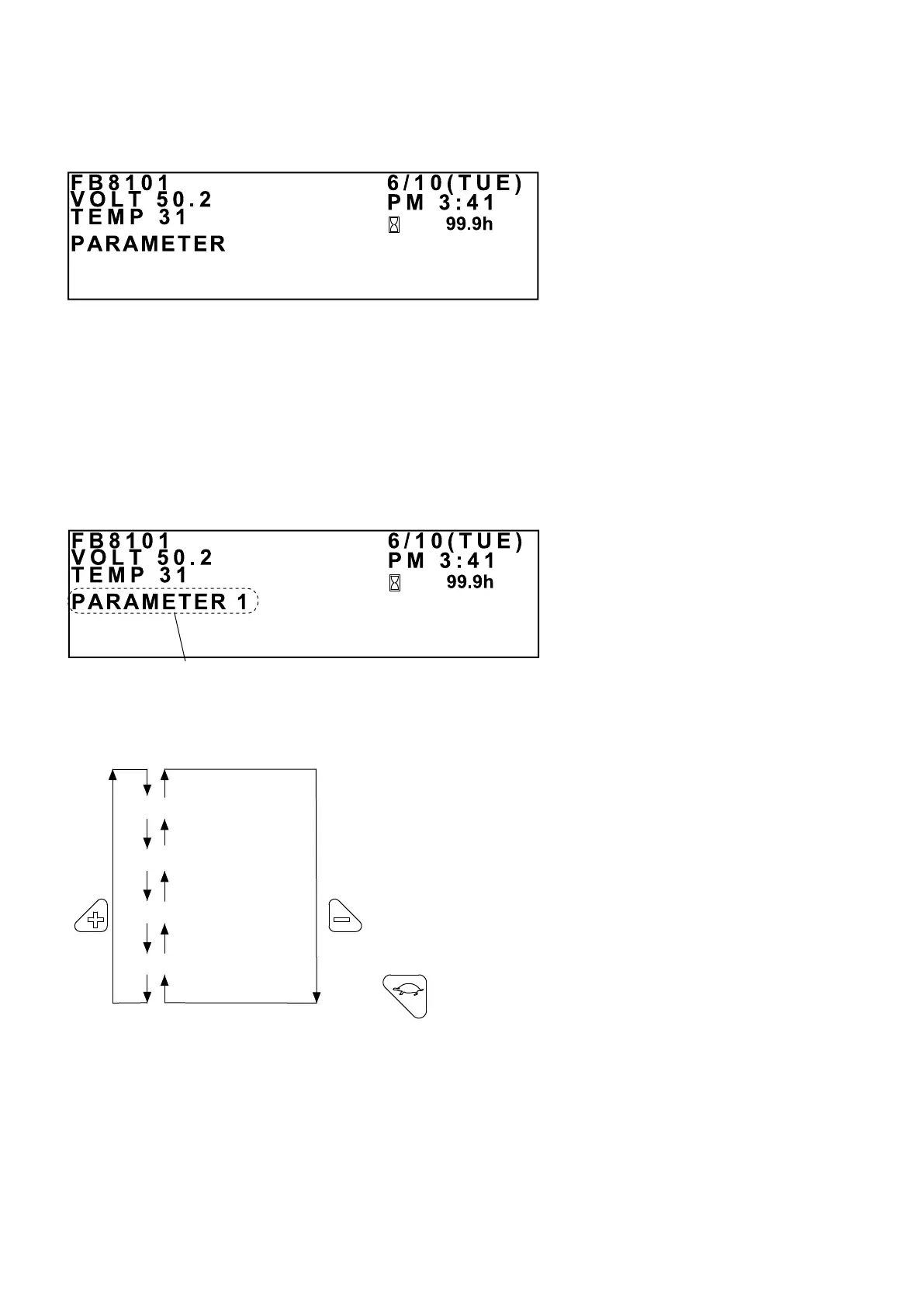
INITIAL PARAMETER SETUP SCREEN
While pressing and holding the Mode button and the “+” button on the keypad, turn on the key
switch. The INITIAL PARAMETER SETUP screen shown above will be displayed.
Note that the MC contactor is not activated at this point.
Press the “+” button to display PARAMETER 1; press the “-” button to display PC.
Use the “+” button or the “-” button to toggle between the parameter groups, as shown below.
PARAMETER GROUP SETUP SCREEN
Parameter group
PARAMETER 1 and PARAMETER 2 are used when setting the
parameters for the controller.
PARAMETER 3 is used to set the LCD panel parameters.
PC is the mode used when a PC (an electric truck fault-diagnosis
support system) is connected.
Press this turtle button to return to the INITIAL
PARAMETER SETUP screen.



 To Next Page