DKC301DC SLIDING GATE OPERATOR INSTALLATION AND USER’S MANUAL
5
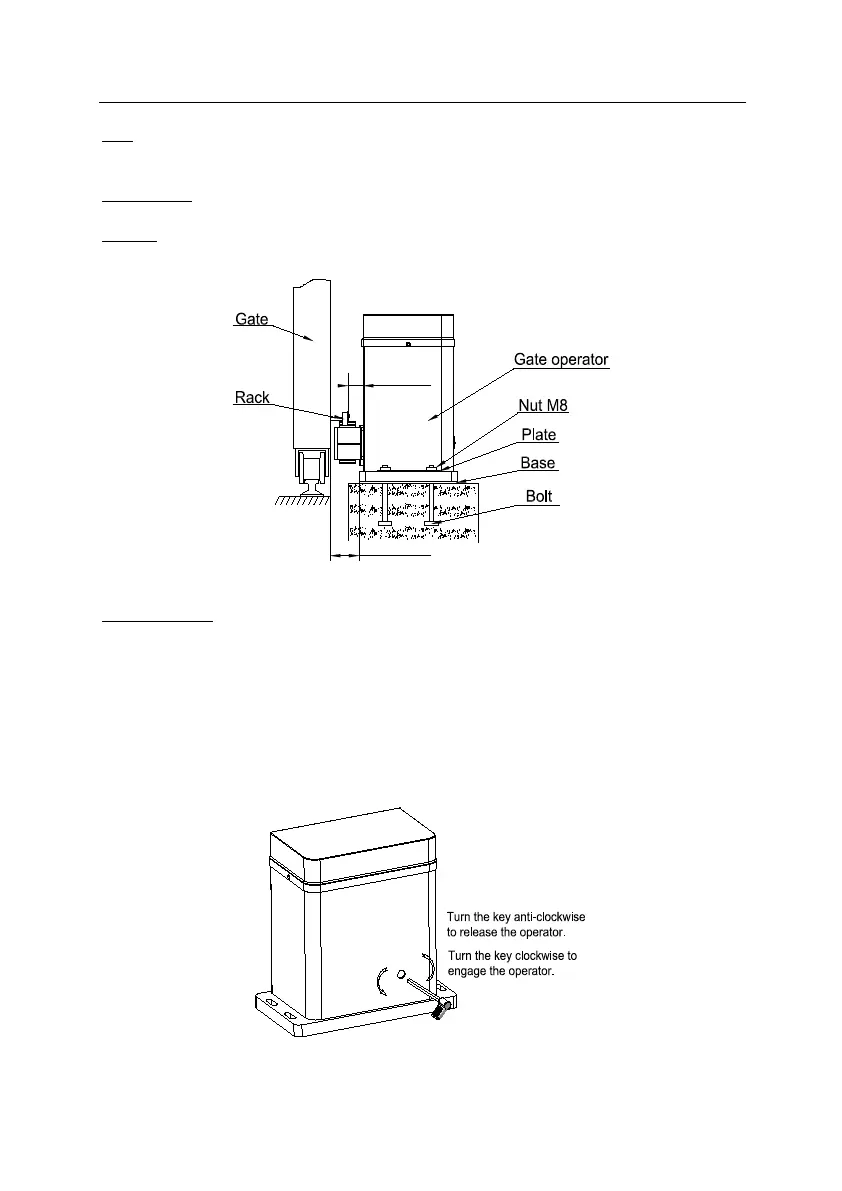
Bolts
You can use the bolts and nuts that are provided with the operator see Fig.2. These anchors must be
set into the concrete when it is poured, or you can use wedge expansion bolts.
Operator Base
Mount the gate operator base to the concrete pad. Verify the operator is leveled properly.
Operator
Mount two pieces of plates and gate operator to the base using nuts and washers.
Fig.2
Manual Operation
In case of power failure use manual release key to open or close gate manually, use the release key as
follow:
Fit the release key in the lock.
Turn the key 6-8 circles anticlockwise see Fig.3.
Open or close the gate manually.
Turn the key 6-8 circles clockwise to engage the gate operator.
Note: If the gate bumps the mounting post and cannot be electric opened, move the gate a few inches
by hand, thus you can release the gate with the key, open or close the gate manually.
Fig.3



 To Next Page