6
The supplied remote control allows the DA-5900 to be operated
from a distance. When operating the remote control, point it
towards the unit. Make sure nothing is blocking the recorder’s
display panel, behind which its remote control sensor is located.
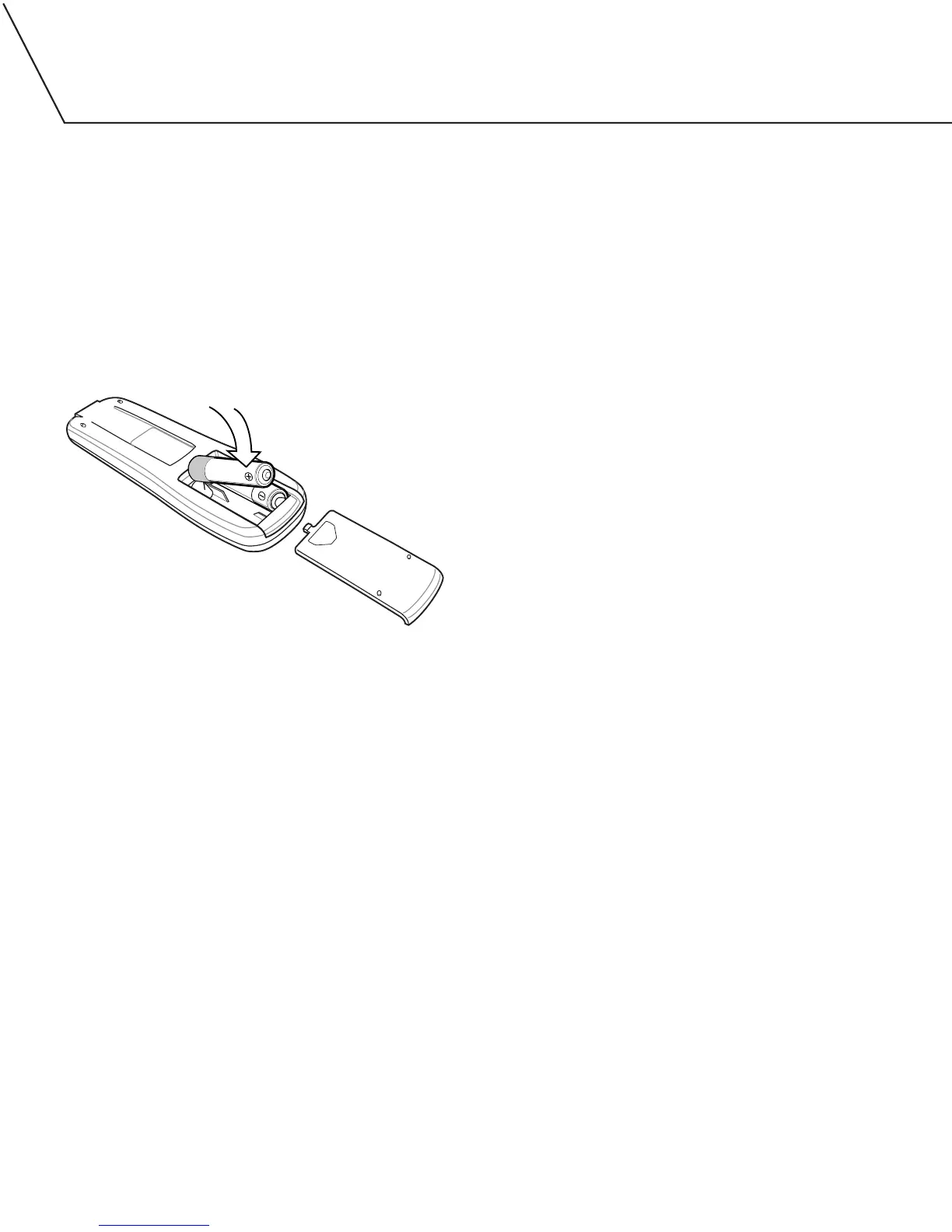
BATTERY INSTALLATION
1. Remove the battery compartment cover.
2. Insert two AA batteries. Make sure that the batteries are inserted
with their positive (+) and negative (-) poles positioned correctly.
3. Close the cover.
BATTERY REPLACEMENT
If you have to get closer than normal to the DA-5900 in order for
the remote control to operate the unit, the batteries need to be
replaced.
BATTERY PRECAUTIONS
• Never use different types of batteries together.
• Rechargeable or non-rechargeable batteries can be
used separately.
• When the remote control will not to be used for a long time
(more than a month), remove the batteries to prevent leakage.
• If the batteries leak, use a cloth to wipe away the liquid inside
the battery compartment and replace the batteries with new ones.
• Do not heat or disassemble batteries, and never dispose of old
batteries by throwing them in a fire. Dispose of batteries
according to the laws where you live.


 To Next Page