9
TRAY II can play back standard audio CDs, CD-R and CD-RW discs.
TRAY I can play back standard audio CDs and finalized CD-R/CD-RW
discs. Note that CD-R and CD-RW discs that haven’t been finalized
cannot be played in TRAY I.
1. Press the POWER switch to turn the unit ON.
The display briefly shows READING. When no disc is inserted, NO
DISC DISC NO is shown on the display.
2. Press the OPEN/CLOSE [ ] button of TRAY I or TRAY II.
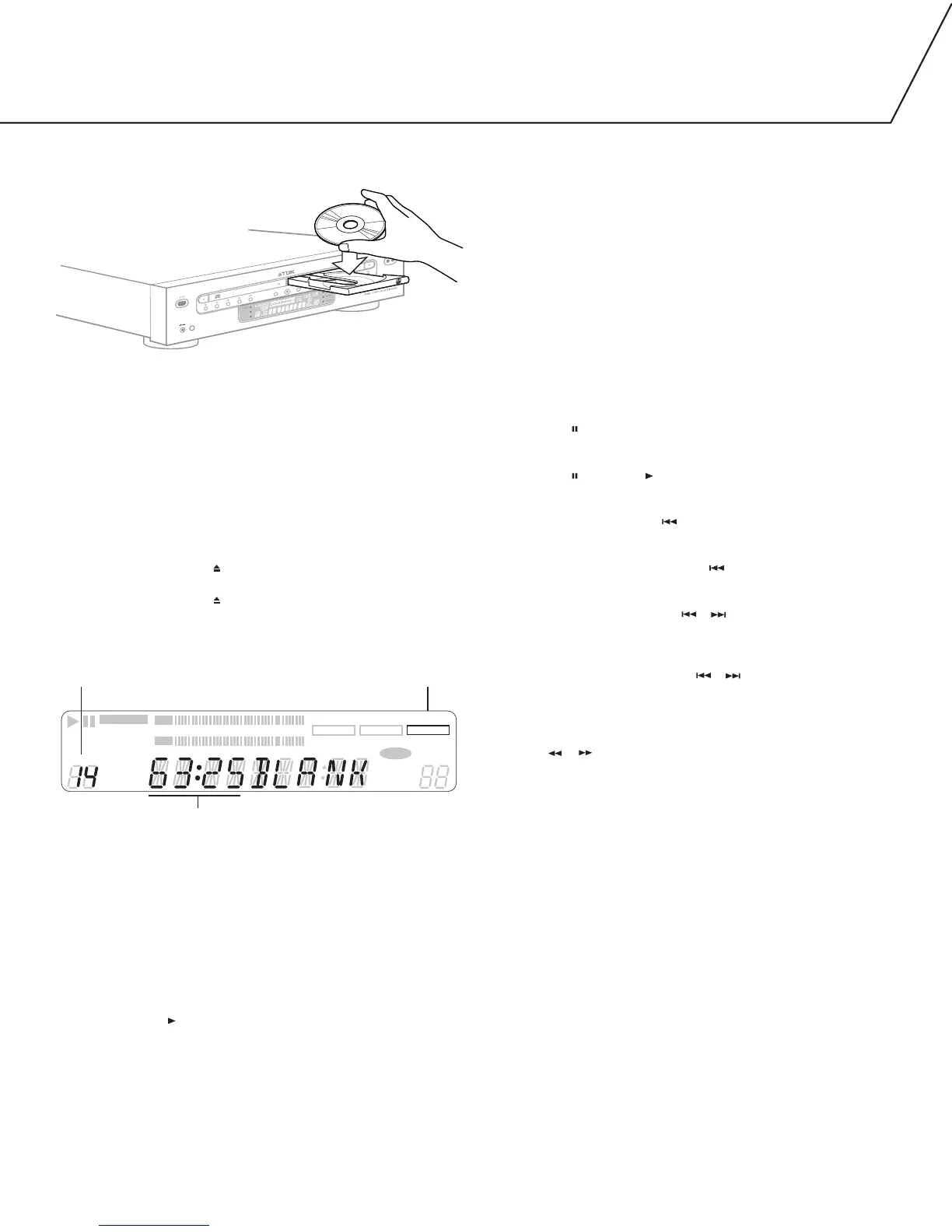
3. Place a disc in the tray, label side up.
4. Press the OPEN/CLOSE [ ] button of TRAY I or TRAY II.When a
disc is loaded into the unit, the display shows READING as it
determines the contents of the disc. When the TOC has been read,
the display will show the following information:
When a blank disc is placed in TRAY II, the display with show BLANK.
Here are other messages the display will show when a disc is
placed in TRAY II:
CD: When a commercial pre-recorded CD or a finalized CD-R is inserted
CD-R, NO TOC: When a CD-R that hasn’t been finalized is inserted
CD-RW, NO TOC: When a CD-RW that hasn’t been finalized is inserted
CD-RW: When a finalized CD-RW is inserted
BLANK: When an unrecordable audio disc or no disc is inserted
5. Press the PLAY [ ] button of TRAY I or TRAY II to start playback.
To stop playback:
Press STOP [
■ ].
To temporarily suspend playback:
Press PAUSE [ ].
To resume playback where it was paused:
Press PAUSE [ ] or PLAY [].
To restart playback at the beginning of a track that’s currently playing:
Press the TRACK SKIP BACK [ ] button.
To return to the beginning of the previous track while a track is playing:
Quickly press the TRACK SKIP BACK [ ] button twice.
When using the remote control, remember to select TRAY I or TRAY
II before using the TRACK SKIP [ ][ ] buttons.
To scan (search) through a track during playback:
If operating the unit from its front-panel:
Hold down the tray’s TRACK SKIP [ ][ ] button until the section
you want to hear is found.
If operating the unit from its remote control:
Select TRAY I or TRAY II, then press and hold the
SEARCH [ ][ ] button.
DIRECT TRACK SELECT
1. Using the remote, press the I or II button to select the tray.
2. Enter the desired track number on the numeric keypad.
Playback will start from the selected track.
Note: To play tracks 1 through 9, simply press the appropriate
button (1 through 9) on the remote’s numeric keypad. To play a
track numbered higher than 9, press the +10 button, followed by
a numeric button.
If you press the numeric button while the unit is paused, the deck
enters pause mode at the beginning of the selected track.
If a track number which doesn’t exist on the disc is selected during
TOC reading, the last track of the disc will be played.
Direct track selection isn’t possible during shuffle playback and
program playback.


 To Next Page