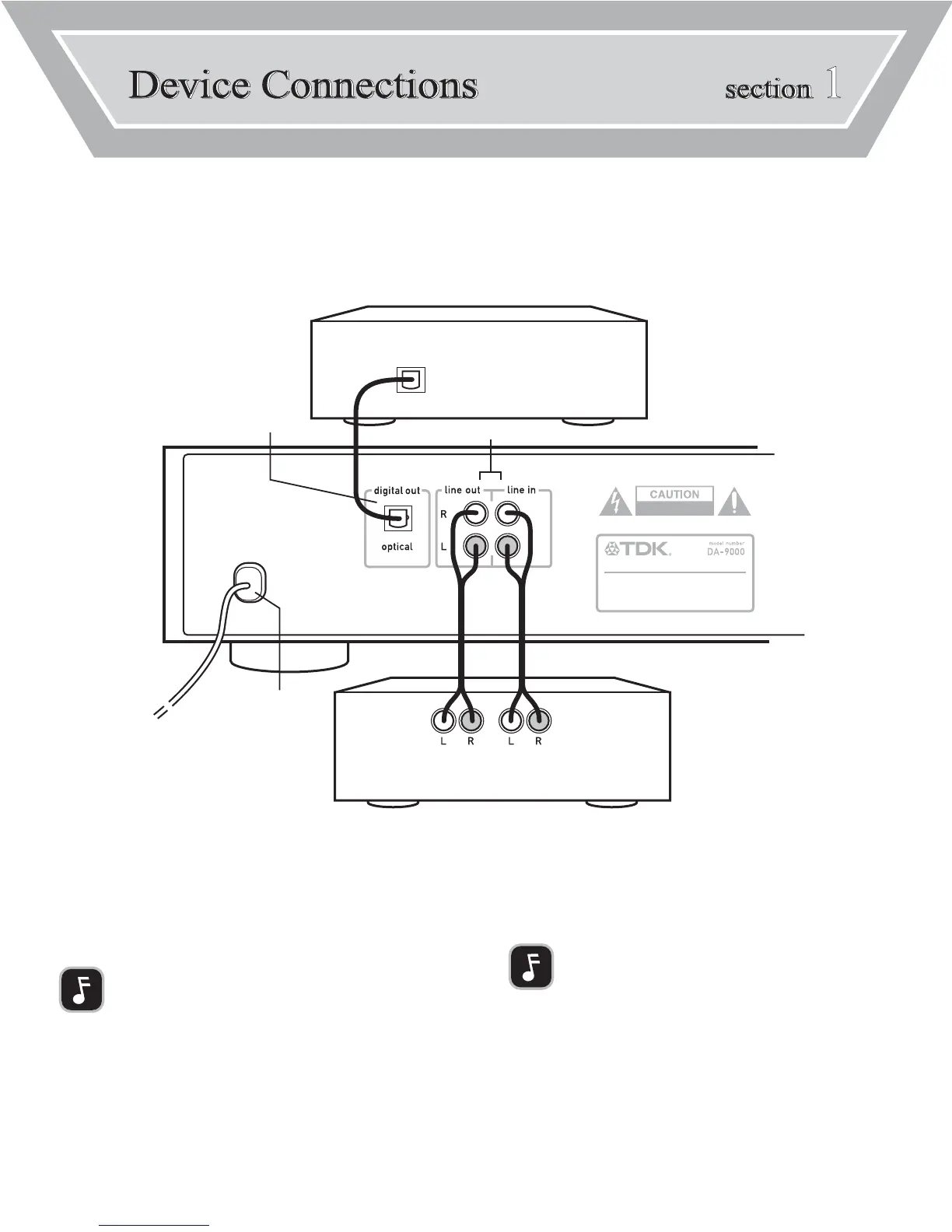
The DA-9000 can be connected to external audio devices for playback and recording. It can also be connected
to a PC, enabling file transfer between the PC and the DA-9000.
SECTION 1: DEVICE CONNECTIONS 1
REAR PANEL CONNECTIONS
[A] AUDIO OUT/AUDIO IN
To enable hearing the DA-9000, connect an analog cable (RCA type) between the DA-
9000’s LINE OUT jacks and the LINE IN (or TAPE IN) jacks on an amplification device
such as a receiver. To record audio into the DA-9000, connect an analog cable (RCA
type) between the DA-9000’s LINE IN jacks and the LINE OUT (or TAPE OUT) jacks on a
source device, such as a receiver or a tape deck.
NOTE: Most turntables cannot be connected directly to the DA-
9000. See “About Recording from Your Turntable” on page 9 for
more information.
[B] OPTICAL OUT
To record from the DA-9000 into an external device, such as a mini disc player, connect
an optical digital cable (not included) between the DA-9000’s OPTICAL DIGITALOUT port
and the external device’s OPTICAL DIGITAL IN port.
[C] POWER
Plug the power cord of the DA-9000 into a power outlet.
NOTE: The connection configuration discussed here is typical, but other configura-
tions are also possible. For instance, the DA-9000’s OPTICAL DIGITAL OUT port can
be connected to the OPTICAL DIGITAL IN port on an A/V receiver to provide highest
possible quality playback through the receiver.



 To Next Page