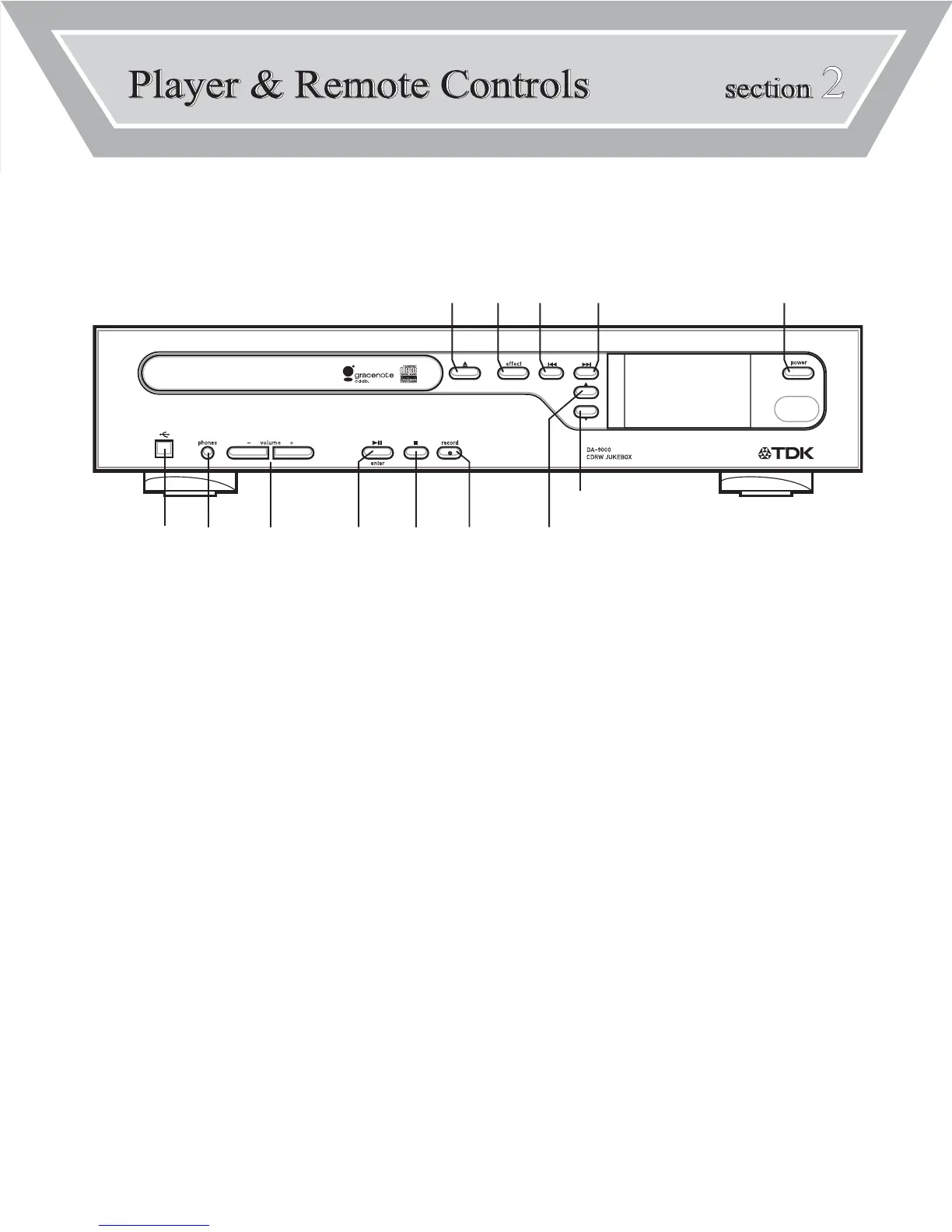
[8] TRAY OPEN/CLOSE
Press to open or close tray.
[9] EFFECT
Press to adjust EQ presets.
[10] PREVIOUS TRACK/ARROW LEFT
Press to skip back to the previous track or to return
to the beginning of the track that’s currently playing.
Or press to navigate menus and lists.
[11] NEXT TRACK/ARROW RIGHT
Press to skip forward to the next track.
Or press to navigate menus and lists.
[12] ARROW UP
Press to move up in a list.
[13] ARROW DOWN
Press to move down in a list.
[1] POWER
Press to turn the power ON or OFF.
[2] USB
Connect USB cable. Used for transferring files
from/to a PC.
[3] PHONES
Connect headphones.
[4] VOLUME (-/+)
Press to adjust volume.
[5] PLAY/PAUSE/ENTER
Press to play or pause a track.
Press enter to confirm a selection.
[6] STOP
Press to stop playback.
[7] RECORD
Press to start recording.
FRONT PANEL FUNCTIONS



 To Next Page