EasyManua.ls Logo

TDK NX-4CD - Audio Source

TDK NX-4CD
15 pages
Print Icon
To Next Page IconTo Next Page
To Previous Page IconTo Previous Page
Loading...
-
МРЗ
)
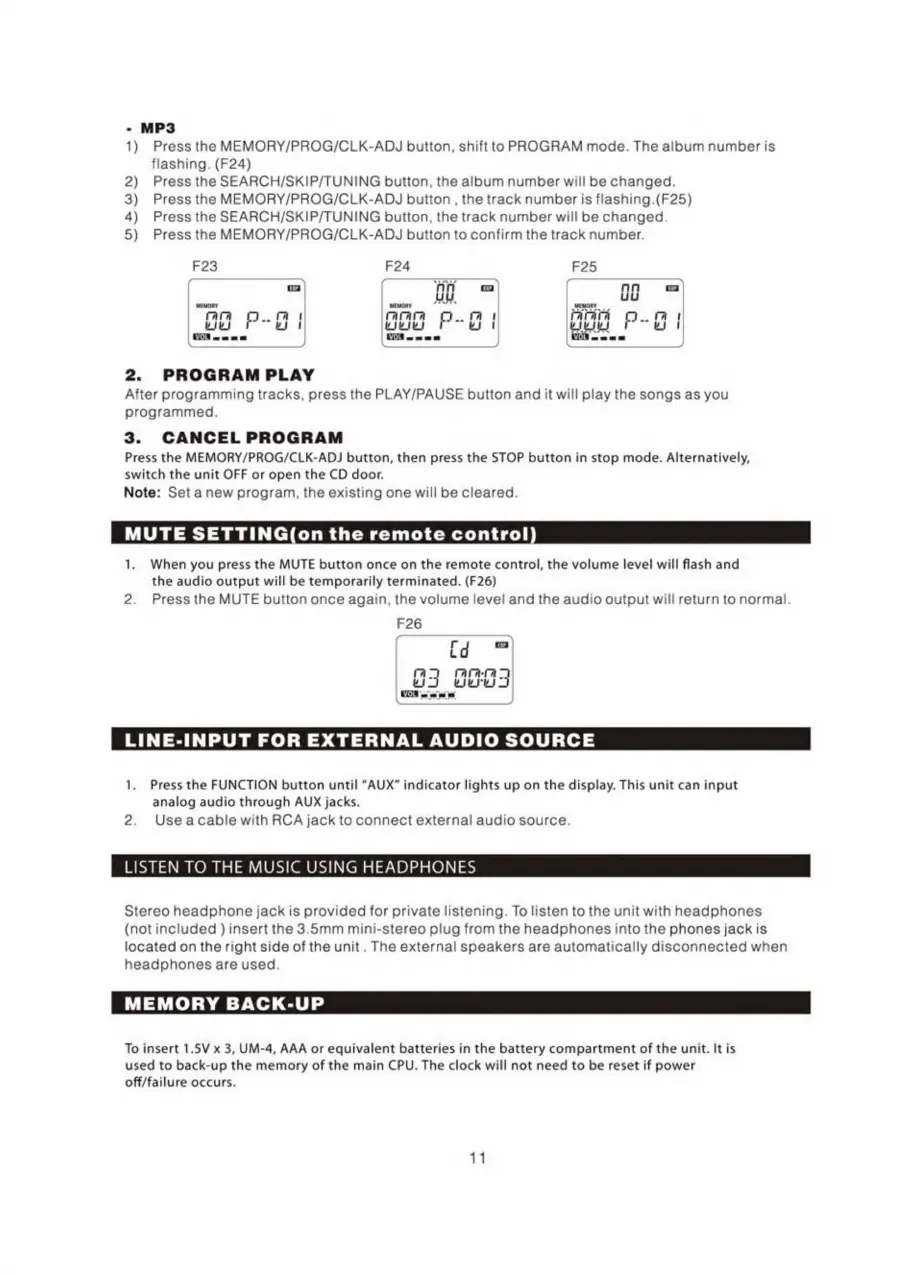
Pressthe
MEMORY/PROG/CLK-ADJ
button,
shift
to
PROGRAM
mode.
The
album
number
is
flashing.
(F24)
2)
Pressthe
SEARCH/SKIP/TUNING
button,
the
album
number
will
be
changed.
3)
Press
the
MEMORY/PROG/CLK-ADJ
button
,
the
track
number
is
flashing.(F25)
4)
Pressthe
SEARCH/SKIP/TUNING
button,
the
track
number
will
be
changed.
5)
Press
the
MEMORY/PROG/CLK-ADJ
button
to
confirm
the
track
number.
223
224
225
|
па
|
f
пп
па
i
пп
па
|
|
ци
Uu
мемоку
|
месту
MEMORY
мм
PN
d
гагага
о.
І
DATATA
p..
г
І
WIW
ү)
1
WIKY
eg
ИЛИЈЕ)
ЕЈ
1
===
T.
|
о.
pp
2.
PROGRAM
PLAY
After
programming
tracks,
press
the
PLAY/PAUSE
button
and
it
will
play
the
songs
as
you
programmed.
3.
CANCEL
PROGRAM
Press
the
MEMORY/PROG/CLK-ADJ
button,
then
press
the
STOP
button
in
stop
mode.
Alternatively,
switch
the
unit
OFF
or
open
the
CD
door.
Note:
Seta
new
program,
the
existing
one
will
be
cleared.
MUTE
SETTING(on
the
remote
control
1.
When
you
press
the
MUTE
button
once
on
the
remote
control,
the
volume
level
will
flash
and
the
audio
output
will
be
temporarily
terminated.
(F26)
2.
Press
the
MUTE
button
once
again,
the
volume
level
and
the
audio
output
will
return
to
normal.
F26
[d
=
3
шия
ы
----
)
LINE-INPUT
FOR
EXTERNAL
AUDIO
SOURCE
1.
Press
the
FUNCTION
button
until
“AUX”
indicator
lights
up
on
the
display.
This
unit
can
input
analog
audio
through
AUX
jacks.
2.
Usea
cable
with
RCA
jack
to
connect
external
audio
source.
LISTEN
TO
THE
MUSIC
USING
HEADPHONES
Stereo
headphone
jack
is
provided
for
private
listening.
To
listen
to
the
unit
with
headphones
(not
included
)
insert
the
3.5mm
mini-stereo
plug
from
the
headphones
into
the
phones
jack
is
located
on
the
right
side
of
the
unit.
The
external
speakers
are
automatically
disconnected
when
headphones
are
used.
MEMORY
BACK-UP
To
insert
1.5V
x
3,
UM-4,
AAA
or
equivalent
batteries
in
the
battery
compartment
of
the
unit.
It
is
used
to
back-up
the
memory
of
the
main
CPU.
The
clock
will
not
need
to
be
reset
if
power
off/failure
occurs.
11

Related product manuals