EasyManua.ls Logo

TDK NX-4CD - Putting the Batteries into the Remote Control Unit; Operating the Unit

TDK NX-4CD
15 pages
Print Icon
To Next Page IconTo Next Page
To Previous Page IconTo Previous Page
Loading...
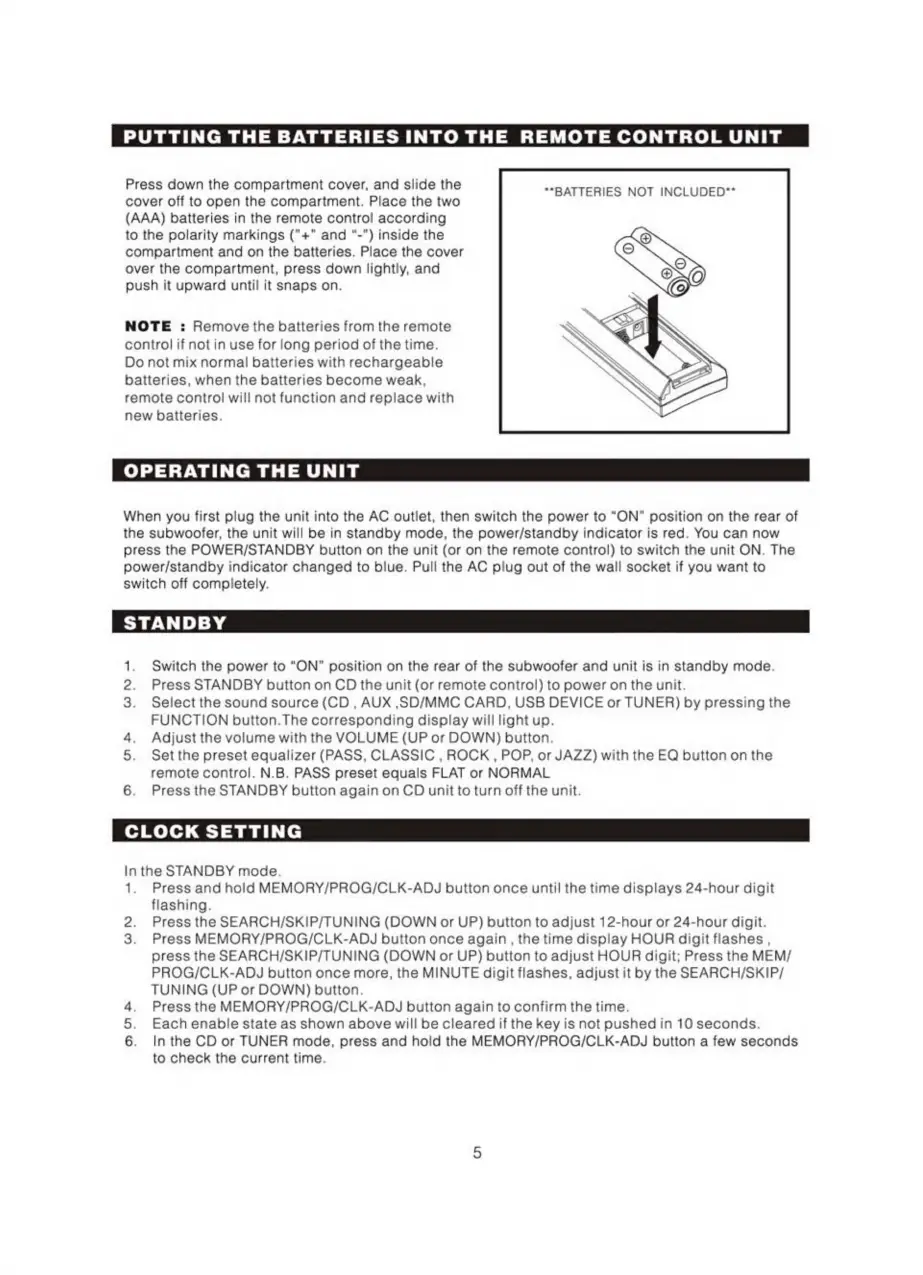
PUTTING
THE
BATTERIES
INTO
THE
REMOTE
CONTROL
UNIT
Press
down
the
compartment
cover,
and
slide
the
cover
off
to
open
the
compartment.
Place
the
two
(AAA)
batteries
in
the
remote
control
according
to
the
polarity
markings
("+"
and
"-")
inside
the
compartment
and
on
the
batteries.
Place
the
cover
over
the
compartment,
press
down
lightly,
and
push
it
upward
until
it
snaps
on.
"BATTERIES
NOT
INCLUDED**
NOTE
:
Remove
the
batteries
from
the
remote
control
if
not
in
use
for
long
period
of
the
time.
Do
not
mix
normal
batteries
with
rechargeable
batteries,
when
the
batteries
become
weak,
remote
control
will
not
function
and
replace
with
new
batteries.
OPERATING
THE
UNIT
When
you
first
plug
the
unit
into
the
AC
outlet,
then
switch
the
power
to
"ON"
position
on
the
rear
of
the
subwoofer,
the
unit
will
be
in
standby
mode,
the
power/standby
indicator
is
red.
You
can
now
press
the
POWER/STANDBY
button
on
the
unit
(or
on
the
remote
control)
to
switch
the
unit
ON.
The
power/standby
indicator
changed
to
blue.
Pull
the
AC
plug
out
of
the
wall
socket
if
you
want
to
switch
off
completely.
STANDBY
1.
Switch
the
power
to
"ОМ"
position
on
the
rear
of
the
subwoofer
and
unit
is
in
standby
mode.
2.
Press
STANDBY
button
on
CD
the
unit
(or
remote
control)
to
power
on
the
unit.
3.
Select
the
sound
source
(CD
,
AUX
,SD/MMC
CARD,
USB
DEVICE
or
TUNER)
by
pressing
the
FUNCTION
button.The
corresponding
display
will
light
up.
4.
Adjust
the
volume
with
the
VOLUME
(UP
or
DOWN)
button.
5.
Setthe
preset
equalizer
(PASS,
CLASSIC
,
ROCK
,
POP,
or
JAZZ)
with
the
EQ
button
on
the
remote
control.
N.B.
PASS
preset
equals
FLAT
or
NORMAL
6.
Press
the
STANDBY
button
again
on
CD
unit
to
turn
off
the
unit.
Inthe
STANDBY
mode.
1.
Press
and
hold
MEMORY/PROG/CLK-ADJ
button
once
until
the
time
displays
24-hour
digit
flashing.
2.
Pressthe
SEARCH/SKIP/TUNING
(DOWN
or
UP)
button
to
adjust
12-hour
or
24-hour
digit.
3.
Press
MEMORY/PROG/CLK-ADJ
button
once
again
,
the
time
display
HOUR
digit
flashes
,
press
the
SEARCH/SKIP/TUNING
(DOWN
or
UP)
button
to
adjust
HOUR
digit;
Press
the
MEM/
PROG/CLK-ADJ
button
once
more,
the
MINUTE
digit
flashes,
adjust
it
by
the
SEARCH/SKIP/
TUNING
(UP
or
DOWN)
button.
4.
Press
the
MEMORY/PROG/CLK-ADJ
button
again
to
confirm
the
time.
5.
Eachenable
state
as
shown
above
will
be
cleared
if
the
key
is
not
pushed
in
10
seconds.
6.
Inthe
CD
or
TUNER
mode,
press
and
hold
the
MEMORY/PROG/CLK-ADJ
button
a
few
seconds
to
check
the
current
time.

Related product manuals