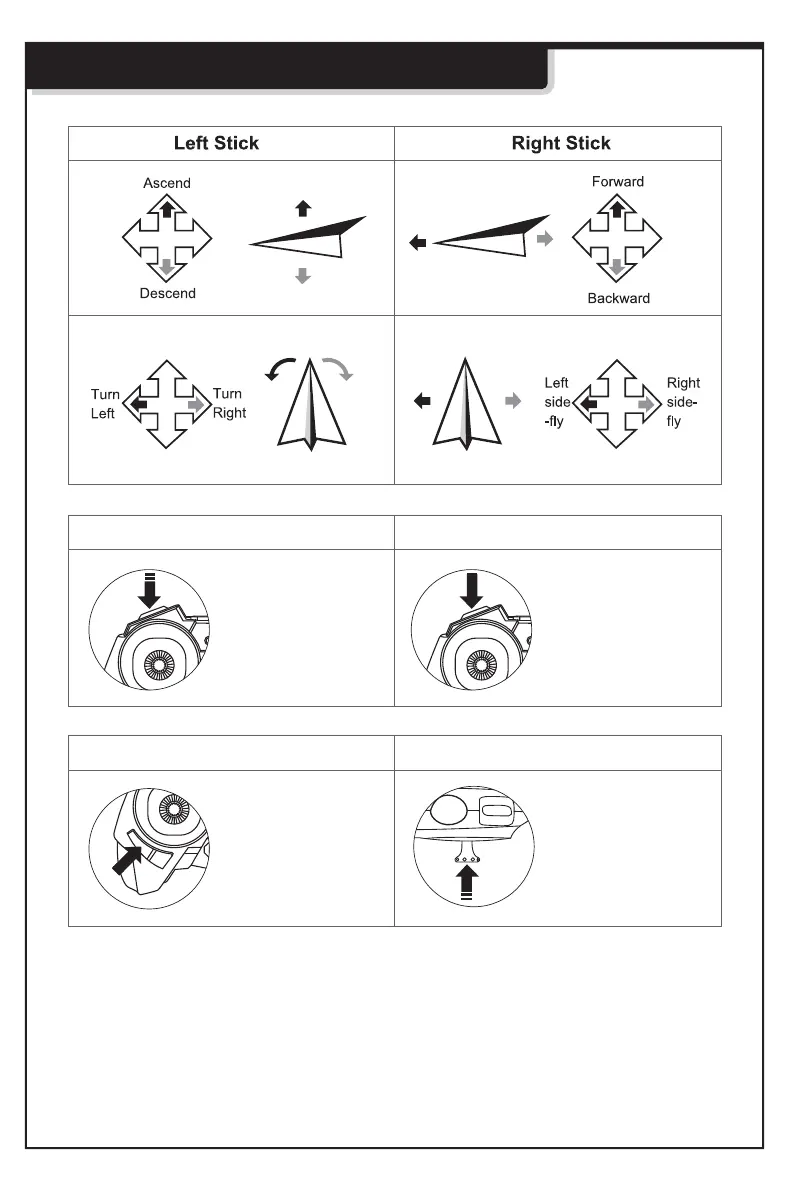
Basic Control
Press this button
once to enter / exit
Headless Mode
Enter Headless Mode *
Short press right stick
to switch flying speed
1 beep = low
2 beeps = mid
3 beeps = fast
Flying Speed Select
Short press the
button to take a
photo
Long press the button
to start video shooting,
press again to stop.
Photo Taking Video Shooting
* To enter headless mode:
1) Before taking off, position the drone to where you and the drone are facing the same direction.
2) Press headless button to enter headless mode.
3) Pressing the headless button again will exit headless mode.
Note:
- The LED on drone will flash continuously when the it is in headless mode.


 To Next Page