EasyManua.ls Logo

Teac AD-500 - User Manual

Teac AD-500
84 pages
Print Icon
To Next Page IconTo Next Page
Loading...
ad-500
`
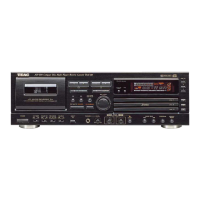
Compact Disc Player/Reverse Cassette Deck
3D0007500A
D
Thanks for buying a TEAC. Read this manual carefully to get the best
performance from this unit.
Nous vous remercions pour l’achat d’un appareil TEAC.
Lire ce manuel avec attention pour obtenir les meilleures performances
possibles de cet appareil.
Vielen Dank für den Kauf dieses TEAC-Geräts.
Bitte lesen Sie diese Anleitung sorgfältig durch, um die Leistungs-
fähigkeit dieses Geräts optimal nutzen zu können.
Grazie per aver acquistato un prodotto TEAC.
Leggere attentamente questo manuale per ottenere le migliori
prestazioni da questo apparecchio.
Enhorabuena por la adquisición de un TEAC.
Lea detenidamente este manual a fin de obtener el mejor rendimiento de
esta unidad.
Dank u voor de aanschaf van een TEAC.
Lees deze gebruiksaanwijzing aandachtig door teneinde de beste
prestaties van dit toestel te verkrijgen.
OWNER’S MANUAL ......................... 4
MANUEL DU PROPRIETAIRE...........17
BEDIENUNGSANLEITUNG................30
MANUALE DI ISTRUZIONI ...............44
MANUAL DEL USUARIO ..................57
GEBRUIKSAANWIJZING ..................70
NEDERLANDS ESPAÑOL
ITALIANO DEUTSCH
FRANÇAIS
ENGLISH
This appliance has a serial number located
on the rear panel. Please record the model
number and serial number and retain them
for your records.
Model number
Serial number
WARNING: TO PREVENT FIRE OR SHOCK
HAZARD, DO NOT EXPOSE THIS
APPLIANCE TO RAIN OR MOISTURE.
The exclamation point within an equilateral triangle is intended to alert the user to the
presence of important operating and maintenance (servicing) instructions in the literature
accompanying the appliance.
The lightning flash with arrowhead symbol, within an equilateral triangle, is intended to alert
the user to the presence of uninsulated “dangerous voltage” within the product’s enclosure
that may be of sufficient magnitude to constitute a risk of electric shock to persons.
CAUTION: TO REDUCE THE RISK OF ELECTRIC SHOCK, DO NOT
REMOVE COVER (OR BACK). NO USER-SERVICEABLE PARTS INSIDE.
REFER SERVICING TO QUALIFIED SERVICE PERSONNEL.
Ü
ÿ
Ÿ


Questions and Answers

Summary

Important Safety Instructions

General Safety Precautions

Comprehensive safety guidelines for operating the audio equipment safely.

Before Use

Read Before Operating

Essential pre-operation instructions for unit setup and placement.

Disc Handling

Instructions for loading, unloading, and cleaning compact discs.

Tape Handling and Specifications

Guidance on storing tapes and tape selection for automatic tape select function.

Remote Control Operation

Instructions for remote operation, battery installation, replacement, and precautions.

Connections

Voltage Conversion

Instructions for setting the voltage selector for different regions.

AC Power Cord Connection Safety

Important safety precautions for connecting the AC power cord, especially for UK customers.

Signal Cord Connections

Details on connecting audio signal cords for LINE IN/OUT and CD LINE OUT.

Power Cord & Headphone Connections

Instructions for connecting the power cord and headphones.

Name of Each Control

Control Identification

Overview of all controls on the main unit and remote control.

CD Player

CD Player Basic Operation

Step-by-step guide to playing CDs, including loading, stopping, and pausing.

CD Player Music Search

How to skip tracks forward or backward and manual sound search.

CD Player

CD Player Program Playback

Instructions for programming and playing tunes in a desired order.

CD Player Delete Programming

Method for programming tunes that should NOT be played.

CD Player

CD Player Random Playback

How to play tracks in a randomly selected order.

CD Player Repeat Functions

How to repeat single tracks, entire discs, or designated sections (A-B Repeat).

CD Player

CD Player Time Display

Explanation of the time readouts: total disc time, elapsed time, and remaining time.

CD Player Auto Spacing

Function to automatically insert 4-second blanks between tracks.

CD Player Intro Check

How to play the beginning of each track for 10 seconds.

CD Player Single Track Playback

How to play a single track, after which the player stops.

Cassette Deck Operation

Cassette Deck Playback & Loading

Steps for playing cassettes, loading tapes, and basic operation.

Cassette Deck Recording & Erasing

Guide to recording, setting levels, and erasing tape content.

Cassette Tape Counter

Explanation of the tape counter and how to reset it.

Cassette Deck Operation

Cassette RTZ Function

How to use the Return To Zero function to locate the '0000' point.

Cassette Pitch Control

How to adjust tape speed and pitch during playback.

Cassette CPS Function

Using Computomatic Program Search to find specific tunes by detecting blank spaces.

Cassette Fast Wind

Using fast forward and rewind buttons for tape movement and CPS.

Copying from CD to Tape

CD to Tape Copy: Muting & Spacing

Creating blanks during recording and record-pause modes.

CD to Tape Copying Methods

Options for copying from beginning, specific tape position, or A-B program dubbing.

Continuous Playback between CD and Tape

Continuous CD and Tape Playback

How to achieve automatic playback switching between CD and cassette deck.

Timer-Controlled Operation

Using the unit's timer function for scheduled playback or recording.

Troubleshooting

Troubleshooting: General Issues

Common problems and solutions for the unit's general functions.

Troubleshooting: CD Player

Solutions for common CD player playback and output issues.

Troubleshooting: Cassette Deck

Solutions for common cassette deck sound quality, recording, and playback issues.

Maintenance

Tape Path & Head Maintenance

Instructions for cleaning tape path and demagnetizing heads.

Specifications

Specifications: Components

Technical details for CD player, cassette deck, and general unit specs.

Regulatory Information and AC Power Cord

User Information & FCC Compliance

Information for the user regarding FCC rules and potential interference.

AC Power Cord Safety

Safety precautions for connecting the AC power cord, including specific warnings.

Summary

Important Safety Instructions

General Safety Precautions

Comprehensive safety guidelines for operating the audio equipment safely.

Before Use

Read Before Operating

Essential pre-operation instructions for unit setup and placement.

Disc Handling

Instructions for loading, unloading, and cleaning compact discs.

Tape Handling and Specifications

Guidance on storing tapes and tape selection for automatic tape select function.

Remote Control Operation

Instructions for remote operation, battery installation, replacement, and precautions.

Connections

Voltage Conversion

Instructions for setting the voltage selector for different regions.

AC Power Cord Connection Safety

Important safety precautions for connecting the AC power cord, especially for UK customers.

Signal Cord Connections

Details on connecting audio signal cords for LINE IN/OUT and CD LINE OUT.

Power Cord & Headphone Connections

Instructions for connecting the power cord and headphones.

Name of Each Control

Control Identification

Overview of all controls on the main unit and remote control.

CD Player

CD Player Basic Operation

Step-by-step guide to playing CDs, including loading, stopping, and pausing.

CD Player Music Search

How to skip tracks forward or backward and manual sound search.

CD Player

CD Player Program Playback

Instructions for programming and playing tunes in a desired order.

CD Player Delete Programming

Method for programming tunes that should NOT be played.

CD Player

CD Player Random Playback

How to play tracks in a randomly selected order.

CD Player Repeat Functions

How to repeat single tracks, entire discs, or designated sections (A-B Repeat).

CD Player

CD Player Time Display

Explanation of the time readouts: total disc time, elapsed time, and remaining time.

CD Player Auto Spacing

Function to automatically insert 4-second blanks between tracks.

CD Player Intro Check

How to play the beginning of each track for 10 seconds.

CD Player Single Track Playback

How to play a single track, after which the player stops.

Cassette Deck Operation

Cassette Deck Playback & Loading

Steps for playing cassettes, loading tapes, and basic operation.

Cassette Deck Recording & Erasing

Guide to recording, setting levels, and erasing tape content.

Cassette Tape Counter

Explanation of the tape counter and how to reset it.

Cassette Deck Operation

Cassette RTZ Function

How to use the Return To Zero function to locate the '0000' point.

Cassette Pitch Control

How to adjust tape speed and pitch during playback.

Cassette CPS Function

Using Computomatic Program Search to find specific tunes by detecting blank spaces.

Cassette Fast Wind

Using fast forward and rewind buttons for tape movement and CPS.

Copying from CD to Tape

CD to Tape Copy: Muting & Spacing

Creating blanks during recording and record-pause modes.

CD to Tape Copying Methods

Options for copying from beginning, specific tape position, or A-B program dubbing.

Continuous Playback between CD and Tape

Continuous CD and Tape Playback

How to achieve automatic playback switching between CD and cassette deck.

Timer-Controlled Operation

Using the unit's timer function for scheduled playback or recording.

Troubleshooting

Troubleshooting: General Issues

Common problems and solutions for the unit's general functions.

Troubleshooting: CD Player

Solutions for common CD player playback and output issues.

Troubleshooting: Cassette Deck

Solutions for common cassette deck sound quality, recording, and playback issues.

Maintenance

Tape Path & Head Maintenance

Instructions for cleaning tape path and demagnetizing heads.

Specifications

Specifications: Components

Technical details for CD player, cassette deck, and general unit specs.

Regulatory Information and AC Power Cord

User Information & FCC Compliance

Information for the user regarding FCC rules and potential interference.

AC Power Cord Safety

Safety precautions for connecting the AC power cord, including specific warnings.

Teac AD-500 Specifications

General IconGeneral
Media types supportedCD, CD-R/RW
Device typePortable CD player
Cassette deckYes
Product colorBlack
Number of decks2 deck(s)
Display type-
Audio input1
Power requirements120 - 230V, 50 - 60Hz
Dimensions (WxDxH)435 x 290 x 145 mm
Weight and Dimensions IconWeight and Dimensions
Weight5300 g

Related product manuals