To Next Page
M
Miss Gail HicksSep 13, 2025
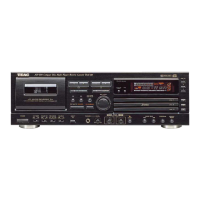
Why is there no program playback on my Teac AD-500?
- KKenneth AlvarezSep 13, 2025
If your Teac CD Player is not playing programs, make sure the PROGRAM button is pressed to display PGM.

Why is there no program playback on my Teac AD-500?
If your Teac CD Player is not playing programs, make sure the PROGRAM button is pressed to display PGM.
Comprehensive safety guidelines for operating the audio equipment safely.
Essential pre-operation instructions for unit setup and placement.
Instructions for loading, unloading, and cleaning compact discs.
Guidance on storing tapes and tape selection for automatic tape select function.
Instructions for remote operation, battery installation, replacement, and precautions.
Instructions for setting the voltage selector for different regions.
Important safety precautions for connecting the AC power cord, especially for UK customers.
Details on connecting audio signal cords for LINE IN/OUT and CD LINE OUT.
Instructions for connecting the power cord and headphones.
Overview of all controls on the main unit and remote control.
Step-by-step guide to playing CDs, including loading, stopping, and pausing.
How to skip tracks forward or backward and manual sound search.
Instructions for programming and playing tunes in a desired order.
Method for programming tunes that should NOT be played.
How to play tracks in a randomly selected order.
How to repeat single tracks, entire discs, or designated sections (A-B Repeat).
Explanation of the time readouts: total disc time, elapsed time, and remaining time.
Function to automatically insert 4-second blanks between tracks.
How to play the beginning of each track for 10 seconds.
How to play a single track, after which the player stops.
Steps for playing cassettes, loading tapes, and basic operation.
Guide to recording, setting levels, and erasing tape content.
Explanation of the tape counter and how to reset it.
How to use the Return To Zero function to locate the '0000' point.
How to adjust tape speed and pitch during playback.
Using Computomatic Program Search to find specific tunes by detecting blank spaces.
Using fast forward and rewind buttons for tape movement and CPS.
Creating blanks during recording and record-pause modes.
Options for copying from beginning, specific tape position, or A-B program dubbing.
How to achieve automatic playback switching between CD and cassette deck.
Using the unit's timer function for scheduled playback or recording.
Common problems and solutions for the unit's general functions.
Solutions for common CD player playback and output issues.
Solutions for common cassette deck sound quality, recording, and playback issues.
Instructions for cleaning tape path and demagnetizing heads.
Technical details for CD player, cassette deck, and general unit specs.
Information for the user regarding FCC rules and potential interference.
Safety precautions for connecting the AC power cord, including specific warnings.
 General
| Media types supported | CD, CD-R/RW |
|---|---|
| Device type | Portable CD player |
| Cassette deck | Yes |
| Product color | Black |
| Number of decks | 2 deck(s) |
| Display type | - |
| Audio input | 1 |
| Power requirements | 120 - 230V, 50 - 60Hz |
| Dimensions (WxDxH) | 435 x 290 x 145 mm |
 Weight and Dimensions
| Weight | 5300 g |
|---|