ENGLISH FRANÇAIS
Playback 2 Lecture 2
18
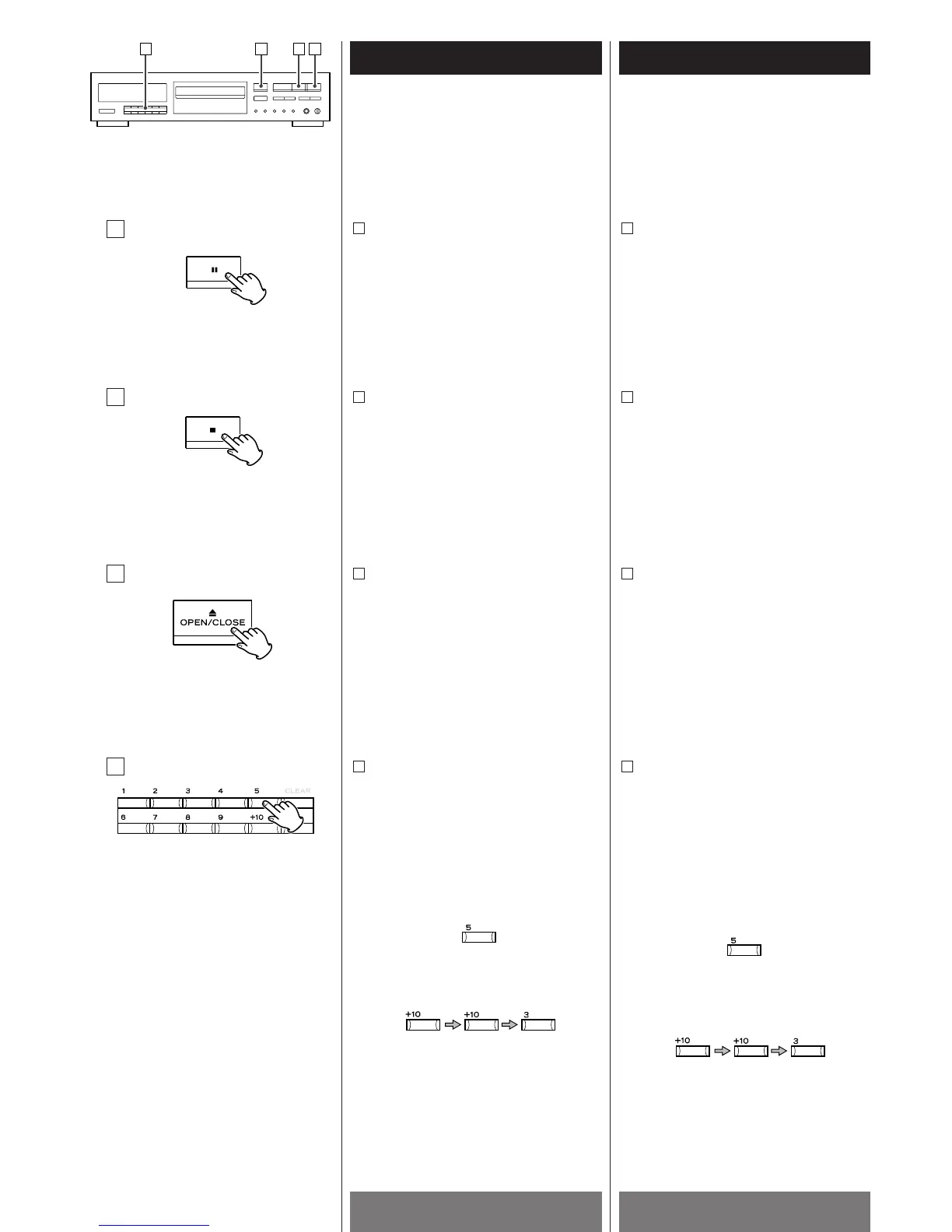
To temporarily suspend playback
(pause mode):
Press the J button.
Playback stops at the current position
and the J
indicator blinks. To resume
playback from the same position, press
the y
or J button.
A
Example 1:
To play the track No.5:
Example 2:
To play the track No.23:
Pour arrêter momentanément la lecture
(mode de pause):
Appuyer sur la touche J.
La lecture s'arrête à la position où se
trouve le capteur. L'indicateur J
clignote. Pour reprendre la lecture à
partir de la même position, appuyer sur
la touche y
ou J.
A
Exemple 1:
Pour lire à partir du 5ème
morceau:
Exemple 2:
Pour lire à partir du 23ème
morceau:
A
B
C
D
Direct access play:
Press the numeric buttons corresponding
to the required track. The player starts
from the specified track directly.
D
To unload the disc:
Press the OPEN/CLOSE (L) button.
Playback stops and the disc tray will slide
out, and all functions are reset to their
initial settings.
C
To stop playback:
Press the STOP (H) button.
The player enters the stop mode.
B
Lecture à accès direct:
Appuyer sur les touches numériques
correspondant au morceau voulu. Le
lecteur commence directement à partir
du morceau spécifié.
D
Pour retirer le disque:
Appuyer sur la touche OPEN/CLOSE (L).
La lecture s'arrête et le tiroir sortira, et
toutes les fonctions sont remises à leur
réglage initial.
C
Pour arrêter la lecture:
Appuyer sur la touche STOP (H).
Le lecteur entre en mode d'arrêt.
B


 To Next Page